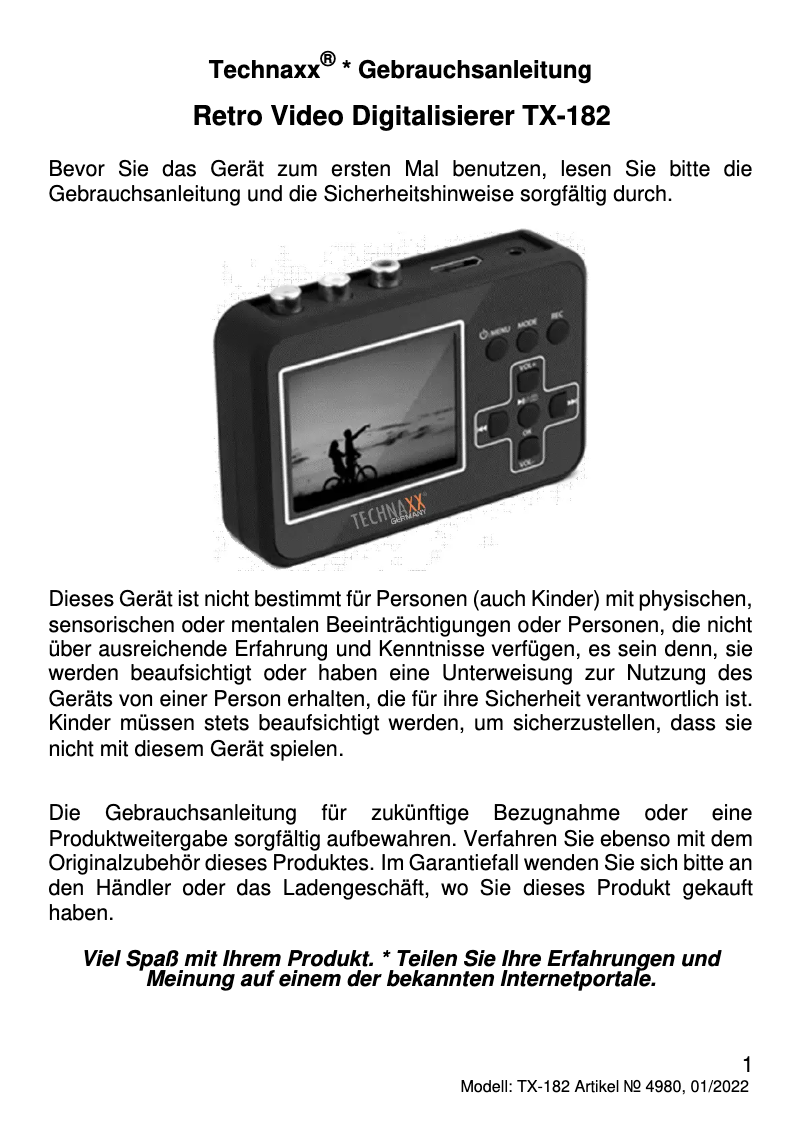
Thumbnail of product TX-182 from brand Technaxx
Logo of brand Technaxx

Uncategorized Technaxx TX-182

The Technaxx TX-182 is a product from the Technaxx brand, known for its quality and innovation in the field of household appliances. This model, the TX-182, is designed to ensure optimal performance and provide an enhanced user experience.

Each product is uniquely identified by its EAN code, here the 0426035812517, which facilitates its tracking in the distribution system.

To assist its users, a user manual is available, providing precise instructions for optimal use of the device.

In summary, the Technaxx TX-182 stands out for its reliability and efficiency, making it a relevant choice in its category.

Manual of product TX-182
7 10

Editorial note

The Technaxx TX-182 is a product from the renowned brand Technaxx, which is synonymous with quality and innovation in the home appliance sector. This model stands out for its optimal performance, providing an efficient user experience thanks to well-thought-out features. The presence of a detailed 134-page user manual allows new users to quickly familiarize themselves with the product, which is a considerable asset. However, some aspects could pose a problem. First of all, the price of the Technaxx TX-182 may be relatively high compared to other similar models, which may not suit all budgets. Additionally, the lack of features specific to certain categories of use may limit its appeal to users with particular needs. It is also worth noting that the lack of reviews and user feedback makes it difficult to assess the reliability and durability of the product. Finally, the limited availability of spare parts and accessories could pose a problem in case of repair needs. Overall, the Technaxx TX-182 offers a positive user experience and good performance, but its cost and certain limitations could influence the purchasing decision for some consumers.

Score details

User experience

The user experience is generally positive due to well-thought-out features, but the interface may require an adjustment period for some users.

Performance

The performance of the Technaxx TX-182 is optimal, ensuring an efficient experience, but the lack of specific features may limit its appeal to some.

Value for money

The cost of the product is relatively high compared to other similar models, which may pose a problem for limited budgets.

Support

The presence of a 134-page user manual allows users to quickly familiarize themselves with the product, thus providing good initial support.

repairability

The limited availability of spare parts or accessories could pose a problem in case of a need for repair or upgrade.


Advantages

Recognized brand for quality and innovation

High performance for efficient use

Accurate identification thanks to the EAN code

User manual included for quick handling

Simplifies users' daily tasks

Disadvantages

High price compared to other models

Lack of specific features

Few user reviews available

Spare parts hard to find

Unintuitive user interface

Technical Specifications TX-182

General Information

Frequently Asked Questions

How can I turn on the Technaxx TX-182?
To turn on the Technaxx TX-182, follow these steps: 1. Locate the power button on the device, which is usually on the side or top. 2. Press and hold the power button for a few seconds until the screen or indicators light up. 3. Release the button once the device is on. If the Technaxx TX-182 does not turn on, check the following: 1. Ensure the device is charged by connecting it to a power source with the provided cable and adapter. 2. Check that the power source is working properly; try a different outlet or another cable. 3. Confirm that the battery is properly inserted; if it is removable, take it out and reinsert it. 4. If the device still does not turn on, consider resetting it by consulting the manual. If the problem persists, it is advisable to contact Technaxx customer service for assistance.
What could be the reasons why the Technaxx TX-182 does not turn on?
There are several possible reasons why the Technaxx TX-182 does not turn on. Here are some causes and troubleshooting steps: 1. Check the battery: Ensure it is charged by connecting the device to a power source with the provided cable. If the battery is removable, make sure it is properly inserted. 2. Power button: Hold the power button for a few seconds to try to turn the device back on. If the button does not respond, try pressing it multiple times or test another power button, if available. 3. Power source: Check that the power source is functioning correctly by trying a different outlet or another cable. 4. Reset: If the device does not respond, attempt a reset using a small reset button, if present, with a pin or paperclip, then try to turn it back on. 5. Contact support: If none of the solutions work, it is recommended to contact Technaxx customer support for further assistance. These troubleshooting steps are general and may vary depending on the models and configurations of the Technaxx TX-182.
How to charge the Technaxx TX-182?
To charge the Technaxx TX-182, follow these steps: 1. Locate the charging port, usually found on the side or bottom of the device. 2. Plug one end of the provided charging cable into this port. 3. Connect the other end to a power source, such as a wall outlet or a computer USB port. 4. Ensure that the power source is working; check that the outlet is on or that the computer is powered on and not in sleep mode. 5. Once the cable is connected, the Technaxx TX-182 will begin to charge. You may see a charging indicator on the screen or a LED. 6. Leave the device plugged in until it is fully charged, with charging time varying based on battery capacity. 7. Once fully charged, unplug the cable from the device and the power source. It is crucial to use the provided cable and adapter to ensure proper charging and avoid damaging the device.
What could be the causes of the Technaxx TX-182 battery not charging?
If the battery of the Technaxx TX-182 is not charging, it could be due to several reasons. Here are some possible causes and troubleshooting steps: 1. Check the cable and adapter: Ensure they are properly connected to the device and the power source, with no loose connections or damaged cables. 2. Check the power source: Ensure it is functioning correctly by trying to plug the cable into another power source. 3. Clean the charging port: Dust or debris may accumulate, preventing proper charging. Use a soft cloth or a small brush to clean the charging port of the Technaxx TX-182. 4. Restart the device: Turn it off, wait a few seconds, then turn it back on. Then try to recharge it. 5. Battery replacement: If the problem persists, the battery may need to be replaced. Contact Technaxx customer support for assistance and information on battery replacement. These steps are general suggestions and may vary depending on specific models and configurations.
Is the manual for the Technaxx TX-182 available in French?
Yes, the manual for the Technaxx TX-182 is available in French.

Similar products


Discover the technical sheet of TE16 from Technaxx and its manuals...
Available manuals:
Discover the technical sheet of Beach from Sunny and its manuals...
Available manuals:
Discover the technical sheet of TE19 24V from Technaxx and its manuals...
Available manuals:
Discover the technical sheet of TE19 from Technaxx and its manuals...
Available manuals:
Discover the technical sheet of TX-151 from Technaxx and its manuals...
Available manuals:
Discover the technical sheet of TX-193 from Technaxx and its manuals...
Available manuals:
Discover the technical sheet of A030.139.01 from Sunny and its manuals...
Available manuals:
Discover the technical sheet of TX-107 from Technaxx and its manuals...
Available manuals:
Discover the technical sheet of NV Goggles from Yukon and its manuals...
Available manuals:
Discover the technical sheet of Sandy from Sunny and its manuals...
Available manuals:
Discover the technical sheet of SZ-JB02 from Zojirushi and its manuals...
Available manuals:
Discover the technical sheet of A030.139.00 from Sunny and its manuals...
Available manuals:

Presentation of product TX-182 specifications from brand Technaxx

General Information

The Technaxx TX-182 is a product from the brand Technaxx, known for its commitment to quality and innovation in the home appliance sector. This model, designated as TX-182, has been designed to offer optimal performance, thus ensuring an enriching user experience. The EAN code 0426035812517 allows for unique identification of the product in distribution systems, facilitating its tracking and purchase.

Advantages

  • Trusted brand: Technaxx is synonymous with cutting-edge technology and reliability.
  • High performance: Designed to meet daily needs efficiently.
  • Easy identification: The EAN code allows for easy location of the product.
  • User manual included: Enables users to quickly familiarize themselves with the product's features.
  • Enhanced user experience: With well-thought-out features, the TX-182 simplifies everyday tasks.

Disadvantages

  • Relatively high cost: May not suit all budgets, especially compared to other similar models.
  • Limited features: The absence of certain specific options may restrict its appeal to users with particular needs.
  • Lack of user reviews: Few available experiences make it difficult to assess its reliability.
  • Limited availability of accessories: Replacement parts may be hard to find if needed.
  • User interface: May require an adjustment period for some users, as it is not always intuitive.
