Thumbnail of product SDT 1.7 A3 from brand SilverCrest
Logo of brand SilverCrest

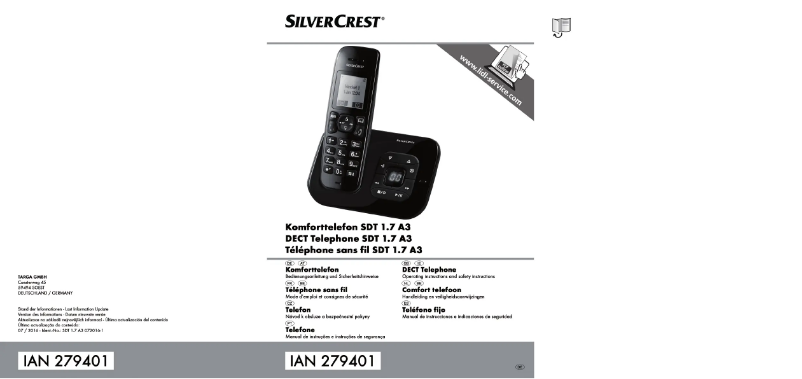
Phone SilverCrest SDT 1.7 A3

The SilverCrest SDT 1.7 A3 phone is a communication device designed to offer simple and efficient use. Renowned for its quality, the SilverCrest brand guarantees optimal performance and a pleasant user experience with this model.

With its 1.7-inch screen, the SilverCrest SDT 1.7 A3 is ideal for easy reading of messages and intuitive navigation. This phone stands out for its ease of use, making it perfect for those looking for a functional device without frills.

Furthermore, the model comes with a user manual to facilitate setup and use. Whether for making calls or sending messages, the SilverCrest SDT 1.7 A3 meets daily needs effectively.

In summary, the SilverCrest SDT 1.7 A3 is a practical phone that combines simplicity and performance, suitable for everyday use.

Manual of product SDT 1.7 A3
7 10

Editorial note

The SilverCrest SDT 1.7 A3 is a phone that stands out for its reliability and innovation, characteristics inherent to the SilverCrest brand. With optimal performance, this model ensures smooth and efficient use, making it an interesting choice for users looking for a simple yet effective device. Additionally, the compact and modern design makes it easy to carry on a daily basis. However, some drawbacks are worth mentioning. The audio quality may disappoint demanding users, especially during prolonged conversations. Furthermore, the user interface, while functional, may seem basic and not very intuitive for those who are not familiar with new technologies. The battery capacity could also pose a problem in case of intensive use, requiring frequent recharges. Finally, the model does not offer certain advanced features found in other phones in the same price range, which could disappoint some users. In summary, the SilverCrest SDT 1.7 A3 offers good value for money, but it is important to consider its limitations in terms of design, battery life, and features before making a choice.

Score details

User experience

The user experience is enhanced by ergonomic and intuitive features, but the interface may seem basic to some users.

Performance

The SDT 1.7 A3 model offers optimal performance for smooth and efficient use, but may be limited for very demanding tasks.

Battery life

The battery capacity may be insufficient for intensive use, leading to frequent recharging needs.

Design

The design is compact and modern, making it easy to transport, but some users may find it unattractive compared to current trends.

Value for money

The product offers good value for money, although some advanced features are lacking compared to other models in the same range.


Advantages

Reliability and innovation of the SilverCrest brand

Optimal performance for smooth use

Ergonomic features for a better experience

User manual included for easy handling

Compact and modern design, easy to transport

Disadvantages

Average audio quality during long conversations

User interface not very intuitive and basic

Insufficient battery for intensive use

Limited features compared to the competition

Unattractive design according to current trends

Technical Specifications SDT 1.7 A3

General Information

Frequently Asked Questions

How can I ensure that all items in the package of the SilverCrest SDT 1.7 A3 phone are present and in good condition?
To check the completeness and condition of the items in the package of the SilverCrest SDT 1.7 A3 phone, follow these steps: 1. Unpack the package and remove all packaging materials. 2. Ensure you have all the accessories listed in the manual, which include: - A handset - A base - A telephone cord (the illustration may differ depending on your country) - A power adapter (the illustration may differ depending on your country) - 2 AAA batteries (similar to the illustration) - These operating instructions (online illustration) 3. Examine each item carefully for any visible damage or defects. 4. In case of missing or damaged items, contact customer service for assistance. By following these steps, you can ensure that all items in the package of the SilverCrest SDT 1.7 A3 phone are complete and in good condition.
How can I adjust the time, alarm, and date settings on the SilverCrest SDT 1.7 A3 phone?
To change the time, alarm, and date settings on the SilverCrest SDT 1.7 A3 phone, please refer to the manual for detailed instructions.
How do I make and answer a call on the SilverCrest SDT 1.7 A3 phone?
To make a call with the SilverCrest SDT 1.7 A3 phone, follow these steps: 1. Enter the phone number using the numeric buttons on the keypad. 2. Press the call button [11] to initiate the call. To answer a call, proceed as follows: 1. When you receive a call, the caller's number will be displayed on the handset screen [2]. 2. If the number is stored in the directory, the corresponding name will appear. 3. Press the call button [11] to take the call. These steps will allow you to easily make and answer calls on your SilverCrest SDT 1.7 A3 phone.
How do I activate the hands-free function on the SilverCrest SDT 1.7 A3 phone?
To use the hands-free function on the SilverCrest SDT 1.7 A3 phone, follow these steps: 1. During a call or when the phone is in standby mode, press the call button [11] twice to activate the function. 2. When the hands-free function is activated, the corresponding icon will appear on the screen [2]. 3. To adjust the volume of the hands-free speaker during the call, use the directional control button [4] illustrated with a speaker icon. Press up to increase the volume or down to decrease it. The volume level will be displayed on the screen [2]. 4. To mute the microphone during a call, press the menu button [12]. The microphone icon will then appear on the screen [2]. By following these steps, you can easily use the hands-free function of your SilverCrest SDT 1.7 A3 phone.
How do I listen to messages and set up the answering machine remotely on the SilverCrest SDT 1.7 A3 phone?
To listen to messages and set up the answering machine remotely on the SilverCrest SDT 1.7 A3 phone, follow these steps: 1. Call your device from another phone in tone mode. 2. The answering machine will answer and play the greeting message, followed by a confirmation beep. You can interrupt the playback by pressing the * button. 3. Press the * button twice. 4. A remote access security code will be requested, the default code being 000. 5. After entering the code, wait for the confirmation beep. 6. The following options are available: - Button 0: Delete all messages - Button 2: Listen to messages - Button 1: Skip to the previous message - Button 3: Skip to the next message - Button 7: Delete the current message - Button 4: Listen to the greeting message - Button 5: Record a greeting message - Button 6: Stop recording and exit remote listening - Button 8: Disable the answering machine - Button 9: Toggle between greeting messages and activate the answering machine. *Note: If the answering machine is disabled, press the * button twice and enter the security code to activate it. If you frequently listen to messages remotely, it is advisable to set up the Call Economy mode for optimized call responses. This function is explained in the 'Answering Machine' chapter of the manual. By following these steps, you can easily listen to messages and set up the answering machine remotely on your SilverCrest SDT 1.7 A3 phone.
How can I check if all items in the package of the SilverCrest SDT 1.7 A3 phone are present and in good condition?
To ensure that all items in the package of the SilverCrest SDT 1.7 A3 phone are present and in good condition, follow these steps: 1. Unpack the package and remove all packaging materials. 2. Ensure you have all the accessories mentioned in the manual, including: - A handset - A base - A telephone cord (the illustration may vary depending on your country) - A power adapter (the illustration may vary depending on your country) - 2 AAA batteries (similar to the illustration) - These operating instructions (black and white illustration) 3. Examine each item for any visible damage or defects. 4. In case of missing or damaged items, contact customer service for assistance. They will provide you with further advice and support. By following these steps, you can ensure that all items in the package of the SilverCrest SDT 1.7 A3 phone are complete and in good condition.
How do I adjust the time, alarm, and date settings on the SilverCrest SDT 1.7 A3 phone?
To change the default settings for the time, alarm, and date on the SilverCrest SDT 1.7 A3 phone, follow these steps: 1. Press the Menu button [12] when the handset is in standby mode to access the menu. 2. Use the directional control [4] to navigate to the 'Time' option and press the Address Book button [3] to confirm. 3. Select 'Date and Time' and press the Address Book button [3] to confirm. 4. Enter the day, month, and year in order using the numeric keys [6]. Press the Address Book button [3] to validate each entry. 5. Set the desired time by entering the hours and minutes, then press the Address Book button [3] to confirm. 6. To customize the time format, choose 'Set Time Format' and press the Address Book button [3] to validate. 7. Use the directional control [4] to select '24 Hours' or '12 Hours' according to your preference. 8. Confirm your choice by pressing the Address Book button [3]. By following these steps, you can easily adjust the time, alarm, and date settings on your SilverCrest SDT 1.7 A3 phone.
How do I make and answer a call on the SilverCrest SDT 1.7 A3 phone?
To make a call with the SilverCrest SDT 1.7 A3 phone, follow these steps: 1. Enter the phone number using the numeric buttons on the keypad. 2. Press the Call button [11] to initiate the call. To answer a call, proceed as follows: 1. When a call comes in, the caller's number will be displayed on the handset screen [2]. 2. If the number is stored in the directory, the corresponding name will be displayed. 3. Press the Call button [11] to take the call. By following these steps, you can easily make and answer calls on your SilverCrest SDT 1.7 A3 phone.
How do I activate the hands-free function on the SilverCrest SDT 1.7 A3 phone?
To activate the hands-free function on the SilverCrest SDT 1.7 A3 phone, follow these steps: 1. During a call or when the phone is in standby mode, press the call button [11] twice. 2. The hands-free function icon will appear on the screen [2] once activated. 3. To adjust the volume of the hands-free speaker, use the directional control button [4] with the speaker icon. Press up to increase the volume or down to decrease it. The volume level will be displayed on the screen [2]. 4. To mute the microphone, press the Menu button [12]. The microphone icon will be displayed on the screen [2]. By following these steps, you can easily use the hands-free function of your SilverCrest SDT 1.7 A3 phone.
How do I listen to messages and set up the answering machine remotely on the SilverCrest SDT 1.7 A3 phone?
To listen to messages and set up the answering machine remotely on the SilverCrest SDT 1.7 A3 phone, follow these steps: 1. Call your device from another phone in tone mode. 2. The answering machine will answer and play the greeting message, followed by a beep. You can interrupt the playback by pressing the * button. 3. Press the * button twice. 4. A remote access security code will be requested, the default code being 000. 5. Enter the three-digit code and wait for the confirmation beep. 6. The following options are available: - Button 0: Delete all messages - Button 2: Listen to messages - Button 1: Skip to the previous message - Button 3: Skip to the next message - Button 7: Delete the current message - Button 4: Listen to the greeting message - Button 5: Record a greeting message - Button 6: Stop recording and exit remote listening - Button 8: Disable the answering machine - Button 9: Toggle between greeting messages and activate the answering machine. *Note: If the answering machine is disabled, press the * button twice and enter the security code to activate it. If you frequently listen to messages remotely, it is advisable to set up the Call Economy mode for optimized call responses. This function is detailed in the 'Answering Machine' chapter of the manual. By following these steps, you can easily listen to messages and set up the answering machine remotely on your SilverCrest SDT 1.7 A3 phone.
Is the manual for the SilverCrest SDT 1.7 A3 available in French?
Yes, the manual for the SilverCrest SDT 1.7 A3 is available in French.

Similar products


Discover the technical sheet of ME6051 from Motorola and its manuals...
Available manuals:
Discover the technical sheet of COCOON M1450 from SilverCrest and its manuals...
Available manuals:
Discover the technical sheet of D114 from Motorola and its manuals...
Available manuals:
Discover the technical sheet of COCOON M1450 TWIN from SilverCrest and its manuals...
Available manuals:
Discover the technical sheet of D112 from Motorola and its manuals...
Available manuals:
Discover the technical sheet of Mistral 830 from SilverCrest and its manuals...
Available manuals:
Discover the technical sheet of D103 from Motorola and its manuals...
Available manuals:
Discover the technical sheet of PH-1012 from SilverCrest and its manuals...
Available manuals:
Discover the technical sheet of D113 from Motorola and its manuals...
Available manuals:
Discover the technical sheet of SGKT 50 A1 from SilverCrest and its manuals...
Available manuals:
Discover the technical sheet of D210 from Motorola and its manuals...
Available manuals:
Discover the technical sheet of Big Button Phone SGKT 50 A2 from SilverCrest and its manuals...
Available manuals:

Presentation of product SDT 1.7 A3 specifications from brand SilverCrest

General Information

The SilverCrest SDT 1.7 A3 is a phone from the SilverCrest brand, known for its commitment to quality and innovation in the electronics sector. This model, the SDT 1.7 A3, has been designed to deliver optimal performance, thus enhancing the user experience with ergonomic and intuitive features.

Advantages

This phone has several notable advantages:

  • The reputation of SilverCrest ensures reliability and quality appreciated by users.
  • The SDT 1.7 A3 model guarantees smooth usage, suitable for daily tasks.
  • Its compact and modern design makes it easy to carry and use on a daily basis.
  • A user manual is included, simplifying the onboarding process for new users.
Disadvantages

Despite its qualities, some aspects of the SilverCrest SDT 1.7 A3 may disappoint:

  • The audio quality may not satisfy demanding users, especially during long conversations.
  • The user interface may seem basic, making it difficult to use for those unfamiliar with modern technologies.
  • The battery capacity may prove insufficient for intensive use, requiring frequent recharges.
  • It may lack certain advanced features, such as 4G connectivity, found in competing models.
  • Finally, the design may not match the aesthetic preferences of all users.