

Manuals of product MX-M4051

Editorial note
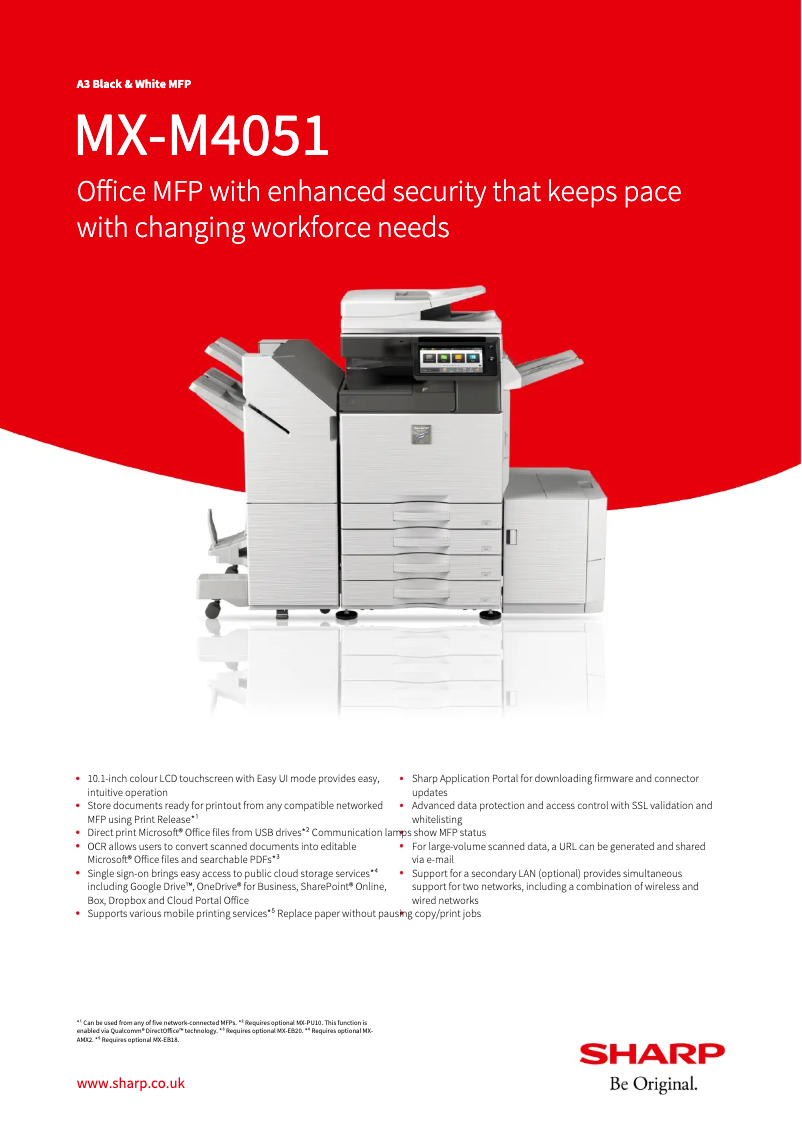
The Sharp MX-M4051 printer stands out for its superior print quality, delivering sharp and detailed results, which is essential in a professional setting. Its versatility is also a major asset, with the ability to handle different formats and types of paper, thus meeting various printing needs, whether for simple documents or elaborate presentations. The user experience is generally satisfactory thanks to a user-friendly interface and accompanying documents such as the user manual and quick start guide, which facilitate setup and use, even for less experienced users. The reliability of the Sharp brand, known for its durability, ensures a commendable longevity of the printer, making it suitable for daily use. However, the initial purchase cost of the printer may be a barrier for small businesses or individual users. Additionally, its size and weight can complicate installation and movement in tight spaces. Maintenance costs, particularly toner replacements, can also accumulate over time, increasing the total cost of ownership. Finally, while the print speed is competitive, it may not be sufficient in very high-volume environments where maximum productivity is required. Some advanced features may also require a learning curve, which could pose a challenge for some users. In summary, the Sharp MX-M4051 is a robust and versatile printer, ideal for professional environments, but its initial cost and space and maintenance requirements should be taken into account.Score details
User experience
The user experience is very satisfactory thanks to a user-friendly interface and well-designed supporting documents, making setup and use easier.
Performance
Print performance is generally good, but may be limited in very high-volume environments due to print speed.
Value for money
The initial purchase cost is high, which could deter some users, but the print quality and brand reliability partly justify this investment.
Features
The printer offers great versatility with advanced connectivity options and support for various paper formats, meeting many printing needs.
Robustness
The Sharp brand is known for the durability of its products, ensuring good longevity and reliability of the printer in a professional context.
Usability
Although the interface is generally intuitive, some advanced features may require a learning curve for less experienced users.
Advantages
High-quality prints
Support for various paper formats
User-friendly interface for easy use
Reputable brand for reliability
Modern connectivity for all devices
Disadvantages
High initial purchase cost.
Bulky size and weight.
Accumulated maintenance costs.
Complex learning curve.
Insufficient printing speed for high volume.
Technical Specifications MX-M4051
General Information
-
ModelMX-M4051
-
Brand
-
Category
-
Type
-
SKU1570487
-
MPN1570487
Frequently Asked Questions
What is the best method to remove paper jammed in the printer?
Why is my printer not recognizing the original cartridges?
What are the possible reasons for poor print quality?
What are the differences between a laser printer and an inkjet printer?
Why is my inkjet printer leaving black streaks on prints?
What does the acronym DPI mean?
Is the manual for the Sharp MX-M4051 available in French?
Similar products


More product categories from brand Sharp
Television and multimedia Sharp
Home appliances Sharp
Household appliances Sharp
Audio Sharp
Phones Sharp
Other Sharp
Interior Sharp
More product types from brand Sharp


Presentation of product MX-M4051 specifications from brand Sharp
General Information
The Sharp MX-M4051 printer, from the renowned brand Sharp, is a model that stands out for its exceptional quality and innovation in the printing device sector. Designed to meet the needs of professional environments, this printer ensures optimal performance and an enhanced user experience.
Advantages
Superior print quality: The Sharp MX-M4051 is capable of producing prints with remarkable clarity and detail, making it a preferred choice for important professional documents.
Versatility of features: This printer supports various paper formats and types, providing valuable flexibility to meet diverse needs, ranging from simple documents to sophisticated presentations.
Ease of use: With its intuitive interface and accompanying documents such as the user manual and quick start guide, the MX-M4051 allows for easy setup, even for inexperienced users.
Brand reliability: Sharp is known for the durability of its products, ensuring users a robust and reliable printer for daily use.
Advanced connectivity options: This printer offers modern connection methods, facilitating printing from various devices, whether they are computers, tablets, or smartphones.
Disadvantages
High initial cost: Purchasing the Sharp MX-M4051 can represent a significant investment, which may deter small businesses or individual users.
Size and weight: Its bulkiness can complicate installation and movement in tight spaces.
Maintenance costs: Expenses related to maintenance, such as toner and parts replacement, can accumulate and increase the total cost of ownership over time.
Complexity of features: Some advanced options may require a learning curve, posing a challenge for users unfamiliar with new technologies.
Print speed: Although competitive, the print speed may not be sufficient for very high-volume environments that demand maximum productivity.


