
Manual of product MX-3550N
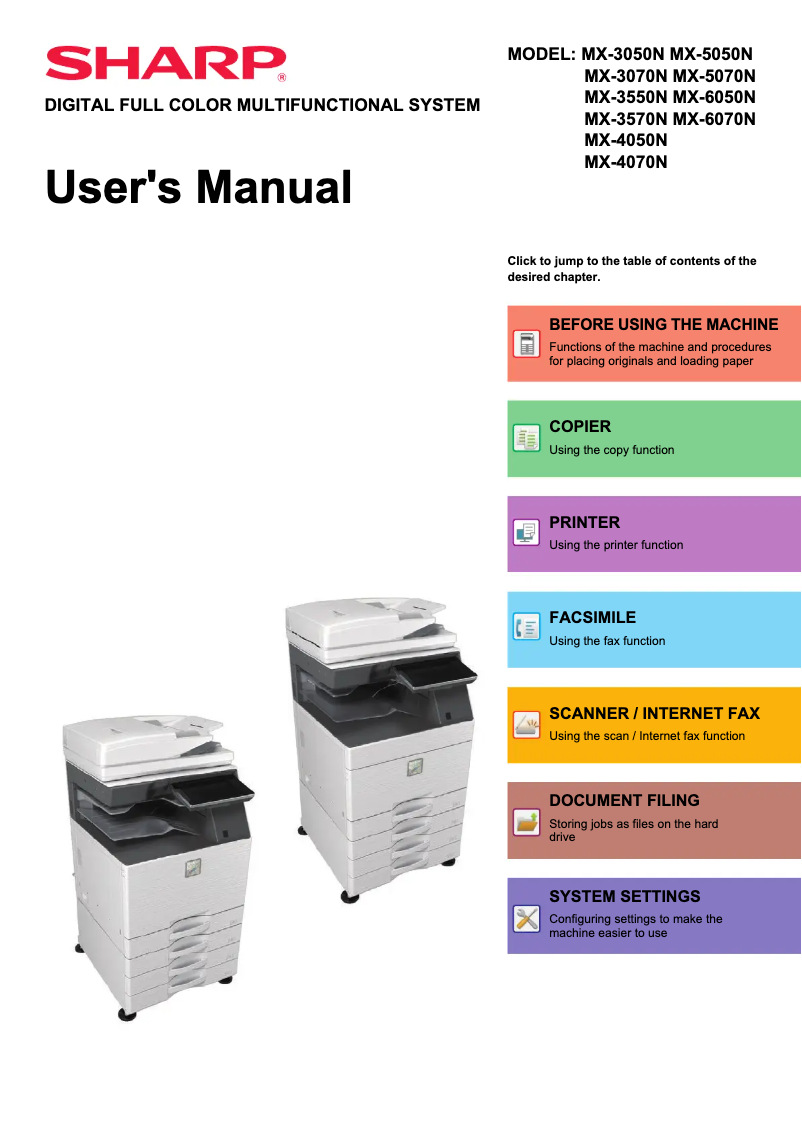
Editorial note
The Sharp MX-3550N printer stands out for its exceptional print quality, delivering sharp and professional documents. With impressive versatility, it not only allows for printing but also copying, scanning, and sending faxes, thus meeting the diverse needs of a modern work environment. Its intuitive user interface, equipped with a user-friendly touchscreen, simplifies navigation through its various functions, making the user experience enjoyable. However, some drawbacks deserve to be highlighted. The initial purchase cost can be high, representing a significant investment, especially for small businesses or home users. Additionally, the printer's bulky size may pose space issues in cramped offices. Print times can also be longer for color documents, which may slow down workflow. Finally, while wireless connectivity is an asset, it can sometimes be unstable, which could cause connection difficulties. Regarding durability, the Sharp MX-3550N is designed to be robust, but its maintenance and the replacement of consumables can incur additional costs over time. Despite these drawbacks, the user manual, although bulky, provides valuable assistance for setting up and maintaining the printer. Overall, the Sharp MX-3550N is a quality multifunction printer, well-suited to the needs of modern offices, although it requires a significant initial investment.Score details
User experience
The intuitive user interface with a user-friendly touchscreen makes navigation easy, providing a pleasant experience when using the various functions.
Performance
The prints are of high quality and accurate, although printing times may be longer for color documents, which can slow down workflow.
Features
The versatility of features such as printing, copying, scanning, and faxing perfectly meets various office needs.
Value for money
The initial purchase cost is high, which can represent a significant investment, but the quality of prints and features partly justify this price.
Battery life
Although the printer is energy-efficient, reliance on a constant power supply can be a drawback for some users.
Robustness
The relatively large size of the printer can pose space issues, but it is designed to be robust and durable.
Support
The user manual, although bulky, is comprehensive and provides good assistance for setting up and maintaining the printer.
Advantages
Clear and professional prints."
Multifunction printer: print, copy, scan, fax."
User-friendly and intuitive touchscreen."
Advanced Wi-Fi and Ethernet connectivity."
Energy-efficient, reduces operating costs.
Disadvantages
High purchase cost for small businesses
Bulky size, requires a lot of space
Expensive maintenance and consumables in the long run
Longer color printing time
Wireless connectivity sometimes unstable
Technical Specifications MX-3550N
General Information
-
ModelMX-3550N
-
Brand
-
Category
-
Type
-
SKU860614
-
MPN860614
Frequently Asked Questions
What is the recommended method for removing jammed paper from the printer?
Why is my printer refusing to accept original cartridges?
What are the possible causes of poor print quality?
What are the main differences between a laser printer and an inkjet printer?
Why is my inkjet printer leaving black streaks on prints?
What does the acronym DPI mean?
Is the manual for the Sharp MX-3550N available in French?
Similar products


More product categories from brand Sharp
Television and multimedia Sharp
Home appliances Sharp
Household appliances Sharp
Audio Sharp
Phones Sharp
Other Sharp
Interior Sharp
More product types from brand Sharp


Presentation of product MX-3550N specifications from brand Sharp
General Information
The Sharp MX-3550N printer is a model from the renowned brand Sharp, known for its commitment to quality and innovation in the office equipment sector. This model, the MX-3550N, is designed to deliver exceptional performance and a smooth user experience, ideal for professional environments.
Advantages
This printer stands out for its remarkable print quality, producing documents with impressive clarity and precision, thus meeting the demands of users seeking professional prints. As a multifunction device, the Sharp MX-3550N not only allows printing but also copying, scanning, and sending faxes, making it extremely versatile for various office needs.
Its intuitive user interface, equipped with a user-friendly touchscreen, facilitates navigation between different functions, making the use of the printer simple and accessible to everyone. Furthermore, the advanced connectivity of this device, including Wi-Fi and Ethernet network, simplifies its integration into a modern and connected work environment.
Finally, the printer is designed to be energy-efficient, which helps reduce operating costs while minimizing its impact on the environment.
Disadvantages
However, it is important to consider some less favorable points. First, the initial purchase cost can be high, representing a significant investment for small businesses or home users. Additionally, the relatively bulky size of the printer may pose space issues in restricted offices.
Moreover, the maintenance and replacement of consumables, such as toners and parts, can incur additional costs over time. Print times may also be longer for color documents compared to monochrome prints, which can impact workflow. Finally, although wireless connectivity is an asset, it can sometimes be unstable, leading to connection difficulties with certain devices.


