

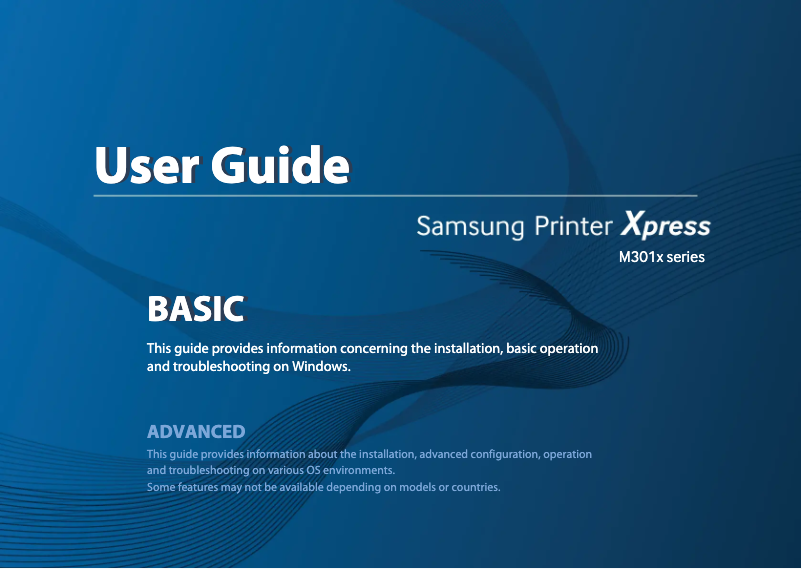
Manual of product Xpress SL-M3015DW
Editorial note
The Samsung Xpress SL-M3015DW printer stands out for its speed and printing efficiency, offering professional-quality performance. With its wireless connectivity, it allows for direct printing from mobile devices, making it convenient for professionals on the go. Its compact design easily fits into small workspaces while ensuring documents of exceptional clarity. However, this device has some drawbacks. It can be noisy during printing, which may be disruptive in quiet environments. Additionally, the lack of scanning and copying features limits its use for those seeking a multifunction device. Navigating the settings can also be less intuitive due to the absence of a touch interface or an LCD screen. Finally, the high cost of toner cartridges and sometimes unstable wireless connectivity can lead to additional operating expenses and connection difficulties. In summary, the Samsung Xpress SL-M3015DW is a solid choice for those looking for a fast and quality printer, but it may not be suitable for everyone due to its limitations in terms of features and operating costs.Score details
User experience
The user experience is generally positive due to wireless connectivity and a compact design, but the lack of a touchscreen interface can make navigation less intuitive.
Performance
The printing performance is excellent with fast speeds and professional print quality, although the printer can be noisy.
Value for money
Although the printer offers good performance, the high cost of toner cartridges can increase operating expenses in the long run.
Design
The compact and modern design of the printer allows for easy integration into an office, but it lacks certain features like scanning.
Features
The printer is limited by the absence of multifunction features such as scanning and copying, which may not suit all users.
Robustness
The printer is designed to deliver robust performance, although its wireless connectivity can sometimes be unstable.
Advantages
Fast and efficient printing.
Wi-Fi connectivity for mobile printing.
Professional print quality.
Compact design for small spaces.
Energy savings and reduced costs.
Disadvantages
Noisy printer in a quiet environment.
No scanning or photocopying functions.
Unintuitive navigation without a touchscreen.
High cost of toner cartridges.
Sometimes unstable wireless connectivity.
Technical Specifications Xpress SL-M3015DW
General Information
-
ModelXPRESS SL-M3015DW
-
Brand
-
Category
-
Type
-
SKU1385478
-
MPN1385478
Frequently Asked Questions
What is the recommended method for removing a paper jam in the printer?
Why does my printer not recognize original cartridges?
What are the possible reasons for poor print quality?
What are the differences between a laser printer and an inkjet printer?
Why does my inkjet printer leave black streaks on prints?
What does the acronym DPI mean?
Is there a manual in French for the Samsung Xpress SL-M3015DW?
Similar products




More product categories from brand Samsung
Television and multimedia Samsung
Home appliances Samsung
Household appliances Samsung
Phones Samsung
Audio Samsung
Other Samsung
Interior Samsung
Tools Samsung
Software Samsung
More product types from brand Samsung


Presentation of product Xpress SL-M3015DW specifications from brand Samsung
General Information
The Samsung Xpress SL-M3015DW printer is a model from the Samsung brand, known for its innovation and reliability in the field of electronic devices. This model stands out for its high performance, providing a smooth and efficient user experience. The EAN code 0191628388387, as well as 0887276123882, allows for unique identification of the product in distribution channels.
Advantages
The Samsung Xpress SL-M3015DW is characterized by several strengths:
- Fast and efficient printing: Its printing speed is a major asset, allowing for quick processing of documents, whether in a professional or personal setting.
- Wireless connectivity: Thanks to its Wi-Fi functionality, users can print directly from their mobile devices, making access to documents easy at any time.
- Professional print quality: With a high printing resolution, it ensures documents with ideal clarity and precision for presentations and reports.
- Compact design: Its reduced design allows for easy integration into tight workspaces while offering robust performance.
- Energy efficiency: This eco-friendly model helps minimize electricity consumption and reduce operating costs.
Disadvantages
However, the Samsung Xpress SL-M3015DW also has some limitations:
- Noise level: The printer can be loud during the printing process, which may disrupt a quiet work environment.
- Limited features: Lacking scanning or copying functions, it is not suitable for users looking for a multifunction device.
- Interface: The absence of a touchscreen or LCD makes navigating the settings less intuitive.
- Consumable costs: The toner cartridges can represent a high cost when replaced, impacting long-term operating expenses.
- Connectivity stability: The wireless functionality can sometimes be unstable, leading to difficulties printing from various devices.


