

Manual of product SRP-350
Editorial note
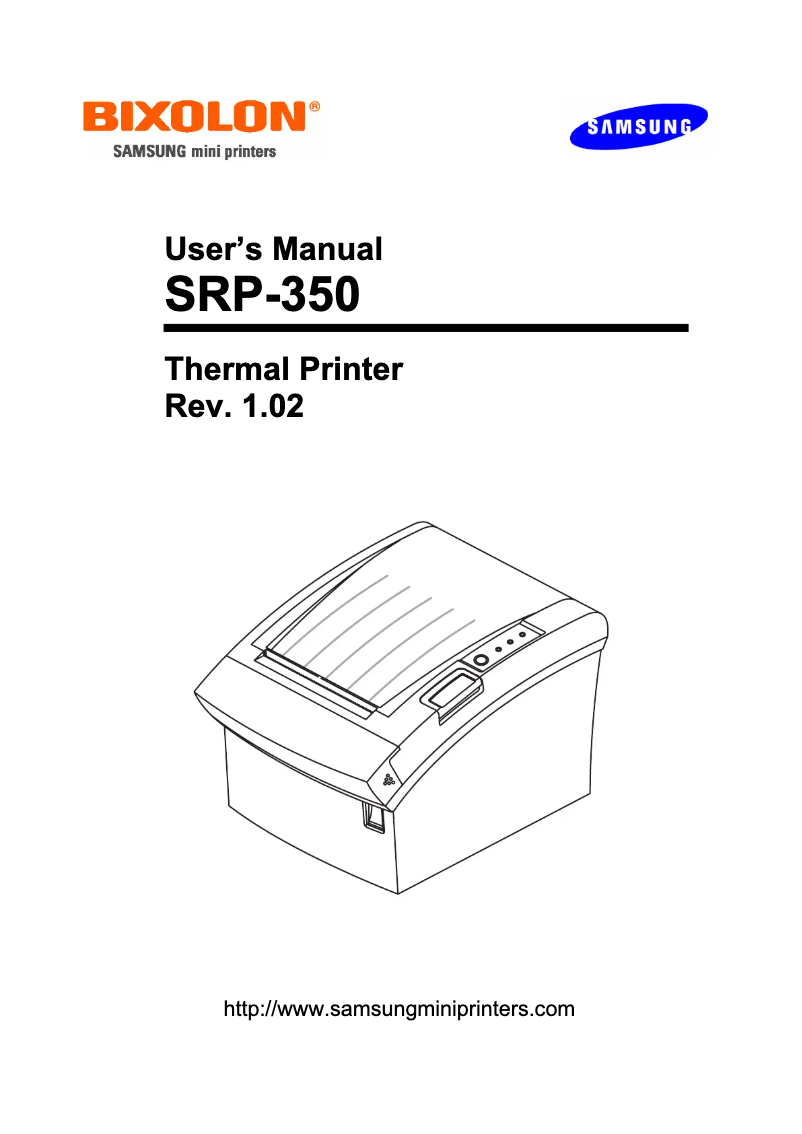
The Samsung SRP-350 is a thermal printer that stands out for its high printing speed of 150 mm/sec, thus providing optimal productivity for users with frequent printing needs. Its printing technology ensures precise quality and readability of documents, which is an undeniable asset for work environments. In terms of design, the printer comes in a compact (145 x 195 x 146 mm) and modern format, making it easy to integrate into various workspaces. However, it is worth noting that its white color, while stylish, may require regular maintenance to avoid dirt. Despite its many advantages, the Samsung SRP-350 has some drawbacks. It only supports relatively older operating systems, such as Windows XP, Vista, and 7, which could pose compatibility issues with newer systems. Although the printer is equipped with Bluetooth connectivity, its primary use remains wired, which may limit flexibility for some users. In terms of performance, the 16 MB buffer size may prove insufficient for complex or large-scale printing tasks, leading to slowdowns when printing large documents. Additionally, while its printing speed is fast, it may not be sufficient in very high-volume printing environments. In summary, the Samsung SRP-350 offers good value for money due to its durability and fast printing capability, but users should be aware of its limitations in terms of compatibility and connectivity.Score details
User experience
The user experience is generally satisfactory due to the high printing speed of 150 mm/sec and thermal printing technology, but limited compatibility with modern operating systems may pose a problem.
Performance
The performance is good for regular prints; however, the 16 MB buffer size and printing speed may not be sufficient in very high-volume printing environments.
Design
The design is compact and modern (145 x 195 x 146 mm), which makes it easy to integrate into various work environments, although the white color may require maintenance to keep its appearance.
connectivity
Although the product offers Bluetooth connectivity, its primary use remains wired, which may limit flexibility for some users.
Value for money
The value for money is good due to its durability and fast printing capability, but users should be aware of compatibility limitations.
Advantages
Fast printing at 150 mm/sec
Precise thermal printing quality
Compact and modern design
Durable cutter, 1.5 million cuts
Built-in Bluetooth connectivity
Disadvantages
Limited compatibility with older operating systems.
Connectivity mainly wired, not very flexible.
Insufficient printing speed for large volumes.
16 MB buffer too small for large tasks.
White design prone to dirt.
Technical Specifications SRP-350
General Information
-
ModelSRP-350
-
Brand
-
Category
-
Type
-
SKU1437596
-
MPN1437596
Print speed
-
Printing technologyThermal
-
Font size12 x 24 mm
-
Print speed47.2 lps
-
Print speed (metric measurement)150 mm/sec
Other features
-
Buffer size16000 Ko
-
Dimensions (LxWxH)145 x 195 x 146 mm
-
IndicatorsYes
Minimum system requirements
-
Compatible operating systemsWindows 95/98/ME/2000/NT/XP/2003 Server
-
OPOS
Features
-
Sustainability of the automatic cutter1.5 million shares
-
Embedded barcodesEAN13, EAN8, ITF-14, UPC-A, UPC-E
-
Flash memory16 MB
Connectivity
-
Connectivity technologyWith wire
-
BluetoothYes
-
Number of serial ports1
-
Number of serial ports1
Environmental conditions
-
Operating temperature0 - 45 °C
Power
-
Electricity consumption2300 mA
-
Power supply typeSector
Design
-
Product colorWhite
Frequently Asked Questions
What is the recommended method for removing jammed paper from the printer?
Why is my printer refusing to accept original cartridges?
What are the possible reasons for poor print quality?
How does a laser printer differ from an inkjet printer?
Why is my inkjet printer leaving black streaks on prints?
What does the acronym DPI mean?
Is the manual for the Samsung SRP-350 available in French?
Similar products




More product categories from brand Samsung
Television and multimedia Samsung
Home appliances Samsung
Household appliances Samsung
Phones Samsung
Audio Samsung
Other Samsung
Interior Samsung
Tools Samsung
Software Samsung
More product types from brand Samsung


Presentation of product SRP-350 specifications from brand Samsung
General Information
The Samsung SRP-350 model is a printer recognized for its quality and innovation, designed by the Samsung brand, a major player in the home appliance sector. This model, designated under the references SRP-350 and SRP350PLUSCOG, offers reliable performance and an optimized user experience.
Print Speed
Equipped with thermal printing technology, the Samsung SRP-350 guarantees precise and high-quality print results. With a character size of 12 x 24 mm, it ensures optimal readability for all your documents. Its print speed reaches up to 150 mm/sec (47.2 lps), making this device ideal for users with frequent and demanding printing needs.
Other Features
The Samsung SRP-350 has a 16,000 Ko buffer, allowing for efficient data processing and improved performance. Its compact dimensions of 145 x 195 x 146 mm facilitate integration into various work environments. Status indicators also allow for easy monitoring of the device's operation.
Minimum System Requirements
For optimal use, the printer is compatible with the following operating systems: Windows XP, Windows Vista, and Windows 7. This may limit its use with newer systems.
Features
The durability of the automatic cutter is estimated at 1.5 million cuts, ensuring appreciable longevity for users. It supports multiple types of barcodes, including EAN13, EAN8, ITF-14, UPC-A, and UPC-E, allowing for quick information reading. Additionally, it is equipped with a 16 Mo flash memory, sufficient for storing various files.
Connectivity
The Samsung SRP-350 is primarily designed for wired connectivity, but it also includes a Bluetooth option, offering flexibility for wireless use with compatible devices. It has a serial port for efficient connectivity, while there are no parallel ports available.
Environmental Conditions
This printer operates efficiently within a temperature range of 0 to 45 °C, making it suitable for various work environments.
Power
In terms of power consumption, the Samsung SRP-350 uses 2300 mA. Its power supply is of the mains type, ensuring efficient and effective use of the device.
Design
With its white finish, the Samsung SRP-350 features a modern and elegant design, well-suited for contemporary offices.


