

Manual of product SF-560R
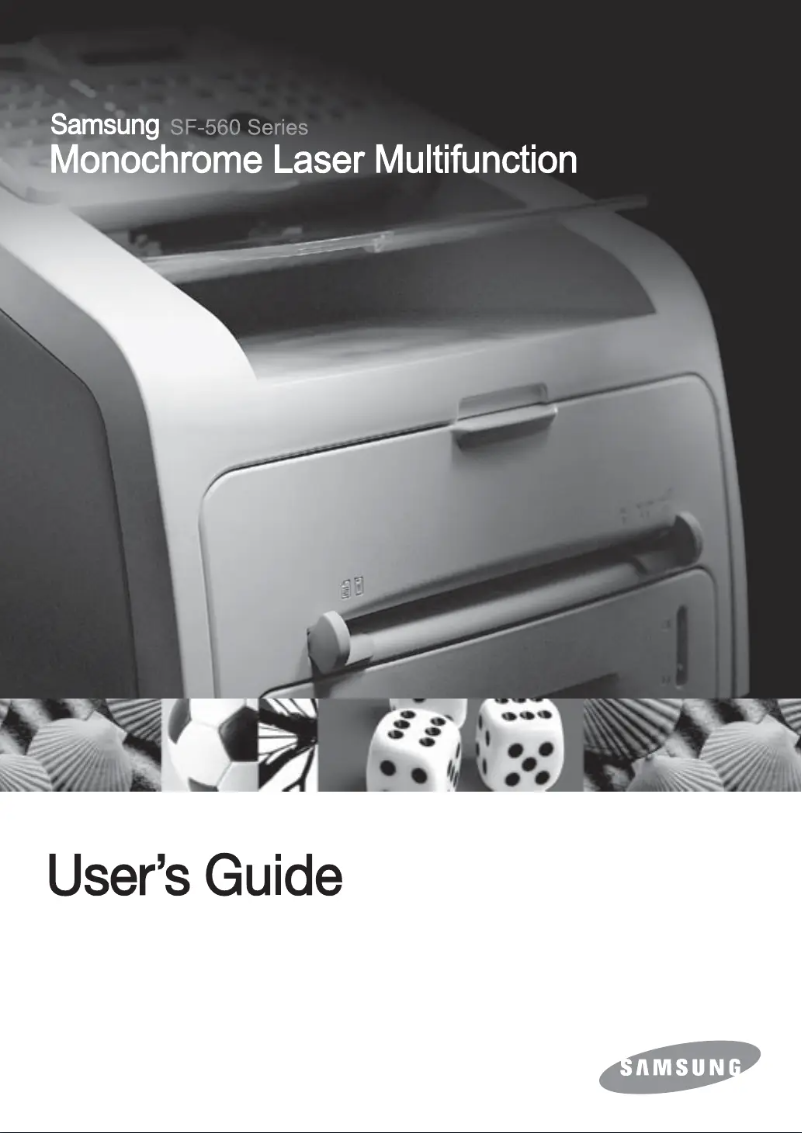
Editorial note
The Samsung SF-560R printer stands out for its versatility, offering all-in-one functions such as printing, copying, and faxing, effectively meeting the varied needs of users. Its laser printing technology ensures optimal print quality, with a speed of 16 pages per minute, making it a wise choice for daily use. Additionally, its energy efficiency is a major asset, allowing for energy savings due to reduced consumption in sleep mode and economy mode. However, some drawbacks deserve to be highlighted. The absence of duplex printing functionality may lead to increased paper usage and additional costs. Furthermore, the maximum resolution of copies is limited to 300 x 300 DPI, which may not be suitable for users with high-quality printing needs, especially for detailed graphics. Network connectivity, such as Ethernet or Wi-Fi, is also absent, complicating access to the printer for multiple users in an office environment. In terms of design, the weight of 9700 g can make moving the printer difficult, which is not ideal for flexible workspaces. Finally, the internal memory of 8 MB may restrict the ability to handle more complex printing or scanning tasks, especially in a high-intensity work context. Overall, the Samsung SF-560R offers good value for money with its all-in-one features, but it is important to consider its limitations in terms of connectivity and print quality for certain types of documents.Score details
User experience
The user experience is generally positive due to the printer's versatility, offering all-in-one functions. However, the lack of network connectivity limits access for multiple users.
Performance
Printing performance is satisfactory with a speed of 16 ppm. However, the maximum resolution of copies is limited, which may affect quality for complex documents.
Battery life
Energy efficiency is a major asset, with reduced consumption in sleep mode and power-saving mode, contributing to energy savings.
Design
The weight of the printer at 9700 g can make it difficult to move, which is not ideal for flexible use in an office.
Value for money
The printer offers good value for money with its all-in-one features, but the lack of duplex printing may lead to additional paper costs.
Features
The features, although varied, are somewhat limited by the absence of certain modern options like Wi-Fi or Ethernet connectivity.
repairability
Repairability could be a concern as the 8 MB internal memory may restrict the management of more complex tasks.
Advantages
All-in-one printer: printing, copying, faxing.
Exceptional quality laser prints.
Energy-saving in sleep mode.
Capacity of 250 sheets, 20 in ADF.
Fast printing speed: 16 pages/minute.
Disadvantages
No double-sided printing.
Resolution limited to 300 x 300 DPI.
No network connectivity.
Weight of 9700 g, difficult to move.
Internal memory of only 8 MB.
Technical Specifications SF-560R
General Information
-
ModelSF-560R
-
Brand
-
Category
-
Type
-
SKU178237
-
MPN178237
Other features
-
All-in-one functionsCopy
-
All-in-one color functionsFax
-
Dimensions (LxWxH)Scan
-
No
-
363 x 398.5 x 308.3 mm
Print speed
-
Printing technologyLaser
-
Maximum resolution203 x 392 DPI
-
Economic printingYes
-
Print speed (black, normal quality, A4/US Letter)16 ppm
-
Double-sided printingNo
-
Double-sided printingNo
Features
-
Service cycle (Maximum)10000 pages per month
-
Digital senderNo
Copier
-
Max. resolution of copies300 x 300 DPI
-
Release time of the first print (black, normal)30 s
-
CopySingle copy
-
Duplex copyNo
Fax
-
Fax resolution (black)203 x 392 DPI
-
Fax transmission speed3 sec/page
-
Modem speed33.6 Kbit/s
-
Fax memory160 pages
-
Fax Memory2 MB
-
FaxSimple fax
-
Duplex faxNo
Input and output capacity
-
Total power capacity250 sheets
-
Automatic document feeder capacity20 sheets
-
Total output capacity150 sheets
-
Automatic Document Feeder (ADF)Yes
Paper management
-
Maximum print format210 x 297 mm
-
Type of paper tray supportPlain paper, Transparencies
-
Maximum ISO A series paper sizeA4
-
Maximum ISO A series paper sizeA4
Design
-
ScreenLCD
-
Touch screenNo
-
Built-in screenYes
-
Market positionDomestic and professional
Connectivity
-
Direct printingNo
Network
-
WifiNo
-
WifiNo
Representation / realization
-
Internal memory8 MB
-
Built-in memory card readerNo
-
Sound power level (standby)52 dB
Power
-
Electricity consumption (average operation)300 W
-
Energy consumption (eco mode)85 W
-
Energy consumption (standby mode)12 W
-
AC input frequency50 - 60 Hz
-
AC input voltage110 - 127 V
Weight and dimensions
-
Weight9700 g
Environmental conditions
-
Operating relative humidity (H-H)20 - 80 %
-
Operating temperature50 - 89 °F
Sustainability
-
Sustainability certificatesENERGY STAR
Certificate
-
CertificationUL Safety
Digitization
-
DigitizationSingle scanning
-
Double-sided scanningNo
Frequently Asked Questions
What is the weight of the Samsung SF-560R?
What is the recommended method for removing paper jammed in the printer?
Why is my printer not accepting original cartridges?
Why is the quality of my prints poor?
What is the difference between a laser printer and an inkjet printer?
Why does my inkjet printer leave black streaks on prints?
What does the acronym DPI mean?
What certifications does the Samsung SF-560R have?
Is the manual for the Samsung SF-560R available in French?
Similar products




More product categories from brand Samsung
Television and multimedia Samsung
Home appliances Samsung
Household appliances Samsung
Phones Samsung
Audio Samsung
Other Samsung
Interior Samsung
Tools Samsung
Software Samsung
More product types from brand Samsung


Presentation of product SF-560R specifications from brand Samsung
General Information
The Samsung SF-560R printer is a versatile device from the renowned brand Samsung, known for its excellence in technological innovation. This model, identified by the EAN code 635753610260, offers optimal performance and an enhanced user experience, making it a wise choice for home or professional use.
Other Features
The Samsung SF-560R stands out with its all-in-one functions, including printing, copying, and faxing, ensuring flexibility of use. With dimensions of 363 x 398.5 x 308.3 mm, this device easily fits into various workspaces.
Print Speed
Equipped with laser printing technology, the Samsung SF-560R ensures superior print quality with a maximum resolution of 203 x 392 DPI. It allows printing at a speed of 16 pages per minute, thus optimizing the efficiency of daily printing tasks. Although it offers high-quality color printing, it does not support automatic duplex printing, which may lead to higher paper consumption.
General Specifications
The maximum service cycle is 10,000 pages per month, suitable for heavy users. However, it does not include a digital sending function, limiting certain document management options.
Copier
The maximum resolution for copies is 300 x 300 DPI, providing adequate quality for most documents. The first black print output time is 30 seconds, and while the copier supports color copying, it does not offer a duplex copy function.
Fax
The black fax resolution is 203 x 392 DPI, ensuring clear transmissions. With a transmission speed of 3 seconds per page and a 33.6 Kbit/s modem, it allows for quick and efficient document sending. Its fax memory of 160 pages, with a capacity of 2 MB, facilitates the management of sending and receiving, although it does not support duplex faxing.
Input and Output Capacity
The SF-560R can hold up to 250 sheets and has a 20-sheet automatic document feeder, allowing for efficient processing of numerous documents. Its output capacity is 150 sheets, ensuring adequate performance for regular use.
Paper Management
It supports a maximum print size of 210 x 297 mm and is compatible with various types of media, including plain paper and transparencies. Its compatibility with common paper sizes such as A4 and A5 makes it a suitable choice for varied printing needs.
Design
The built-in LCD screen provides a clear interface for users, although it is not touch-sensitive. The design of the Samsung SF-560R is intended to meet the requirements of both home and professional environments.
Connectivity
This model does not offer direct printing features, which may limit some practical aspects of its use.
Network
The Samsung SF-560R does not have Ethernet or Wi-Fi connectivity, which may restrict its integration into modern office systems.
Representation / Performance
With an internal memory of 8 MB, it allows for document storage, although it is not equipped with a memory card reader. Its noise level in standby is 52 dB, ensuring relatively discreet use.
Power
The power consumption is 300 W in normal operation, with a power-saving mode at 85 W and a standby mode at 12 W, contributing to appreciable energy efficiency. It operates on an AC input frequency of 50-60 Hz and a voltage of 110-127 V.
Weight and Dimensions
Weighing 9700 g, the Samsung SF-560R is designed for stable use, but its weight may make moving it less convenient.
Environmental Conditions
This model operates effectively in a relative humidity of 20 to 80% and an ambient temperature of 50 to 89 °F, thus offering flexibility of use in different environments.
Durability
The SF-560R is ENERGY STAR certified, attesting to its compliance with energy efficiency and environmental sustainability standards.
Certification
It has UL Safety certification, ensuring compliance with safety and performance standards.
Scanning
Color scanning allows for faithful reproductions of documents; however, it is not equipped with a duplex scanning function.


