

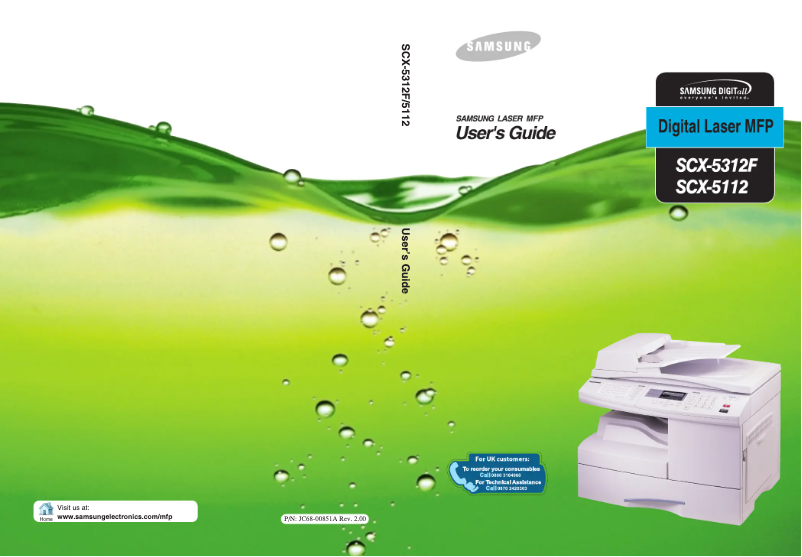
Manual of product SCX-5312F
Editorial note
The Samsung SCX-5312F printer stands out for its reliability and versatility, offering printing, copying, and scanning functions. The Samsung brand is recognized for its commitment to quality and innovation, ensuring a satisfying user experience. Its user manual provides clear instructions, making the setup and daily use of the device easier. Additionally, the print quality is satisfactory for professional documents. However, some drawbacks should be noted. The print quality for color documents is limited, which may not suit users with advanced graphic needs. The printing speed is also relatively slow compared to other models, which can be a disadvantage in demanding work environments. The lack of wireless features restricts connectivity, and the high cost of toner cartridges can lead to significant expenses for regular users. Finally, the limited compatibility with certain recent operating systems may pose issues for those who have upgraded their hardware. Overall, while the Samsung SCX-5312F has commendable qualities, potential users should weigh these advantages against its limitations to determine if it meets their specific needs.Score details
User experience
The user experience is pleasant due to the ease of use and the clear instructions provided in the user manual.
Performance
The performance is satisfactory for everyday tasks, but the printing speed can be a drawback for environments requiring fast production.
Features
The printer offers all-in-one features, but the lack of wireless connectivity limits usage flexibility.
Value for money
Although the print quality is good, the high cost of toner cartridges can represent a significant expense for regular users.
Design
The design is modern and suitable for an office environment, although the limited compatibility with some recent operating systems is a downside.
Advantages
Reliable and recognized brand
Convenient all-in-one functionality
Simple and intuitive use
High-quality prints
Economical and eco-friendly
Disadvantages
Limited color print quality
Slow print speed
No wireless connectivity
High cost of toner cartridges
Incompatibility with some recent systems
Technical Specifications SCX-5312F
General Information
-
ModelSCX-5312F
-
Brand
-
Category
-
Type
-
SKU1193841
-
MPN1193841
Frequently Asked Questions
What is the recommended method for removing a jammed paper from the printer?
Why does my printer not recognize original cartridges?
What are the possible reasons for poor print quality?
How does a laser printer differ from an inkjet printer?
Why does my inkjet printer leave black streaks on prints?
What does the acronym DPI mean?
Is the manual for the Samsung SCX-5312F available in French?
Similar products




More product categories from brand Samsung
Television and multimedia Samsung
Home appliances Samsung
Household appliances Samsung
Phones Samsung
Audio Samsung
Other Samsung
Interior Samsung
Tools Samsung
Software Samsung
More product types from brand Samsung


Presentation of product SCX-5312F specifications from brand Samsung
General Information
The Samsung SCX-5312F printer embodies Samsung's commitment to quality and innovation in the home appliance sector. Designed to deliver reliable performance, this all-in-one model allows for printing, copying, and scanning, making it particularly suitable for home offices and small businesses.
Advantages
This printer stands out for its reliability, a major asset of the Samsung brand, ensuring durable performance and great user satisfaction. Its versatility as a multifunction device offers a practical solution for various office needs. Additionally, the user manual provides clear instructions that facilitate setup and everyday use.
The print quality is another strong point, producing documents with impressive clarity, ideal for professional use. Furthermore, the printer is designed to be energy efficient, which helps reduce operating costs while being environmentally friendly.
Disadvantages
However, the Samsung SCX-5312F has some limitations. Its print quality for color documents may not satisfy users with advanced graphic needs. Additionally, the print speed is relatively slow compared to other models in its category, which can be a drawback in a demanding work environment.
Another point to consider is the lack of wireless features, thus limiting connectivity and flexibility of use in modern offices. The cost of toner cartridges can also be high for regular users, leading to recurring expenses. Finally, compatibility with certain recent operating systems may pose issues for those who have upgraded their hardware.


