

Manual of product SCX-4623FN
Editorial note
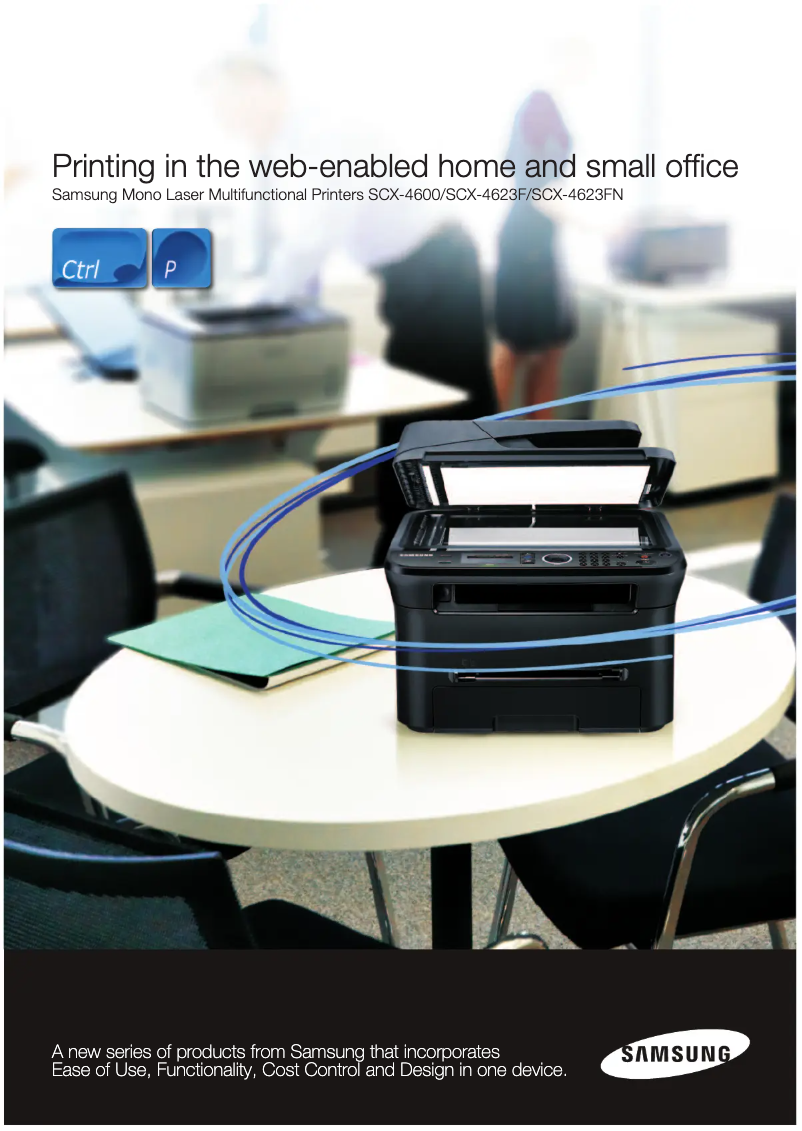
The Samsung SCX-4623FN stands out for its impressive performance, offering a print speed of 22 pages per minute and a maximum resolution of 1200 x 1200 DPI, ensuring clear and precise documents. Its all-in-one features, including printing, copying, faxing, and color scanning, make it a versatile choice for both professional and home users. Additionally, the built-in duplex printing helps optimize paper usage, contributing to a more eco-friendly approach. However, a few drawbacks deserve to be highlighted. The lack of compatibility with Mac operating systems limits its use for some users. Furthermore, its weight of 11,540 g can make moving and installing it difficult, especially in tight spaces. The lack of Wi-Fi connectivity also restricts sharing and wireless use options, requiring cabling for network connection. Finally, the maximum output capacity of 80 sheets may be insufficient for users with higher printing needs. In terms of user experience, the setup is generally intuitive, although the need for cabling for network connection can complicate configuration. The user manual is clear and available, making it easier to get started, but access to additional online resources would be a valuable asset. Overall, the Samsung SCX-4623FN represents good value for money, given its many features. Despite some limitations, it remains a solid option for those looking for a high-performing multifunction printer.Score details
User experience
The user experience is satisfactory, with all-in-one features that meet various needs. However, the lack of compatibility with Mac may be a drawback for some users.
Performance
The performance is excellent with a printing speed of 22 pages per minute and a maximum resolution of 1200 x 1200 DPI, ensuring clear and precise documents.
Design
The design is functional, but the weight of 11,540 g can make it difficult to move, especially in tight spaces.
Value for money
The value for money is reasonable, given the features offered, but the lack of Wi-Fi connectivity may be a limitation.
Usability
The usage is generally intuitive, but the need for wiring for network connection can complicate setup for some users.
Features
The features are varied and include duplex printing, copying, and faxing, which enhances the product's versatility.
Support
The user manual is available and makes it easy to get started, although additional online resources could be beneficial.
Documentation
The provided documentation is clear, but access to online guides or help videos would be a plus.
Advantages
Fast printing: 22 pages per minute.
Print quality: 1200 x 1200 DPI.
Built-in duplex printing.
All-in-one functions: printing, copying, faxing, scanning.
250-sheet tray, efficient management.
Disadvantages
Not compatible with Mac systems.
Heavy weight, difficult to move.
No Wi-Fi connectivity.
Output capacity limited to 80 sheets.
Noise level of 50 dB.
Technical Specifications SCX-4623FN
General Information
-
ModelSCX-4623FN
-
Brand
-
Category
-
Type
-
SKU177714
-
MPN177714
Print speed
-
Maximum resolution1200 x 1200 DPI
-
Print speed (black, normal quality, A4/US Letter)22 ppm
-
Copy time for the first page (color, normal)9 s
-
Printing technologyLaser
-
PrintingNo
-
Double-sided printingYes
Copier
-
Max. resolution of copies1200 x 1200 DPI
-
Copy speed (normal quality, black, A4)22 cpm
-
CopyColor copy
Fax
-
Modem speed33.6 Kbit/s
-
Fax memory225 pages
-
Maximum number of shortcuts for numbers200
-
Fax Memory4 MB
-
FaxSimple fax
Input and output capacity
-
Maximum output capacity80 sheets
-
Maximum input capacity250 sheets
Other features
-
Standard input paper trays1
-
Compatible operating systemsWin 2000 / XP / Vista / 2003 Server / 2008 Server
-
Network featuresMac X 10.3 - 10.6
-
Maximum support size (custom)Linux
-
Dimensions (LxWxH)10/100Base-TX
-
Footnote regarding the number of printed pagesYes
-
Emulations416 x 415.4 x 318.9 mm
-
Maximum support size (custom)2500
-
All-in-one functionsSPL
-
All-in-one color functionsYes
-
Copy, Fax, Scan
-
copy, scan, n
Design
-
ScreenLCD
-
Built-in screenYes
-
Market positionDomestic and professional
Representation / realization
-
Internal memory128 MB
-
Mac CompatibilityYes
-
Sound pressure level (impression)50 dB
Paper management
-
ISO, Format Series A (A0...A9)A4
-
Type of paper tray supportA5
-
Non-ISO print support sizesA6
-
Maximum ISO A series paper sizeBond paper
-
Card stock
-
Envelopes
-
Labels
-
Plain paper
-
Recycled paper
-
Transparencies
-
Executive (184 x 267mm)
-
Folio (media size)
-
Legal (media size)
-
Letter (media size)
-
A4
Network
-
Ethernet/LANYes
-
WifiNo
Connectivity
-
Standard interfacesEthernet, USB 2.0
-
Quantity of USB 2.0 Ports1
-
USB portYes
Weight and dimensions
-
Weight11540 g
Features
-
Service cycle (Maximum)12000 pages per month
-
Digital senderNo
Digitization
-
DigitizationColor scanning
Frequently Asked Questions
What is the weight of the Samsung SCX-4623FN printer?
What is the recommended method for removing jammed paper from the printer?
Why is my printer not recognizing the original cartridges?
What are the possible reasons for poor print quality?
What is the difference between a laser printer and an inkjet printer?
Why is my inkjet printer leaving black streaks on prints?
What does the acronym DPI mean?
Is the manual for the Samsung SCX-4623FN printer available in French?
Similar products




More product categories from brand Samsung
Television and multimedia Samsung
Home appliances Samsung
Household appliances Samsung
Phones Samsung
Audio Samsung
Other Samsung
Interior Samsung
Tools Samsung
Software Samsung
More product types from brand Samsung


Presentation of product SCX-4623FN specifications from brand Samsung
General Information
The Samsung SCX-4623FN printer, from the renowned brand Samsung, is designed to offer a combination of performance and functionality. This model, identified by the EAN codes 8808993384495, 8808993453924, 8808993463497, is known for its reliability and print quality, meeting the expectations of both professional and home users.
Print Speed
With a maximum resolution of 1200 x 1200 DPI, the SCX-4623FN ensures sharp and precise prints, suitable for both professional documents and personal prints. Its print speed reaches 22 pages per minute in black, while the time to print the first color page is 9 seconds. Thanks to its laser printing technology, it guarantees high-quality results, and its built-in duplex printing capability optimizes paper usage.
Copier
The copier of the SCX-4623FN also offers a resolution of 1200 x 1200 DPI, ensuring high-quality copies. It is capable of producing copies at a speed of 22 copies per minute in black, while maintaining true colors during color photocopying.
Fax
The fax function of the printer allows for fast transmission with a modem speed of 33.6 Kbit/s. It is equipped with a fax memory capable of storing up to 225 pages and allows for managing up to 200 shortcuts for efficient use. The simple type fax machine facilitates the sending and receiving of documents.
Input and Output Capacity
This printer has an input tray that can hold up to 250 sheets, which is ideal for handling large volumes of documents. On the other hand, its maximum output capacity is 80 sheets, which may require frequent interventions to empty the tray depending on the print volume.
Other Features
The Samsung SCX-4623FN is compatible with Windows XP, Vista, and 7 operating systems, and features 10/100Base-TX network capabilities for fast connectivity. Its dimensions (W x D x H) of 416 x 415.4 x 318.9 mm make it suitable for various workspaces. This all-in-one printer offers copy, fax, and color scanning functionalities, making it a versatile tool for different needs.
Design
Equipped with a built-in LCD screen, the SCX-4623FN provides a clear and intuitive user interface. Its design is intended to fit seamlessly into both home and professional environments, meeting the demands of diverse users.
Performance / Execution
With an internal memory of 128 MB, this printer ensures smooth management of printing tasks. However, it is important to note that it is not compatible with Mac systems. The sound pressure level during printing is 50 dB, which remains reasonable for operation in a quiet office.
Paper Management
The SCX-4623FN supports multiple paper formats, including A4, A5, and A6, as well as a variety of media such as plain paper, labels, and transparencies. This allows it to be used for different types of printing projects.
Network
It is equipped with Ethernet/LAN connectivity, allowing for easy integration into a corporate network. However, it should be noted that it does not have Wi-Fi connectivity, limiting wireless sharing options.
Connectivity
The SCX-4623FN offers standard interfaces with a USB 2.0 port for quick connection to compatible devices. This facilitates integration with other devices for simplified use.
Weight and Dimensions
With a weight of 11,540 g, this printer may be less easy to move, which should be considered when installing it in tight spaces.
Specifications
The maximum monthly duty cycle of 12,000 pages allows for intensive use suitable for demanding work environments. However, the lack of digital sending features may restrict certain operations.
Scanning
The color scanning function allows for creating faithful and vibrant reproductions of documents, meeting the varied needs of users.


