
Manual of product SCX-4270F
Editorial note
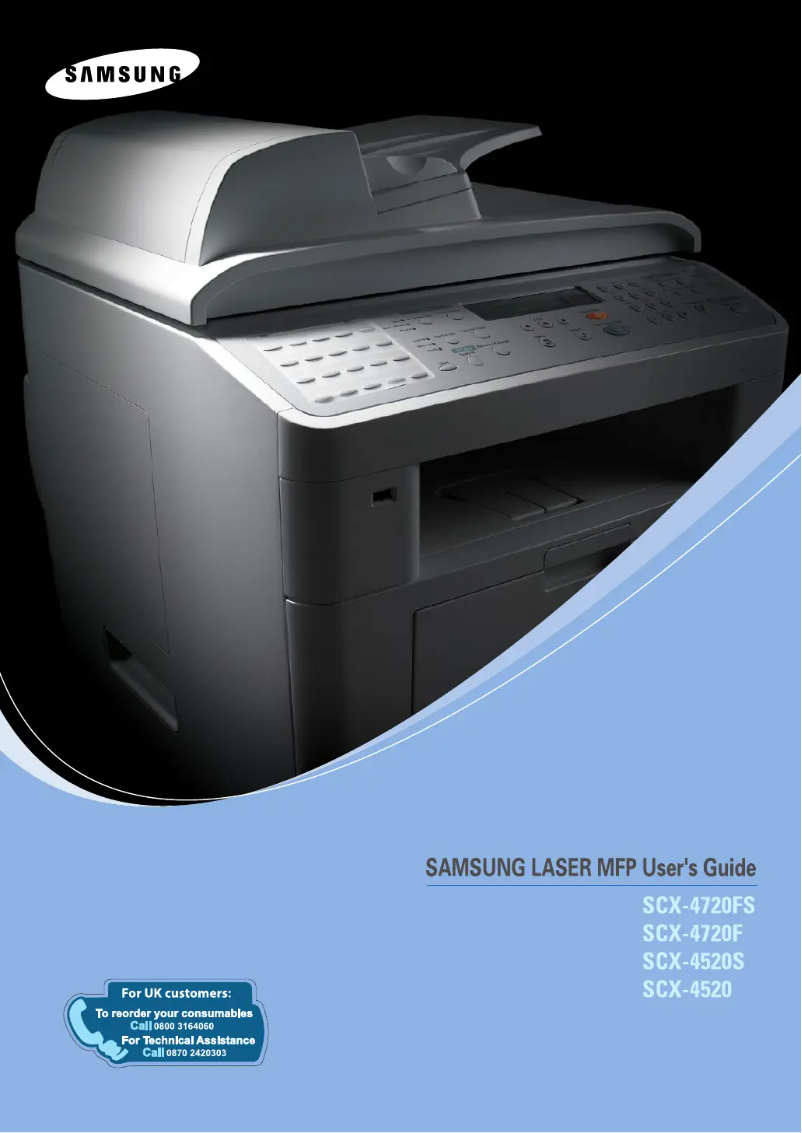
The Samsung SCX-4270F printer stands out for its all-in-one features that facilitate printing, scanning, and faxing from a single device. This not only saves space but also optimizes the user experience, thanks to superior print quality that ensures clear and sharp professional documents. The reliability of the Samsung brand also enhances user confidence, ensuring appreciable product durability. However, a few drawbacks are worth mentioning. The cost of toner cartridges can be high, which may increase long-term operating costs. Additionally, the printer can be relatively noisy during use, which could be disruptive in quiet work environments. Connectivity is also limited, with no wireless options, restricting its integration into modern setups. Finally, the user interface, while documented, may not be intuitive for all users, making some features less accessible. In terms of performance, the printer delivers satisfactory results for common tasks, but it is worth noting that its printing speed is lower than that of some competing models, which could be a drawback for users with higher demands. Overall, the Samsung SCX-4270F is a solid choice for those seeking a reliable and quality multifunction printer, although it is important to consider the operating costs and its limitations in terms of connectivity and speed.Score details
User experience
The user experience is generally positive due to the ease of use and the available manual, although the user interface may not be intuitive for everyone.
Performance
The performance is satisfactory for everyday tasks, but the printing speed is lower than that of some competing models, which may slow down users with high demands.
Value for money
Although the printer offers superior print quality and all-in-one features, the high cost of ink or toner cartridges can burden the long-term operating cost.
Robustness
The reliability of the Samsung brand and the durability of the product ensure good longevity, making it a solid investment for users.
Features
The all-in-one features of the printer allow for managing multiple tasks, but the limited connectivity and lack of wireless features may restrict its use in modern setups.
Advantages
All-in-one: printing, scanning, faxing
Professional quality printing
Reliable and durable brand
Simple and intuitive use
Energy efficiency and reduced costs
Disadvantages
High cost of toner cartridges.
Noisy printing in a quiet environment.
Limited connectivity, no wireless functions.
Unintuitive user interface.
Printing speed lower than the competition.
Technical Specifications SCX-4270F
General Information
-
ModelSCX-4270F
-
Brand
-
Category
-
Type
-
SKU1385528
-
MPN1385528
Frequently Asked Questions
What is the best method to remove paper jammed in the printer?
Why does my printer not recognize original cartridges?
Why is the quality of my prints poor?
What is the difference between a laser printer and an inkjet printer?
Why does my inkjet printer produce black lines on prints?
What does the abbreviation DPI mean?
Is the manual for the Samsung SCX-4270F available in French?
Similar products




More product categories from brand Samsung
Television and multimedia Samsung
Home appliances Samsung
Household appliances Samsung
Phones Samsung
Audio Samsung
Other Samsung
Interior Samsung
Tools Samsung
Software Samsung
More product types from brand Samsung


Presentation of product SCX-4270F specifications from brand Samsung
General Information
The Samsung SCX-4270F printer, emblematic of the brand known for its innovation and reliability, stands out for its versatile performance. As a multifunction device, it combines printing, scanning, and faxing capabilities, thus facilitating the management of various tasks with a single piece of equipment. This not only saves space but also simplifies daily use.
This model is designed to provide superior print quality, ensuring clear and professional documents suitable for both reports and presentations. Equipped with advanced technology, the SCX-4270F printer ensures a pleasant and efficient user experience.
The EAN code, 0635753611618 and 8808979515356, serves to uniquely identify this device in the distribution network, thus facilitating its tracking and accessibility.
Advantages
- Versatility: The all-in-one printer allows for multiple tasks, providing a practical solution for work environments.
- Print Quality: Thanks to Samsung's technology, prints are impressively clear, meeting professional standards.
- Reliability: Samsung's reputation for innovation and durability ensures long-term satisfaction for users.
- Intuitive Use: Accompanied by a user manual, the setup is quick, suitable for all experience levels.
- Energy Efficiency: The SCX-4270F model is designed to optimize energy consumption, thus reducing operating costs without sacrificing quality.
Disadvantages
- Consumable Costs: Toner cartridges can be expensive, increasing long-term operating costs.
- Noise Level: The printer can be relatively loud during operation, which may be disruptive in a quiet setting.
- Limited Connectivity: The lack of wireless features may restrict its use in modern setups.
- User Interface: Some features may not be immediately accessible, making their use less intuitive for everyone.
- Print Speed: Compared to other competing models, the print speed may be slower, leading to delays for users with high demands.


