
Manual of product ML-7300AG
Editorial note
The Samsung ML-7300AG printer stands out for its build quality and optimal printing performance. Known for its reliability, the Samsung brand ensures long-term satisfaction through durable and high-performing products. The user experience is also enhanced by an intuitive interface, making daily use easier. The well-detailed user manual allows new users to quickly familiarize themselves with the printer's features. However, some drawbacks deserve to be highlighted. The high cost of ink cartridges can burden the long-term usage budget, while the printing speed, although acceptable, may be lower than that of other competing models. Additionally, the lack of wireless connectivity limits usage flexibility, which could be a hindrance in modern work environments. Finally, the weight and size of the printer make it difficult to move, especially in tight spaces. In summary, the Samsung ML-7300AG is a solid option for those seeking a reliable and high-performing printer, while being aware of operating costs and limitations in mobility and connectivity.Score details
User experience
The user experience is enhanced by an intuitive interface and practical features that facilitate its use.
Performance
Print performance is optimal, ensuring high-quality documents, although the speed may be lower than that of some competitors.
Value for money
The cost of ink cartridges can be high, increasing the long-term usage cost, which could affect the perception of value.
Design
The size and weight can make moving the printer difficult, which is a disadvantage in offices with limited space.
Documentation
The documentation is accessible with a 174-page user manual, providing clear instructions for optimal use.
Features
The lack of wireless features limits usage flexibility in modern environments.
Robustness
The Samsung brand is recognized for the reliability and durability of its products, ensuring long-term satisfaction.
Advantages
Recognized quality and reliability of Samsung
Excellent printing performance
Intuitive user interface
Clear and accessible user manual
Advanced technologies for modern printing
Disadvantages
High cost of ink cartridges.
Noisy operation in a quiet environment.
Lack of wireless connectivity.
Printing speed lower than the competition.
Difficulty moving in a small space.
Technical Specifications ML-7300AG
General Information
-
ModelML-7300AG
-
Brand
-
Category
-
Type
-
SKU1193234
-
MPN1193234
Frequently Asked Questions
What is the recommended method for removing jammed paper from the printer?
Why is my printer not recognizing the original cartridges?
What are the possible reasons for poor print quality?
What is the difference between a laser printer and an inkjet printer?
Why is my inkjet printer leaving black streaks on prints?
What does the acronym DPI mean?
Is it possible to obtain the manual for the Samsung ML-7300AG in French?
Similar products




More product categories from brand Samsung
Television and multimedia Samsung
Home appliances Samsung
Household appliances Samsung
Phones Samsung
Audio Samsung
Other Samsung
Interior Samsung
Tools Samsung
Software Samsung
More product types from brand Samsung


Presentation of product ML-7300AG specifications from brand Samsung
General Information
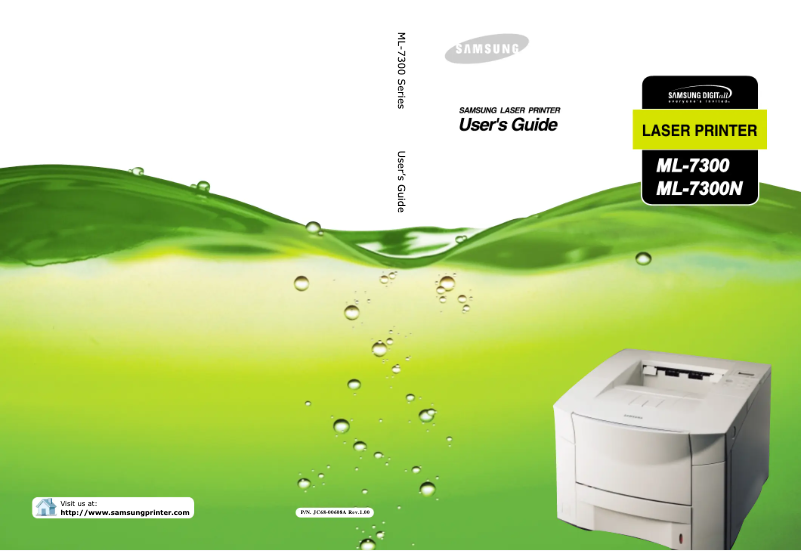
The Samsung ML-7300AG printer, from the renowned Samsung brand, is a model known for its reliability and technological innovation. Designed to meet user needs, this printer ensures high printing performance and a pleasant user experience.
Advantages
Among the notable strengths of the ML-7300AG printer are:
- Recognized quality: The Samsung brand is synonymous with durability and reliability, thus providing long-term satisfaction to users.
- Optimal performance: This model is designed to produce high-quality documents with remarkable efficiency.
- Enhanced user experience: With an intuitive interface and practical features, using the printer is made easier.
- Accessible documentation: A user manual is provided, offering clear instructions for optimal setup and use.
- Technological innovation: Samsung incorporates advanced technologies, ensuring modern printing solutions tailored to contemporary needs.
Disadvantages
However, there are some disadvantages to consider:
- Cost of ink cartridges: The cartridges can be expensive, thus increasing the long-term cost of use.
- Noise level: The printer can be noisy during operation, which may be inconvenient in quiet work environments.
- Absence of wireless connectivity: This model may lack flexibility of use in modern workspaces.
- Printing speed: The speed may be lower than that of some competing models, which can affect productivity.
- Size and weight: The printer can be difficult to move, especially in offices with limited space.


