

Manual of product ML-4500
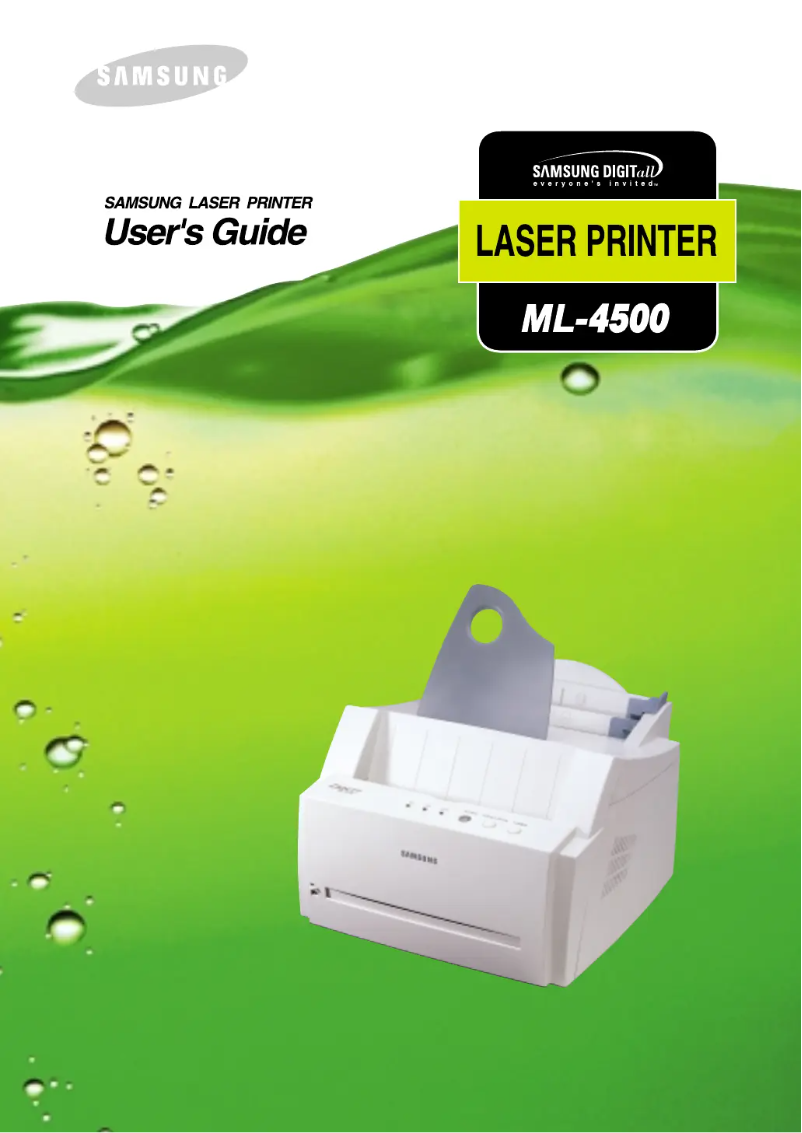
Editorial note
The Samsung ML-4500 printer stands out for its superior print quality, producing sharp and professional documents. The reputation of the Samsung brand ensures reliability appreciated by many users, and the optimized design of the model enhances the user experience. Additionally, the availability of a detailed user manual makes it easier to grasp the printer's features. However, there are some drawbacks to consider. The cost of ink cartridges can make the use of the printer relatively expensive in the long run. Furthermore, its print speed is lower than that of some competitors, which could be a drawback for users with high printing needs. Moreover, the model lacks certain modern features such as wireless printing and scanning, which may disadvantage it compared to newer models. Finally, the user interface may seem unintuitive to some, making the initial setup more complex. Overall, while the Samsung ML-4500 offers solid performance and good support through its manual, its value for money could be improved due to operating costs and the lack of modern features.Score details
User experience
The user experience is generally good, although the interface may be considered not very intuitive for some users.
Performance
The printing performance is solid, but the printing speed is lower than that of some competitors, which can be a disadvantage for users with high demands.
Value for money
The cost of ink cartridges can make using the printer more expensive in the long run, which affects its value for money.
Features
Although the printer offers superior print quality, it lacks some modern features such as wireless printing and scanning.
Support
The availability of a 102-page user manual makes it easier to get started with the printer, providing good support to users.
Design
The design is optimized to enhance the user experience, but the size of the printer can be cumbersome in small workspaces.
Advantages
Clear and high-quality prints.
Reliable and recognized brand.
Easy to use with user manual.
Quick identification with EAN code.
User-optimized design.
Disadvantages
High cost of ink cartridges.
Printing speed lower than the competition.
Lack of modern features.
Unintuitive user interface.
Bulky size for small spaces.
Technical Specifications ML-4500
General Information
-
ModelML-4500
-
Brand
-
Category
-
Type
-
SKU1385463
-
MPN1385463
Frequently Asked Questions
What is the best method to remove jammed paper from the printer?
Why is my printer refusing to accept original cartridges?
What are the possible causes of poor print quality?
What are the differences between a laser printer and an inkjet printer?
Why does my inkjet printer leave black streaks on prints?
What does the acronym DPI mean?
Is the manual for the Samsung ML-4500 available in French?
Similar products




More product categories from brand Samsung
Television and multimedia Samsung
Home appliances Samsung
Household appliances Samsung
Phones Samsung
Audio Samsung
Other Samsung
Interior Samsung
Tools Samsung
Software Samsung
More product types from brand Samsung


Presentation of product ML-4500 specifications from brand Samsung
General Information
The Samsung ML-4500 is a well-known printer, manufactured by the famous brand Samsung, recognized for its commitment to quality and innovation in the home appliance sector. This model, designated as ML-4500, stands out for its reliable performance and optimized user experience. The associated EAN code for this device, which includes the references 6920738225046, 6920738248045, 8803821219475, and 8803821270292, allows for unique identification in distribution systems, thus facilitating its tracking.
Advantages
The Samsung ML-4500 offers several advantages that make it an interesting choice for users:
- Superior print quality: This printer is particularly appreciated for its ability to produce sharp and high-quality prints, making it ideal for professional documents.
- Brand reliability: As a product of a well-established brand, the Samsung ML-4500 ensures durability and optimal performance over the long term.
- Ease of use: Accompanied by a user manual, this printer allows for quick handling, thus facilitating the learning of its various features.
- Unique identification: The associated EAN code allows for easy identification of the product in the distribution system, simplifying its tracking and management.
- Optimized design: The design of the ML-4500 model is intended to enhance the user experience, thus meeting the varied needs of its users.
Disadvantages
Despite its many advantages, the Samsung ML-4500 also has some disadvantages to consider:
- Cost of cartridges: Using this printer can be costly due to the price of ink cartridges, which can increase the total cost of use over the long term.
- Print speed: Its print speed is sometimes lower than that of some competitors, which can be problematic for users with high printing needs.
- Limited features: The ML-4500 model may lack some modern features, such as wireless printing or scanning, which are now common in other recent models.
- User interface: Some users may find the printer's interface not very intuitive, making initial setup and use more challenging.
- Bulky size: Due to its dimensions, this printer can be bulky, which may pose difficulties in restricted workspaces.


