

Manual of product ML-2552W
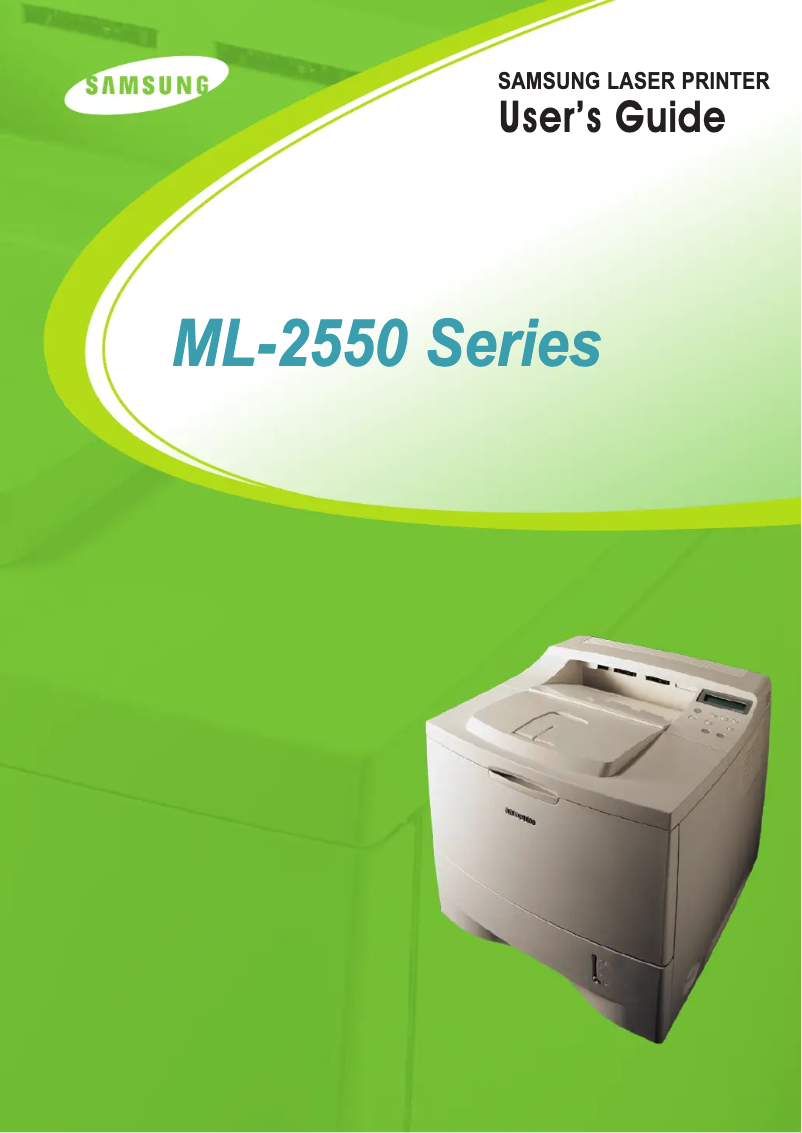
Editorial note
The Samsung ML-2552W printer stands out for several notable advantages. With a printing speed of 24 pages per minute and a high print resolution of 1200 x 1200 DPI, it ensures documents of exceptional clarity, ideal for demanding work environments. Additionally, its maximum input capacity of 600 sheets and its duplex printing feature contribute to efficient document management, thus optimizing paper usage and reducing costs. The built-in network connectivity also facilitates access to the printer from multiple devices, making its use practical and modern. However, there are a few drawbacks to consider. The lack of color limits its use for those who need color prints, while its internal memory of 32 MB may prove insufficient for handling heavier print jobs, leading to slowdowns. Furthermore, its weight of 13,500 g makes installation and relocation more difficult, and its limited compatibility with Windows XP, Vista, and 7 operating systems may pose issues for users of newer versions. Finally, although its printing speed is reasonable, it may seem slow compared to some competing models. Overall, the user experience is positive thanks to an intuitive interface and well-thought-out features. The user manual is particularly comprehensive, providing detailed documentation that will facilitate the installation and use of the printer. In summary, the Samsung ML-2552W represents good value for money for those looking for a high-performing monochrome printer, but it may not be suitable for all types of users due to its limitations.Score details
User experience
The user experience is generally positive thanks to an intuitive interface and features like duplex printing that optimize paper usage.
Performance
The printing speed of 24 ppm is reasonable, but may be insufficient for users with high printing needs, especially compared to some competing models.
Design
The weight of 13,500 g makes the installation and movement of the printer relatively difficult, which can be a disadvantage for some users.
Value for money
The printer offers good value with a high print resolution of 1200 x 1200 DPI and a maximum input capacity of 600 sheets, which is ideal for demanding work environments.
Features
Features such as built-in network connectivity and duplex printing are major assets, although the lack of color printing may disappoint some users.
Support
Limited compatibility with recent operating systems may pose problems for users who do not have older versions of Windows.
Documentation
The user manual is comprehensive, with 233 pages providing detailed information on the installation and use of the printer.
Advantages
Fast printing: 24 pages per minute.
High resolution: 1200 x 1200 DPI.
Double-sided printing to save paper.
Wireless network connectivity without bulky cables.
Input capacity of 600 sheets.
Disadvantages
Printing only in black and white."
Internal memory of 32 MB insufficient."
Weight of 13,500 g, difficult to move."
Compatibility limited to old operating systems."
Printing speed of 24 ppm relatively slow.
Technical Specifications ML-2552W
General Information
-
ModelML-2552W
-
Brand
-
Category
-
Type
-
SKU1385480
-
MPN1385480
Print speed
-
ColorNo
-
Maximum resolution1200 x 1200 DPI
-
Print speed (black, normal quality, A4/US Letter)24 ppm
-
Copy time for the first page (Black, normal)12 s
-
Double-sided printingYes
Representation / realization
-
Processor modelSamsung
-
Processor frequency266 MHz
-
Internal memory32 MB
-
Maximum internal memory160 MB
-
Sound power level (standby)35 dB
-
Sound pressure level (impression)53 dB
-
Integrated into the processorYes
Features
-
Number of print cartridges1
Input and output capacity
-
Maximum input capacity600 sheets
-
Total power capacity500 sheets
-
Paper tray 2 feed capacity100 sheets
-
Total output capacity250 sheets
Paper management
-
ISO, Format Series A (A0...A9)A4
-
JIS series B format (B0...B9)A5
-
Envelope sizesA6
-
JIS series B format (B0...B9)B5
-
Type of paper tray support9
-
Non-ISO print support sizes10
-
Maximum ISO A series paper sizeC5
-
DL
-
B5
-
Labels
-
Plain paper
-
Transparencies
-
Executive (184 x 267mm)
-
Folio (media size)
-
Letter (media size)
-
Legal (media size)
-
A4
Network
-
Ready-to-use networkYes
Other features
-
Network featuresEthernet 10/100Base-TX
-
Wireless technologyIEEE 802.11b
-
Compatible operating systemsWindows 95/98/Me/NT4.0/2000/XP
-
EmulationsLinux OS (Red Hat, Caldera, Debian, Mandrake, Slackware, SuSE, Turbo Linux)
-
Maximum support size (custom)Mac OS 8.6-9.2
-
Mac OS 10.1-10.3
-
PostScript3, PCL6, IBM ProPrinter, EPSON
-
(76 x 127 mm) - (216 x 356 mm)
Weight and dimensions
-
Dimensions (LxWxH)386 x 436 x 326 mm
-
Weight13500 g
Power
-
Energy consumption (standby mode)15 W
-
Average power consumption in Print mode450 W
Frequently Asked Questions
What is the weight of the Samsung ML-2552W printer?
What is the recommended method for removing a jammed paper from the printer?
Why is my printer not recognizing the original cartridges?
Why is the quality of my prints poor?
What are the differences between a laser printer and an inkjet printer?
Why is my inkjet printer producing black streaks?
What does the acronym DPI mean?
How many cartridges can be installed in the Samsung ML-2552W?
Is the manual for the Samsung ML-2552W available in French?
Similar products




More product categories from brand Samsung
Television and multimedia Samsung
Home appliances Samsung
Household appliances Samsung
Phones Samsung
Audio Samsung
Other Samsung
Interior Samsung
Tools Samsung
Software Samsung
More product types from brand Samsung


Presentation of product ML-2552W specifications from brand Samsung
General Information
The Samsung ML-2552W printer is a model from the Samsung brand, known for its commitment to quality and innovation in the home appliance sector. This model, specifically designated ML-2552W, is designed to deliver optimal performance while enhancing the user experience.
Print Speed
This printer only supports black and white printing, which may limit its use for those requiring color prints. The maximum resolution of 1200 x 1200 DPI allows for exceptionally clear prints, suitable for various professional and personal needs. With a print speed of 24 pages per minute (ppm) for A4/US Letter size, it proves efficient for daily use. Additionally, the first page print time is only 12 seconds, making it ideal for demanding work environments. The built-in duplex printing function helps save paper by printing on both sides of the sheets.
Performance / Execution
Equipped with a Samsung processor running at a frequency of 266 MHz, the ML-2552W printer ensures smooth operation. Its internal memory of 32 MB may be limited for more complex printing tasks, although it is sufficient for many jobs. For increased storage capacity, the maximum internal memory reaches 160 MB. In terms of noise levels, its standby sound level is 35 dB, while the sound pressure level during printing is 53 dB, allowing for relatively quiet operation.
Features
The printer operates with a single print cartridge, ensuring consistent print quality.
Input and Output Capacity
The maximum capacity of the input tray is 600 sheets, allowing for the handling of large volumes of documents without interruption. Its paper feed tray can hold up to 500 sheets, while the secondary tray accommodates 100 sheets. The output capacity is 250 sheets, ensuring efficient print management.
Paper Management
The Samsung ML-2552W is compatible with various paper sizes, including ISO A4, A5, A6, and B5 formats. It also supports several envelope sizes such as 9, 10, C5, and DL, providing flexibility for shipping needs. The paper tray is designed to handle different types of media, including labels, plain paper, and transparencies, and is capable of printing on various formats, including non-ISO sizes.
Network
This printer features built-in network connectivity, facilitating access to the printer from multiple devices without cable clutter. It supports 10/100Base-TX Ethernet networks and IEEE 802.11b wireless technology for efficient connection.
Other Features
Compatible with Windows XP, Vista, and 7 operating systems, the ML-2552W also has various emulation modes, including PostScript3 and PCL6, for extended compatibility with different printing systems. Its maximum custom media size ranges from 76 x 127 mm to 216 x 356 mm, allowing adaptability for various uses.
Weight and Dimensions
The dimensions of the printer are 386 x 436 x 326 mm, ensuring a practical fit in many environments. Weighing 13,500 g, its transport may be somewhat complex, but this contributes to its robustness.
Power
In standby mode, the power consumption is 15 W, promoting energy savings. In print mode, the device consumes an average of 450 W, allowing for an assessment of its energy efficiency during use.


