

Manual of product ML-2151N
Editorial note
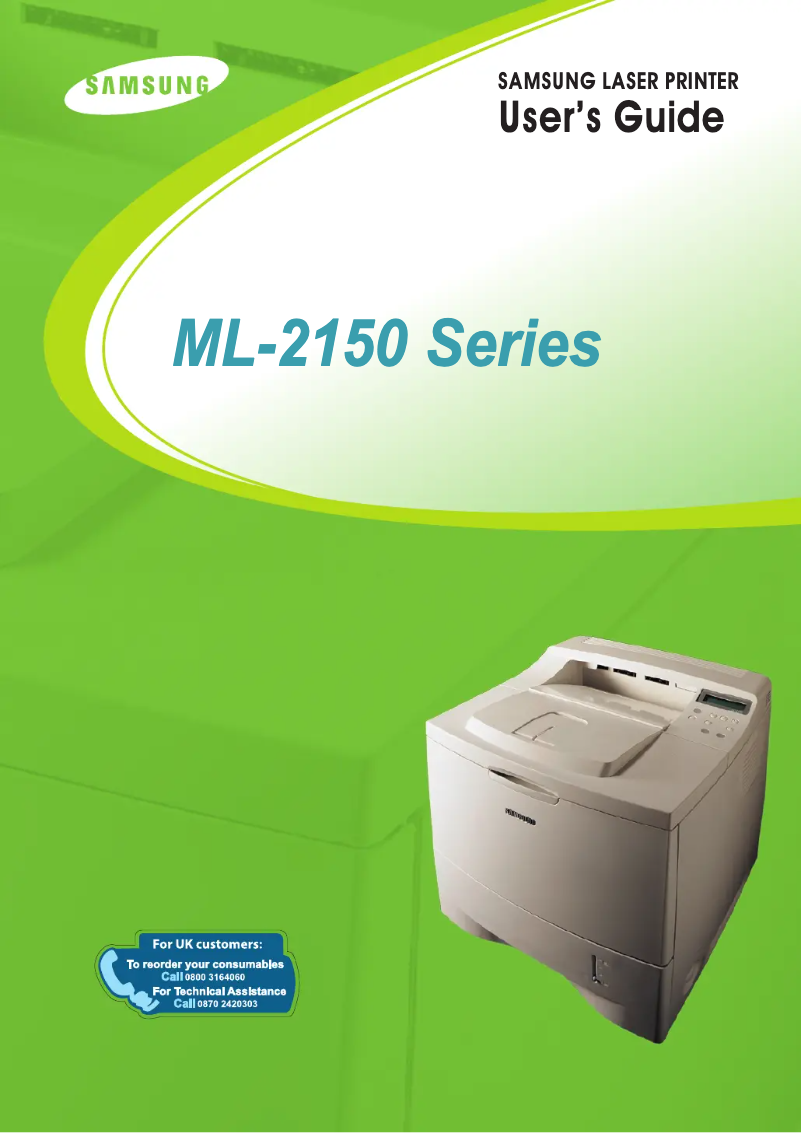
The Samsung ML-2151N printer stands out for its fast printing speed of 20 pages per minute and its high resolution of 1200 x 1200 DPI, ensuring sharp and quality prints, ideal for professional use. Its maximum input capacity of 600 sheets and output capacity of 250 sheets facilitate the handling of large volumes of documents without interruption, which is an asset for demanding work environments. Additionally, its quiet operation with a noise level of 53 dB makes it a suitable choice for noise-sensitive spaces. However, there are some drawbacks to consider. The lack of color printing functionality limits its use for documents requiring graphic elements or visually appealing presentations. Furthermore, although the internal memory is expandable up to 144 MB, the original 16 MB of memory may be a hindrance for managing heavy print jobs. Weighing 13.5 kg makes the printer less portable, which can be an issue if the user wishes to change its location. Finally, the maximum output capacity of 250 sheets may be insufficient for high-traffic offices, requiring frequent interventions to empty the output tray. In terms of performance, the printer receives a good rating due to its features suited to professional needs, and its value for money is considered favorable. The design is functional, but the weight may pose portability issues. Support is solid, with a detailed user manual that facilitates the handling of the device. Overall, the Samsung ML-2151N is a robust and high-performing printer, although it has some limitations that may not suit all users.Score details
User experience
The user experience is generally positive, with a simple interface and smooth operation, although the lack of color printing may be a drawback for some.
Performance
Performance is good with a printing speed of 20 ppm and a resolution of 1200 x 1200 DPI, but the limited internal memory may hinder the management of heavy print jobs.
Design
The design is functional, but the weight of 13.5 kg may pose portability issues.
Value for money
The value for money is good considering the printing performance and document processing capacity, even though the lack of color printing is a limitation.
Robustness
The printer seems robust with a maximum service cycle of 100,000 pages per month, but its weight may make it difficult to move.
Usability
The use is intuitive with features suited for work environments, although the noise level of 53 dB may be a drawback in quiet spaces.
Features
The features are adequate for professional use, but the lack of color limits certain printing possibilities.
Support
The support is solid with a comprehensive and accessible user manual, making it easier to get acquainted with the device.
Documentation
The provided documentation is detailed and helpful, allowing for a quick understanding of the printer's features.
Advantages
Print speed of 20 pages per minute.
High resolution of 1200 x 1200 DPI.
Input capacity of 600 sheets.
Noise level of 53 dB during printing.
Expandable internal memory up to 144 MB.
Disadvantages
No color printing.
Insufficient internal memory of 16 MB.
Noisy at 53 dB.
Unwieldy weight of 13.5 kg.
Output capacity limited to 250 sheets.
Technical Specifications ML-2151N
General Information
-
ModelML-2151N
-
Brand
-
Category
-
Type
-
SKU1238394
-
MPN1238394
Print speed
-
Maximum resolution1200 x 1200 DPI
-
Print speed (black, normal quality, A4/US Letter)20 ppm
-
ColorNo
-
Copy time for the first page (Black, normal)12 s
Representation / realization
-
Internal memory16 MB
-
Processor frequency166 MHz
-
Maximum internal memory144 MB
-
Sound power level (standby)35 dB
-
Sound pressure level (impression)53 dB
Input and output capacity
-
Maximum input capacity600 sheets
-
Maximum output capacity250 sheets
-
Total power capacity500 sheets
-
Paper tray 2 feed capacity100 sheets
Features
-
Number of print cartridges1
-
Service cycle (Maximum)100,000 pages per month
-
Languages of the page descriptionIBM ProPrinter, Postscript 3
Weight and dimensions
-
Dimensions (LxWxH)386 x 436 x 326 mm
-
Weight13500 g
Design
-
ScreenLCD
Frequently Asked Questions
What is the weight of the Samsung ML-2151N printer?
What is the recommended method for removing jammed paper from the printer?
Why is my printer not recognizing the original cartridges?
Why is the quality of my prints poor?
What is the difference between a laser printer and an inkjet printer?
Why does my inkjet printer leave black streaks on prints?
What does the acronym DPI mean?
How many cartridges are compatible with the Samsung ML-2151N?
Is the manual for the Samsung ML-2151N available in French?
Similar products




More product categories from brand Samsung
Television and multimedia Samsung
Home appliances Samsung
Household appliances Samsung
Phones Samsung
Audio Samsung
Other Samsung
Interior Samsung
Tools Samsung
Software Samsung
More product types from brand Samsung


Presentation of product ML-2151N specifications from brand Samsung
General Information
The Samsung ML-2151N printer is a model from the renowned brand Samsung, known for its commitment to quality and innovation in the field of printing technologies. This model, the ML-2151N, is designed to offer reliable performance as well as an enhanced user experience, making it a wise choice for professional environments.
Print Speed
With a maximum resolution of 1200 x 1200 DPI, the Samsung ML-2151N ensures prints of exceptional clarity, ideal for both professional and personal needs. Its print speed reaches 20 pages per minute in black and normal quality mode, allowing for efficient management of daily printing tasks. Although this printer is not designed for color printing, its efficiency remains optimal for documents requiring monochrome rendering. Additionally, the first page copy time is 12 seconds, ensuring speed and productivity in demanding work environments.
Performance / Execution
The printer's internal memory is 16 MB, allowing for the storage of necessary data for smooth operation. Its processor, with a frequency of 166 MHz, supports the rapid execution of tasks. The internal memory can be expanded up to 144 MB, thus providing increased capacity to handle heavier print jobs. In terms of noise level, the printer emits 35 dB in standby, ensuring discreet use, while the sound pressure level during printing is 53 dB, ideal for noise-sensitive workspaces.
Input and Output Capacity
The maximum input capacity of the Samsung ML-2151N is 600 sheets, allowing for the processing of a large volume of documents without interruption. As for output, the printer can handle up to 250 sheets at a time, optimizing performance during printing. The total feed capacity is 500 sheets, while paper tray 2 can hold 100 sheets, ensuring satisfactory autonomy for regular printing tasks.
Features
This printer uses a single print cartridge, thus facilitating maintenance while ensuring consistent print quality. Its maximum service cycle can reach 100,000 pages per month, meeting the demands of high-activity users. Additionally, the product supports IBM ProPrinter and Postscript 3 page description languages, offering flexibility and adaptability according to user needs.
Weight and Dimensions
The dimensions of the Samsung ML-2151N printer are 386 x 436 x 326 mm, allowing for optimal adjustment in various workspaces. Its weight of 13.5 kg ensures the stability of the device, although it may pose challenges in terms of portability for those who wish to move it frequently.
Design
The printer is equipped with an LCD screen, providing a clear and intuitive interface for easy navigation through the various printing options and settings.


