

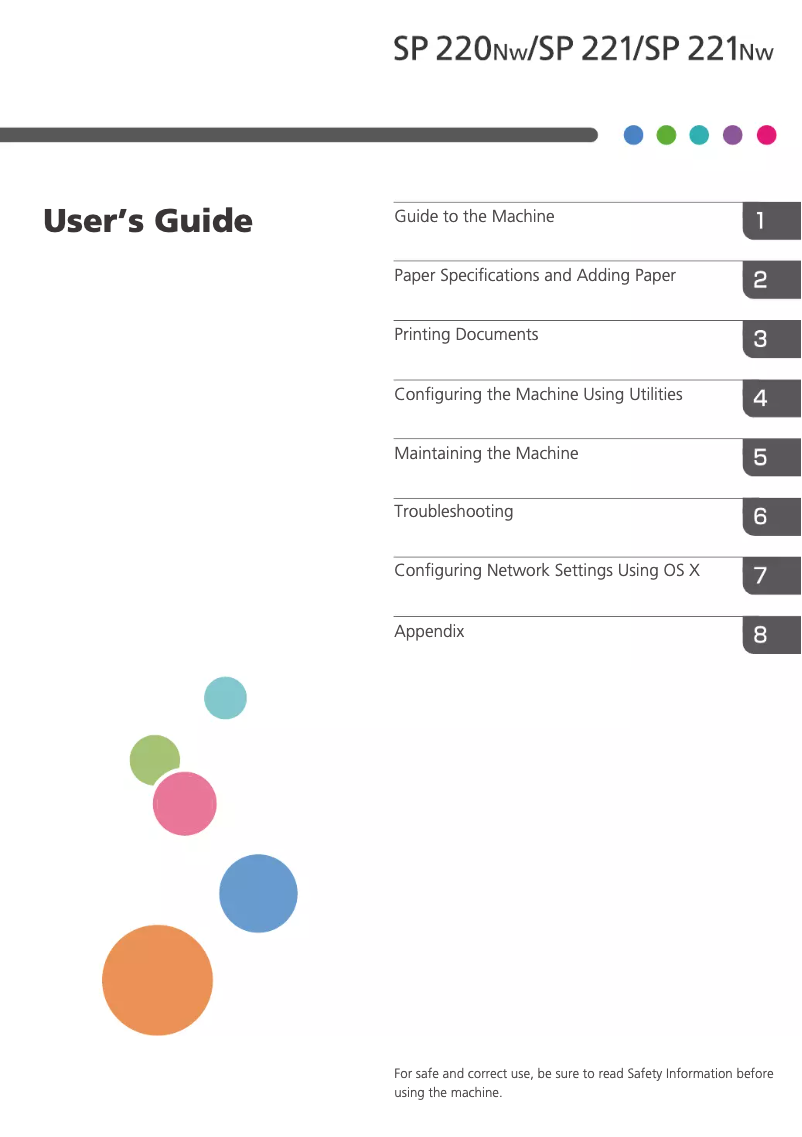
Manual of product SP 220SNW
Editorial note
The Ricoh SP 220SNW printer stands out for its printing speed, reaching 23 pages per minute, and its exceptional laser print quality with a maximum resolution of 1200 x 600 DPI. These features make it an ideal choice for demanding work environments, where speed and accuracy are paramount. Additionally, the color scanning functionality at 600 x 600 DPI ensures faithful and detailed reproductions. In terms of connectivity, the device offers wireless options via Wi-Fi and Ethernet, facilitating its integration into various office spaces. Its compact and modern design is also an asset, allowing for easy integration into small spaces. However, its weight of 10 kg may make moving the printer more complex. Despite its many advantages, the Ricoh SP 220SNW has some notable drawbacks. The lack of duplex printing can lead to higher paper consumption, which could be problematic for some users concerned about efficiency. Furthermore, its internal memory of only 128 MB may limit performance when printing large or complex documents. The absence of a fax function and built-in memory card reader may also restrict certain uses. Writing scores reveal an overall positive user experience, although some aspects such as limitations in features have been noted. The value for money is considered acceptable, but users may find that the missing features diminish the printer's value in certain contexts. Overall, the Ricoh SP 220SNW is a solid choice for those seeking a fast and quality printer, while being aware of its limitations.Score details
User experience
The user experience is generally positive thanks to an intuitive interface and well-thought-out features. However, the lack of double-sided printing can be a drawback for some users.
Performance
The performance is satisfactory with a printing speed of 23 pages per minute and a resolution of 1200 x 600 DPI. However, the internal memory of only 128 MB may limit efficiency when printing more complex documents.
Battery life
Although the concept of battery life does not apply directly, the energy efficiency of the printer is good due to its very low power consumption in sleep mode.
Design
The design is compact and modern, allowing for easy integration into small office spaces. However, its weight of 10 kg can pose challenges in terms of mobility.
Features
The printer offers interesting features such as color scanning and Wi-Fi connectivity, but the lack of fax and memory card reader may limit its use in certain contexts.
Value for money
The value for money is acceptable given the performance and print quality. However, the limitations in terms of features may decrease the value for some users.
Advantages
Fast printing: 23 pages per minute
Laser print quality, 1200 x 600 DPI
Color scanning, 600 x 600 DPI
Wi-Fi and Ethernet connectivity
Compact design for small offices
Disadvantages
No double-sided printing
Internal memory limited to 128 MB
No fax function
Weight of 10 kg, difficult to move
No memory card reader
Technical Specifications SP 220SNW
General Information
-
ModelSP 220SNW
-
Brand
-
Category
-
Type
-
SKU894019
-
MPN894019
Print speed
-
Printing technologyLaser
-
PrintingMonochrome printing
-
Preheating time30 s
-
Copy time for the first page (Black, normal)10 s
-
Print speed (black, normal quality, A4/US Letter)23 ppm
-
Maximum resolution1200 x 600 DPI
-
Double-sided printingNo
Copier
-
CopySimple copy
-
Max. resolution of copies600 x 600 DPI
-
Maximum number of copies99 copies
-
Resizing copy25 - 400 %
-
Duplex copyNo
Digitization
-
Type of scanner-
-
DigitizationColor scanning
-
Optical scanning resolution600 x 600 DPI
-
Scan driversTWAIN
-
Double-sided scanningNo
Fax
-
Duplex faxNo
-
Duplex faxNo
Representation / realization
-
Maximum internal memory128 MB
-
Maximum internal memory128 MB
-
Built-in memory card readerNo
Weight and dimensions
-
Width402 mm
-
Depth360 mm
-
Height293 mm
-
Weight10000 g
Design
-
Screen-
-
Product colorBlack, Grey
-
Market positionDomestic and professional
Power
-
AC input voltage100 - 240 V
-
AC input frequency50 - 60 Hz
-
Consumption (max)900 W
-
Electricity consumption (average operation)400 W
-
Energy consumption (loan)65 W
-
Energy consumption (in standby mode)2 W
Features
-
Digital sender-
-
Number of print cartridges1
-
Printing colorsBlack, White
-
Languages of the page descriptionGDI
-
Service cycle (Maximum)- pages per month
Paper management
-
Maximum ISO A series paper sizeA4
-
Type of paper tray supportOrdinary paper
-
ISO, Format Series A (A0...A9)A4, A5, A6
-
ISO, Formats Series-B (B0...B9)B5, B6
-
Weight of paper tray support60 - 105 g/m²
Input and output capacity
-
Total power capacity150 sheets
-
Paper feed typePaper bin
-
Total number of power supply units1
-
Total output capacity50 sheets
Network
-
Contactless paymentYes
-
Contactless paymentYes
-
LAN Ethernet: data transfer rate10, 100 Mbit/s
-
Wifi standards802.11b, 802.11g, Wi-Fi 4 (802.11n)
-
Mobile printing technologiesApple AirPrint, Google Cloud Print, Mopria Print Service
-
Contactless paymentYes
-
Wiring technology10/100Base-T(X)
Connectivity
-
Direct printing-
-
Standard interfacesEthernet
-
Quantity of USB 2.0 PortsUSB 2.0
-
USB portWireless LAN
-
1
-
Yes
Minimum system requirements
-
Support for the Windows operating systemWindows 10 Education
-
Support for the Mac operating systemWindows 10 Education x64
-
Support for the server operating systemWindows 10 Enterprise
-
Windows 10 Enterprise x64
-
Windows 10 Home
-
Windows 10 Home x64
-
Windows 10 IOT Core
-
Windows 10 Pro
-
Windows 10 Pro x64
-
Windows 7 Enterprise
-
Windows 7 Enterprise x64
-
Windows 7 Home Basic
-
Windows 7 Home Basic x64
-
Windows 7 Home Premium
-
Windows 7 Home Premium x64
-
Windows 7 Professional
-
Windows 7 Professional x64
-
Windows 7 Starter
-
Windows 7 Starter x64
-
Windows 7 Ultimate
-
Windows 7 Ultimate x64
-
Windows 8
-
Windows 8 Enterprise
-
Windows 8 Enterprise x64
-
Windows 8 Pro
-
Windows 8 Pro x64
-
Windows 8 x64
-
Windows 8.1
-
Windows 8.1 Enterprise
-
Windows 8.1 Enterprise x64
-
Windows 8.1 Pro
-
Windows 8.1 Pro x64
-
Windows 8.1 x64
-
Windows Vista Business
-
Windows Vista Business x64
-
Windows Vista Enterprise
-
Windows Vista Enterprise x64
-
Windows Vista Home Basic
-
Windows Vista Home Basic x64
-
Windows Vista Home Premium
-
Windows Vista Home Premium x64
-
Windows Vista Ultimate
-
Windows Vista Ultimate x64
-
Mac OS X 10.10 Yosemite
-
Mac OS X 10.11 El Capitan
-
Mac OS X 10.8 Mountain Lion
-
Mac OS X 10.9 Mavericks
-
Windows Server 2008
-
Windows Server 2008 R2
-
Windows Server 2012
-
Windows Server 2012 R2
Sustainability
-
Sustainability certificatesENERGY STAR
Certificate
-
CertificationWi-Fi
Frequently Asked Questions
What is the weight of the Ricoh SP 220SNW?
What is the best method to remove paper jammed in the printer?
Why does my printer not recognize the original cartridges?
Why is the quality of my prints poor?
What is the difference between a laser printer and an inkjet printer?
Why does my inkjet printer leave black streaks on the paper?
What does the acronym DPI mean?
What certifications does the Ricoh SP 220SNW have?
How many cartridges are compatible with the Ricoh SP 220SNW?
What is the height of the Ricoh SP 220SNW?
What is the width of the Ricoh SP 220SNW?
What is the depth of the Ricoh SP 220SNW?
Is the manual for the Ricoh SP 220SNW available in French?
Similar products


More product categories from brand Ricoh
More product types from brand Ricoh



Presentation of product SP 220SNW specifications from brand Ricoh
General Information
The Ricoh SP 220SNW is a printer from the Ricoh brand, known for its innovation and quality in the field of office devices. This model, identified by the code SP 220SNW | 408029, ensures optimal performance for various printing applications. The EAN code, 4961311913426, allows for precise identification in the distribution circuit.
Print Speed
Equipped with laser printing technology, the Ricoh SP 220SNW offers remarkable print quality with vibrant and accurate colors. Its warm-up time is 30 seconds, ensuring quick availability. With a print speed of 23 pages per minute for black and white documents in normal quality, it is particularly suited for dynamic work environments. The maximum resolution reaches 1200 x 600 DPI, guaranteeing prints of exceptional clarity. However, this printer does not offer duplex printing, which may increase paper consumption.
Copier
The photocopying function of the SP 220SNW allows for color copies with a maximum resolution of 600 x 600 DPI. It can make up to 99 copies at a time, and the resizing of copies ranges from 25 to 400 %, offering flexibility in use. Nevertheless, it is important to note that this printer does not support duplex copying.
Scanning
Color scanning is also possible with the Ricoh SP 220SNW, offering a resolution of 600 x 600 DPI for faithful reproductions. The TWAIN scanning driver ensures broad compatibility with various systems. However, the duplex scanning function is not available on this model.
Fax
The Ricoh SP 220SNW does not have a fax function, which may limit its use for users needing to send documents via fax. Additionally, the lack of duplex faxing excludes the possibility of sending faxes in duplex mode.
Performance and Memory
With an internal memory of 128 MB, this device supports moderate use. However, this capacity could limit performance when printing large or complex documents. There is no built-in memory card reader, which restricts direct file transfer options for printing.
Dimensions and Weight
The Ricoh SP 220SNW has dimensions of 402 mm in width, 360 mm in depth, and 293 mm in height, making it suitable for integration into tight office spaces. Its weight of 10 kg may pose a challenge for moving it in environments requiring mobility.
Design and Usage
Offered in shades of black and gray, the design of the SP 220SNW gives it a modern look, suitable for both home and professional use. Although it is designed to meet the needs of demanding users, its lack of certain features, such as faxing, may reduce its versatility.
Energy Consumption
The Ricoh SP 220SNW operates with an input voltage of 100 - 240 V and a frequency of 50 - 60 Hz, ensuring compatibility with standard electrical systems. Its maximum consumption is 900 W during operation, while it consumes 400 W in average use and only 2 W in standby mode, indicating good energy efficiency.
Features and Paper Management
This printer uses a single cartridge for black and white printing, ensuring consistent quality. It supports paper sizes up to A4 and weights from 60 to 105 g/m², thus adapting to various printing needs. The input capacity is 150 sheets, while the output capacity is 50 sheets, allowing for efficient management of printing tasks.
Connectivity
The Ricoh SP 220SNW is equipped with Wi-Fi and Ethernet connectivity, facilitating integration into various networks. With a USB 2.0 port, it also allows for quick connection to other devices. However, the printer does not offer direct printing functionality, which could limit convenience of use.
System Compatibility
This printer is compatible with several operating systems, including various versions of Windows and Mac OS, ensuring a smooth user experience. It is also suitable for modern server environments, guaranteeing interoperability in various configurations.
Durability
The Ricoh SP 220SNW is ENERGY STAR certified, attesting to its compliance with energy efficiency and environmental sustainability standards.


