

Manual of product d-Copia 201D
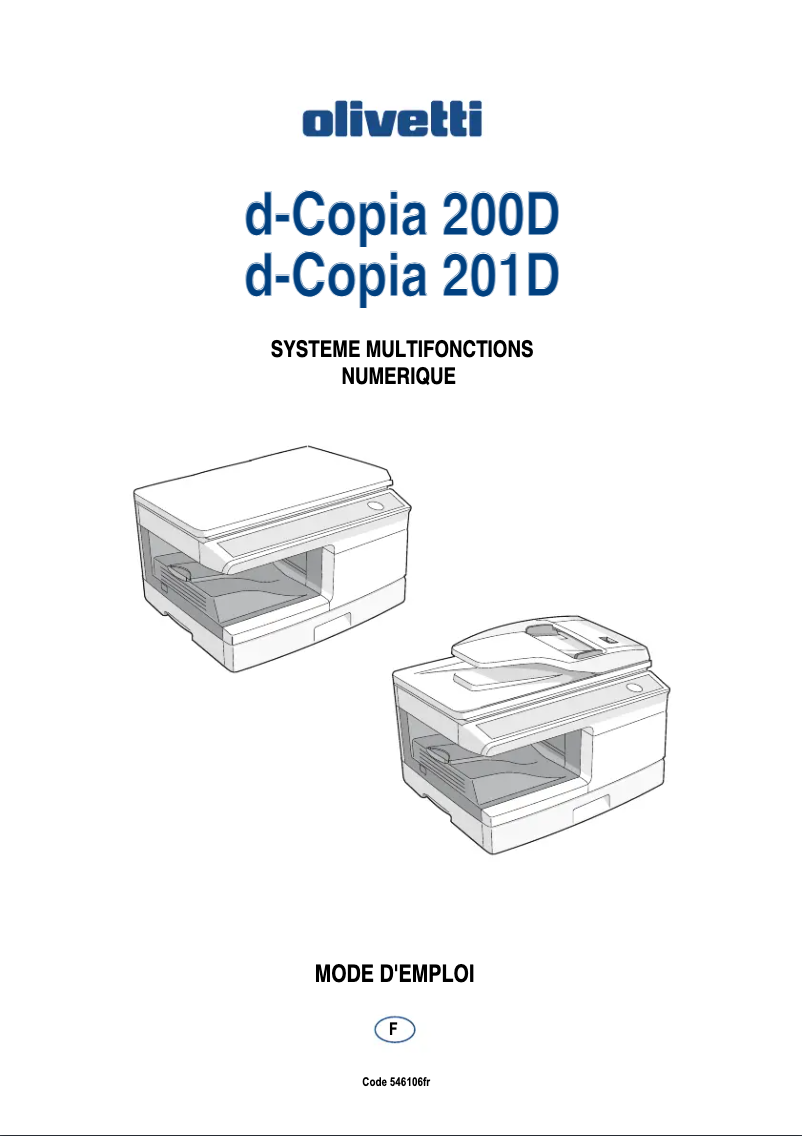
Editorial note
The Olivetti d-Copia 201D stands out for its all-in-one features, combining printing, scanning, and color copying. With a printing speed of 15 pages per minute and a resolution of 600 x 600 DPI, this device is ideal for daily use, whether in a professional or home environment. Its 300-sheet paper capacity allows for handling a large volume of documents without interruption, which is a considerable advantage for regular users. However, some drawbacks should be noted. Limited compatibility, particularly the lack of support for Mac operating systems, may restrict its use for some users. Additionally, the internal memory of only 16 MB may prove insufficient for heavier tasks, leading to slowdowns. The absence of faxing and duplex printing functions also limits its appeal for professionals with specific needs. Finally, its weight of 19.6 kg can complicate its movement and installation in tight spaces. Overall, the user experience is positive, with a score of 78, while performance is rated good for common tasks, with a score of 70. The value for money is rated at 75, highlighting the versatile features offered. Although the design is functional, it receives a score of 72 due to its weight, which can pose problems during installation. The all-in-one features are a major asset, with a score of 80, although some advanced characteristics are lacking.Score details
User experience
The user experience is generally positive thanks to the all-in-one features, but the limited compatibility with Mac systems may frustrate some users.
Performance
Performance is good for everyday tasks, but the 16 MB internal memory can lead to slowdowns when performing heavier tasks.
Value for money
The product offers good value for money with versatile features, but the lack of faxing and duplex printing may limit its appeal to some professionals.
Features
The all-in-one features, including color printing, scanning, and copying, are a major asset, although the absence of certain advanced features should be noted.
Design
The design is functional, but its weight of 19.6 kg can make moving and installing it difficult in tight spaces.
Advantages
Fast printing at 15 pages per minute
Print resolution of 600 x 600 DPI
All-in-one functions: printing, scanning, copying
300-sheet capacity in the tray
Built-in Ethernet connectivity and USB port
Disadvantages
Limited compatibility with Mac systems
Internal memory of only 16 MB
Lack of fax function
Insufficient printing speed for some
Weight of 19.6 kg difficult to move
No automatic duplex printing
Technical Specifications d-Copia 201D
General Information
-
ModelD-COPIA 201D
-
Brand
-
Category
-
Type
-
SKU1511930
-
MPN1511930
Print speed
-
Maximum resolution600 x 600 DPI
-
Print speed (black, normal quality, A4/US Letter)15 ppm
-
Copy time for the first page (Black, normal)9.6 s
-
Preheating time0 s
-
Printing technologyLaser
-
PrintingNo
Features
-
Printing colorsBlack
-
Digital senderNo
Digitization
-
Type of scannerFlat scanning
-
Gray levels256
-
DigitizationColor scanning
Copier
-
Copy speed (normal quality, black, A4)20 cpm
-
Maximum number of copies99 copies
-
Resizing copy25 - 400 %
-
CopySingle copy
Input and output capacity
-
Total power capacity300 sheets
Representation / realization
-
Internal memory16 MB
-
Mac CompatibilityNo
Other features
-
Standard average formatsA4
-
Compatible operating systemsWindows 98/Me/2000/XP/Vista
-
Network featuresEthernet
-
Dimensions (LxWxH)518 x 445 x 359 mm
-
EmulationsGDI
-
Supported support weight56/128 g/m²
-
All-in-one functionsCopy, Scan
-
All-in-one color functionsscan, n
Connectivity
-
Standard interfacesUSB 2.0
-
USB portYes
Weight and dimensions
-
Weight19600 g
Network
-
Management protocolsTWAIN/WIA/STI
Fax
-
FaxNo
Design
-
Market positionDomestic and professional
Frequently Asked Questions
What is the weight of the Olivetti d-Copia 201D?
What is the recommended method for removing paper jammed in the printer?
Why does my printer not recognize the original cartridges?
What are the possible reasons for poor print quality?
What are the distinctions between a laser printer and an inkjet printer?
Why does my inkjet printer produce black lines on prints?
What does the acronym DPI mean?
Is the manual for the Olivetti d-Copia 201D available in French?
Similar products


More product categories from brand Olivetti
Other Olivetti
More product types from brand Olivetti


Presentation of product d-Copia 201D specifications from brand Olivetti
General Information
The Olivetti d-Copia 201D printer, from the renowned Olivetti brand, is designed to provide reliable performance and a pleasant user experience. This model, identified by the reference d-Copia 201D | B5044, is appreciated for its quality and innovation in the office equipment sector. The EAN code 8020334300562 ensures unique identification in distribution systems.
Print Speed
With a maximum print resolution of 600 x 600 DPI, the Olivetti d-Copia 201D guarantees documents of exceptional clarity, suitable for both professional and personal use. Its print speed reaches 15 pages per minute (ppm), which is particularly suitable for a dynamic work environment. The first page print time is only 9.6 seconds, allowing for quick use. This printer uses laser technology, providing superior quality results and the ability to print in color, for colorful and precise documents.
Features
The main print color of the Olivetti d-Copia 201D is black, ensuring sharp visual outputs. However, it is worth noting that this device does not have a digital sending function, which may limit certain document management operations.
Scanning
Equipped with a flatbed scanner, the Olivetti d-Copia 201D allows for quick and efficient scanning of multiple documents. It offers 256 shades of gray, enabling precise details in scanned images. Additionally, the color scanning function ensures faithful reproductions of your documents.
Copier
The copier integrated into the Olivetti d-Copia 201D has a speed of 20 copies per minute (cpm) in normal quality, black, A4. It can produce up to 99 copies in a single operation and allows resizing between 25% and 400%, offering appreciated flexibility. The color copy function produces vibrant documents that are true to the original colors.
Input and Output Capacity
The Olivetti d-Copia 201D features a paper capacity of 300 sheets, facilitating the management of a large volume of documents without the need for frequent reloading.
Representation / Performance
The printer's internal memory is 16 MB, which allows for managing a reasonable number of tasks. However, this capacity may be insufficient for heavier prints. It is also important to note that this device is not compatible with Mac operating systems.
Other Features
The standard print format of the Olivetti d-Copia 201D is A4, ideal for various types of documents. Compatible with Windows XP, Vista, and 7 systems, it ensures smooth operation. Network features include Ethernet, guaranteeing a fast and reliable connection. Its dimensions of 518 x 445 x 359 mm facilitate integration into different work environments, although its weight of 19.6 kg may make moving it more difficult. Furthermore, this device does not have a fax function, which may be a disadvantage for some users.
Connectivity
The Olivetti d-Copia 201D offers standard interfaces, including a USB port, allowing for simple and quick connections with various devices.
Design
This model is designed for both home and professional use, meeting the specific needs of users looking for an efficient and versatile printing solution.


