

Manual of product d-Copia 18MF
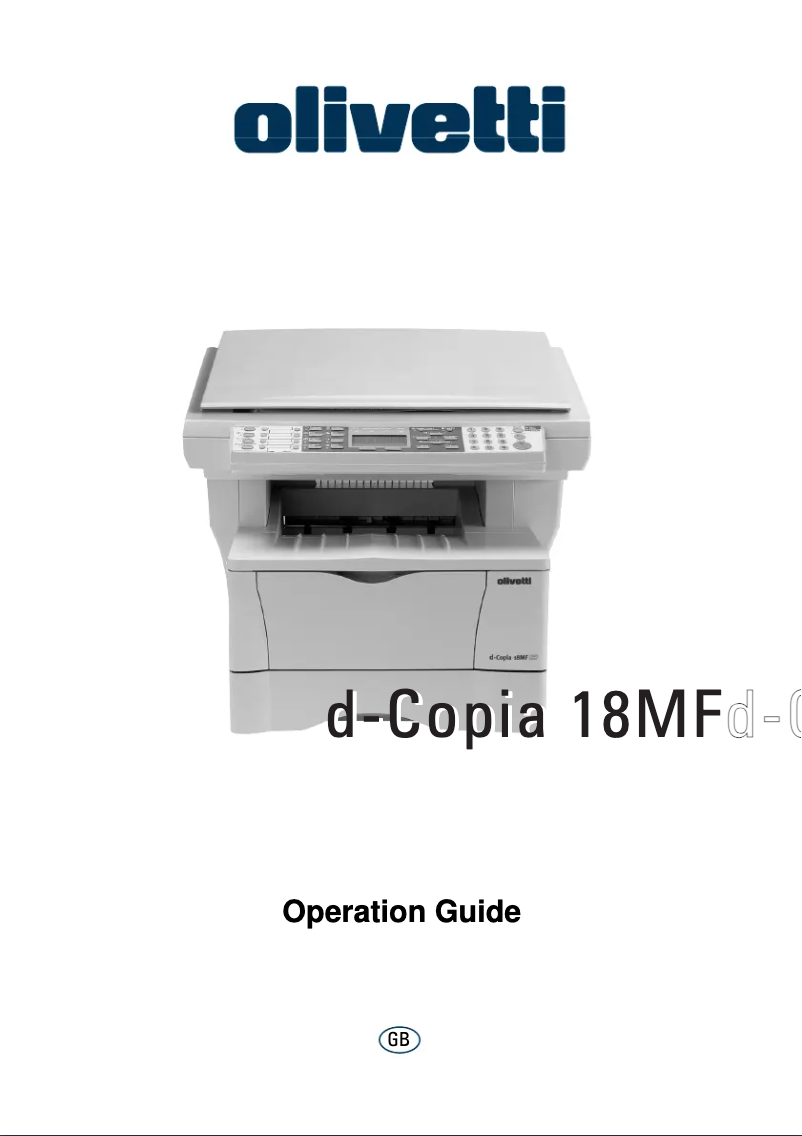
Editorial note
The Olivetti d-Copia 18MF stands out for its exceptional print quality with a maximum resolution of 1800 x 600 DPI, ensuring clear and precise documents, both in black and white and in color. Its all-in-one features, including printing, copying, scanning, and faxing, offer valuable versatility, ideal for the varied needs of professional and personal users. Additionally, its print speed of 18 pages per minute allows for quick printing, which is an asset for daily use. However, some drawbacks remain. The non-compatibility with Mac systems limits its use for some users. Its print speed may also prove insufficient in high-volume work environments. Furthermore, its weight of 14,500 g makes the device difficult to move, and the internal memory of only 0.320 GB may pose issues when processing large files or simultaneous prints. Finally, the output capacity of 150 sheets may require frequent interventions to empty the tray, which can be cumbersome in a professional setting. Overall, the user experience is positive thanks to the device's versatility, although limitations persist. Print performance is satisfactory for daily use but may not be suitable for high-volume environments. The price-to-quality ratio is fair, especially considering the print quality and features offered, but some characteristics, such as the internal memory, may hinder its optimal use.Score details
User experience
The user experience is generally positive due to the versatility of the device, but the lack of compatibility with Mac systems can be a disadvantage for some users.
Performance
The printing performance is satisfactory for daily use, but the printing speed of 18 ppm may not be sufficient for high-volume work environments.
Design
The weight of 14,500 g makes the device difficult to move, which can be a disadvantage in flexible workspaces.
Value for money
The value for money is fair, especially with the exceptional print quality and all-in-one features, but some limitations, such as the internal memory of 0.320 GB, may be a drawback.
Features
The all-in-one features, including printing, copying, scanning, and faxing, are a major asset, offering great versatility suited to various needs.
Support
The provided documentation is comprehensive, with an 85-page user manual to assist with the setup and use of the different features.
Usability
The interface is intuitive and makes it easy to use, although the output capacity of 150 sheets may require frequent interventions.
Advantages
High-quality printing up to 1800 x 600 DPI
All-in-one features: printing, copying, scanning, faxing
Fast printing speed of 18 pages per minute
250-sheet paper capacity
Easy network connectivity with standard protocols
Disadvantages
Not compatible with Mac systems
Insufficient print speed (18 ppm)
Heavy (14,500 g), difficult to move
Limited internal memory (0.320 GB)
Reduced output capacity (150 sheets)
Technical Specifications d-Copia 18MF
General Information
-
ModelD-COPIA 18MF
-
Brand
-
Category
-
Type
-
SKU1511936
-
MPN1511936
Print speed
-
Maximum resolution1800 x 600 DPI
-
Color resolution600 x 600 DPI
-
Print speed (black, normal quality, A4/US Letter)18 ppm
-
Copy time for the first page (color, normal)9.5 s
-
Preheating time20 s
-
Printing technologyLaser
-
PrintingNo
Other features
-
Scanning speed18 sec/page
-
Maximum internal memory0.320 GB
-
Compatible operating systemsWindows 95, 98, Me, NT 4.x, 2000, XP
-
Network featuresApple Mac OS 9.x/OS X 10.x
-
Dimensions (LxWxH)Unix, Linux
-
EmulationsEthernet 10Base-T/100Base-TX
-
All-in-one functions496 x 421 x 385 mm
-
All-in-one color functionsPCL6 (5e, XL, PJL), KPDL3 (PostScript3), Line Printer, IBM Proprinter X24E, Diablo 630, Epson LQ-850
-
Copy, Fax, Scan
-
scan, n
Digitization
-
Gray levels256
-
DigitizationColor scanning
Fax
-
Modem speed33.6 Kbit/s
-
Maximum number of shortcuts for numbers100
-
Fax coding methodsJBIG, MH, MMR (Fax coding method), MR
-
FaxSimple fax
Input and output capacity
-
Total output capacity150 sheets
-
Total power capacity250 sheets
Representation / realization
-
Processor model750CXr
-
Processor frequency300 MHz
-
Internal memory86 Mo
-
Integrated into the processorYes
-
Integrated into the processorYes
-
Processor familyPowerPC
Paper management
-
Maximum print format216 x 297 mm
-
ISO, Format Series A (A0...A9)A4, A5
-
ISO, Formats Series-B (B0...B9)B5
-
Non-ISO print support sizesFolio
-
Maximum ISO A series paper sizeA4
Network
-
Support for network protocols (IPv4)TCP/IP
Connectivity
-
Standard interfacesUSB 2.0
-
Quantity of USB 2.0 Ports1
-
USB portYes
Weight and dimensions
-
Weight14500 g
Sustainability
-
Sustainability certificatesENERGY STAR
Copier
-
CopySimple copy
Features
-
Digital senderNo
Design
-
Market positionDomestic and professional
Frequently Asked Questions
What is the weight of the Olivetti d-Copia 18MF?
What is the recommended method for removing a paper jam from the printer?
Why does my printer not recognize the original cartridges?
What could be the reasons for poor print quality?
How does a laser printer differ from an inkjet printer?
Why does my inkjet printer leave black streaks on prints?
What does the acronym DPI mean?
Is the manual for the Olivetti d-Copia 18MF available in French?
Similar products


More product categories from brand Olivetti
Other Olivetti
More product types from brand Olivetti


Presentation of product d-Copia 18MF specifications from brand Olivetti
General Information
The Olivetti d-Copia 18MF, a printer from the renowned brand Olivetti, embodies excellence through its innovation and quality in the office equipment sector. This model, identified by the reference d-Copia 18MF | B9064, is designed to deliver high performance and an enhanced user experience. The EAN code 8020334284695 allows for unique identification within the distribution network.
Print Speed
The maximum resolution of the Olivetti d-Copia 18MF reaches 1800 x 600 DPI, ensuring prints of remarkable clarity, suitable for both professional needs and personal use. For color prints, the resolution is 600 x 600 DPI, allowing for the production of documents with precise details and vibrant colors. With a print speed of 18 pages per minute (ppm) in black and white, this printer ensures optimal efficiency for daily use. The time to copy the first color page is only 9.5 seconds, and the warm-up time is 20 seconds, contributing to quick and efficient use. Equipped with laser printing technology, it guarantees high-quality results for all your documents.
Other Features
The scanning speed of the Olivetti d-Copia 18MF is 18 seconds per page, thus optimizing the scanning process. Its internal memory of 0.320 GB allows for the storage of numerous data and files. Compatible with several operating systems such as Windows XP, Vista, and 7, the printer ensures smooth operation. With Ethernet 10Base-T/100Base-TX network features, it guarantees a reliable connection. Its dimensions of 496 x 421 x 385 mm facilitate integration into various workspaces. Furthermore, its emulation mode, which includes PCL6 and PostScript3, allows for extensive compatibility with different printing systems. The Olivetti d-Copia 18MF is an all-in-one solution, combining printing, copying, scanning, and faxing functions, thus offering versatility suited to multiple needs.
Scanning
This printer supports 256 shades of gray, allowing for scanned images with detailed and precise nuances. Additionally, the color scanning function ensures faithful and vibrant reproductions of your documents.
Fax
Equipped with a modem operating at 33.6 Kbit/s, the Olivetti d-Copia 18MF allows for fast communication. It also offers the ability to store up to 100 shortcuts for numbers, thus facilitating fax use. Coding methods such as JBIG and MMR ensure efficient document transmission.
Input and Output Capacity
The output capacity of the Olivetti d-Copia 18MF is 150 sheets, while its input capacity is 250 sheets, allowing for the management of a large volume of documents without the need for frequent reloading.
Representation / Performance
Equipped with a 750CXr model processor operating at a frequency of 300 MHz, the Olivetti d-Copia 18MF ensures smooth performance. Its internal memory of 86 MB allows for efficient use, although compatibility with Mac systems is not available. The integrated PowerPC processor guarantees optimal performance.
Paper Management
This printer supports a maximum print size of 216 x 297 mm (A4) and is compatible with standard ISO paper sizes such as A4, A5, and B5. This allows for flexibility in using different types of paper.
Network
Support for IPv4 network protocols, such as TCP/IP, ensures effective connectivity for managing prints in an office environment.
Connectivity
The Olivetti d-Copia 18MF is equipped with standard interfaces and a USB 2.0 port, thus facilitating connection with various devices for fast and efficient data transfer.
Weight and Dimensions
With a weight of 14,500 g, this printer is designed for optimal use, although its weight may make moving it more difficult.
Durability
Certified ENERGY STAR, the Olivetti d-Copia 18MF meets rigorous standards for energy efficiency, thus contributing to environmental protection.
Copier
The integrated copier in the Olivetti d-Copia 18MF allows for color copies, ensuring faithful and vibrant prints.
Features
This model does not have a digital sending function, but it is designed to ensure efficient management of document dispatches.
Design
Positioned for both home and professional use, the Olivetti d-Copia 18MF is perfectly suited to the demands of professional users, offering features that meet their specific needs.


