

Manual of product ML6300FB SC
Editorial note
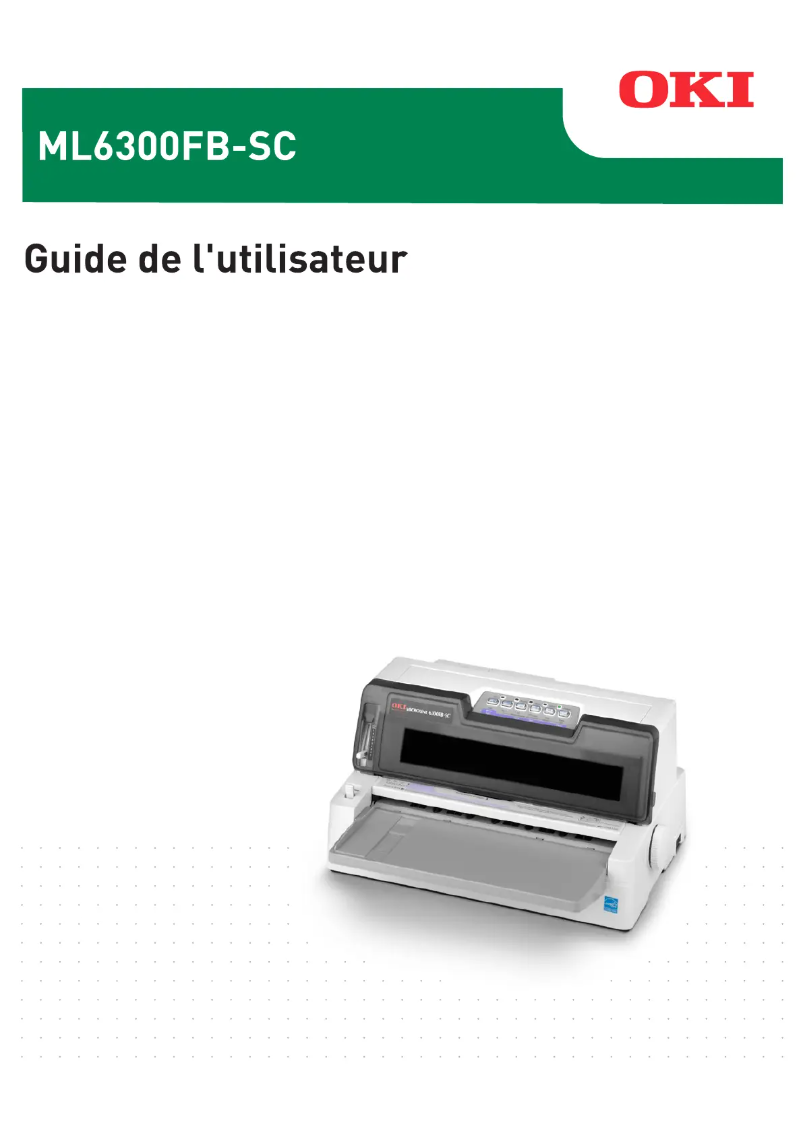
The OKI ML6300FB SC printer stands out with its impressive printing speed of 450 characters per second, making it an ideal choice for users seeking increased productivity. Its Dot Matrix printing technology ensures reliable quality, perfectly suited to professional needs. Additionally, the exceptional longevity of the print head, reaching up to 200 million characters, guarantees sustainable output and prolonged use without worries. However, the lack of color printing limits its appeal for those who require graphic or colored documents. Furthermore, the maximum resolution of 360 x 360 DPI may not be sufficient for prints requiring fine details, such as images or elaborate graphics. Weighing 7500 g, the printer can be difficult to move, which may pose challenges in flexible work environments. In terms of connectivity, while the Ethernet and Serial options are useful, the absence of wireless connectivity may restrict usage flexibility in modern spaces. Despite these drawbacks, the value for money is attractive, especially considering the robustness of the device, with an average time between failures of 12000 hours, ensuring reliable and continuous use. In summary, the OKI ML6300FB SC is a solid choice for those looking for a fast and durable printer, but it may not be suitable for all users due to its limitations in color and portability.Score details
User experience
The user experience is satisfactory due to a high printing speed of 450 characters per second, but the lack of color printing limits its appeal for some users.
Performance
The performance is good for fast and accurate prints, but the maximum resolution of 360 x 360 DPI may not be suitable for users needing fine details.
Design
The design is functional, but the weight of 7500 g makes the printer difficult to move, which can be a disadvantage in some work environments.
Value for money
The value for money is good, especially with the exceptional longevity of the print head reaching up to 200 million characters.
Features
The connectivity features with Ethernet and Serial options are appreciated, but the lack of wireless connectivity may be a drawback for some users.
Robustness
Durability is a major asset, with an average time between failures of 12000 hours, ensuring prolonged use without interruptions.
Advantages
Fast printing at 450 cps
Reliable Dot Matrix print quality
Durable print head up to 200 million
Efficient paper management
Flexible Ethernet and Serial connectivity
Disadvantages
Printing only in black and white.
Maximum resolution insufficient for high quality.
Heavy weight, difficult to move.
Limited connectivity to wired options.
Insufficient printing speed for large volumes.
Technical Specifications ML6300FB SC
General Information
-
ModelML6300FB SC
-
Brand
-
Category
-
Type
-
SKU1514611
-
MPN1514611
Print speed
-
Maximum print width-
-
ColorNo
-
Maximum resolution360 x 360 DPI
-
Maximum printing speed450 characters per second
-
Normal printing speed400 characters per second
-
Measurement of the number of characters per inch10, 12, 15, 17, 17.1, 20 characters per inch
Other features
-
Included fontsCourier
-
Printing technologyRoman
-
Connectivity technologySwiss
-
Print widthPrestige
-
Gothic
-
Utility
-
Swiss Bold
-
Orator
-
OCR-A
-
OCR-B
-
HSD & Barcodes
-
Dot Matrix
-
Wired
-
106 characters
Features
-
Buffer size64 KB
-
Sound pressure level (impression)58 dB
-
Languages of the page descriptionEpson ESC/P2, IBM ProPrinter
Autonomy
-
Lifespan of the print head200 million characters
-
Lifespan of the ribbon4 million characters
-
Print head24-pin
-
Print directionBi-directional
-
Mean time between failures12000 h
Weight and dimensions
-
Weight7500 g
-
Width425 mm
-
Depth255 mm
-
Height210 mm
Paper management
-
Paper feedingManuel
Connectivity
-
Standard interfacesParallel, USB 2.0
-
Optional connectivityEthernet, Serial (RS-232)
Minimum system requirements
-
Support for the Windows operating systemYes
Environmental conditions
-
Operating temperature5 - 40 °C
-
Operating relative humidity (H-H)30 - 85 %
-
Temperature out of operation-20 - 60 °C
-
Relative humidity rate (storage)0 - 95 %
Power
-
AC input voltage220-240 V
-
AC input frequency50 - 60 Hz
Frequently Asked Questions
What is the weight of the OKI ML6300FB SC printer?
What is the recommended method for removing paper jammed in the printer?
Why is my printer not recognizing original cartridges?
What could be the reasons for poor print quality?
How does a laser printer differ from an inkjet printer?
Why is my inkjet printer leaving black streaks on prints?
What does the acronym DPI mean?
What is the height of the OKI ML6300FB SC?
What is the width of the OKI ML6300FB SC?
What is the depth of the OKI ML6300FB SC?
Is the manual for the OKI ML6300FB SC available in French?
Similar products


More product categories from brand OKI
More product types from brand OKI


Presentation of product ML6300FB SC specifications from brand OKI
General Information
The OKI ML6300FB SC model, manufactured by the renowned brand OKI, stands out for its commitment to quality and innovation in the printer field. This model, identified by the code ML6300FB SC | 43490003, offers optimal performance for an enhanced user experience. The EAN code 5031713045397 allows for unique identification of the product in distribution systems.
Print Speed
The OKI ML6300FB SC is a monochrome printer, which limits its use to black and white printing. Its maximum resolution of 360 x 360 DPI ensures clear prints, suitable for various professional needs. With an impressive speed of up to 450 characters per second, this printer optimizes productivity, while its normal print speed is 400 characters per second. The print density, measured in characters per inch, ranges from 10 to 20, influencing the readability of documents.
Other Features
This model offers several pre-installed fonts, such as Courier, Roman, and Swiss, facilitating its use right out of the box. It uses Dot Matrix printing technology, ensuring precise results. Wired connectivity allows for practical use, although it limits flexibility. The maximum print width is 106 characters, ensuring prints suitable for various formats.
Specifications
The 64 KB buffer optimizes data processing, while a sound pressure level of 58 dB ensures relatively quiet operation. The printer supports page description languages such as Epson ESC/P2 and IBM ProPrinter, allowing compatibility with various systems.
Longevity
The print head of the OKI ML6300FB SC has an impressive lifespan of 200 million characters, and the ribbon can print up to 4 million characters. Its 24-pin print head allows for high-quality results, while the bi-directional print direction optimizes speed. With a mean time between failures of 12,000 hours, this printer is designed for prolonged and reliable use.
Weight and Dimensions
Weighing 7500 g, the OKI ML6300FB SC is designed for easy handling. Its dimensions of 425 mm wide, 255 mm deep, and 210 mm high ensure optimal integration into various work environments.
Paper Management
The paper feeding system integrates both a tractor pull and a tractor push, allowing for efficient and smooth management of different types of paper during printing.
Connectivity
The OKI ML6300FB SC is equipped with standard interfaces, ensuring reliable connectivity and facilitating integration with other devices. Additionally, extra connectivity options like Ethernet and Serial (RS-232) expand usage possibilities.
Minimum System Requirements
This printer is compatible with Windows operating systems, ensuring a smooth and uninterrupted user experience.
Environmental Conditions
The OKI ML6300FB SC operates optimally within a temperature range of 5 to 40 °C and a relative humidity of 30 to 85%. Outside of its operation, it can withstand temperatures ranging from -20 to 60 °C. Recommended storage conditions include a relative humidity of 0 to 95% to ensure product durability.
Power
The AC input voltage of the OKI ML6300FB SC is 220-240 V, with an input frequency of 50 to 60 Hz, thus ensuring adequate compatibility with standard electrical systems.


