

Manual of product CX4545X
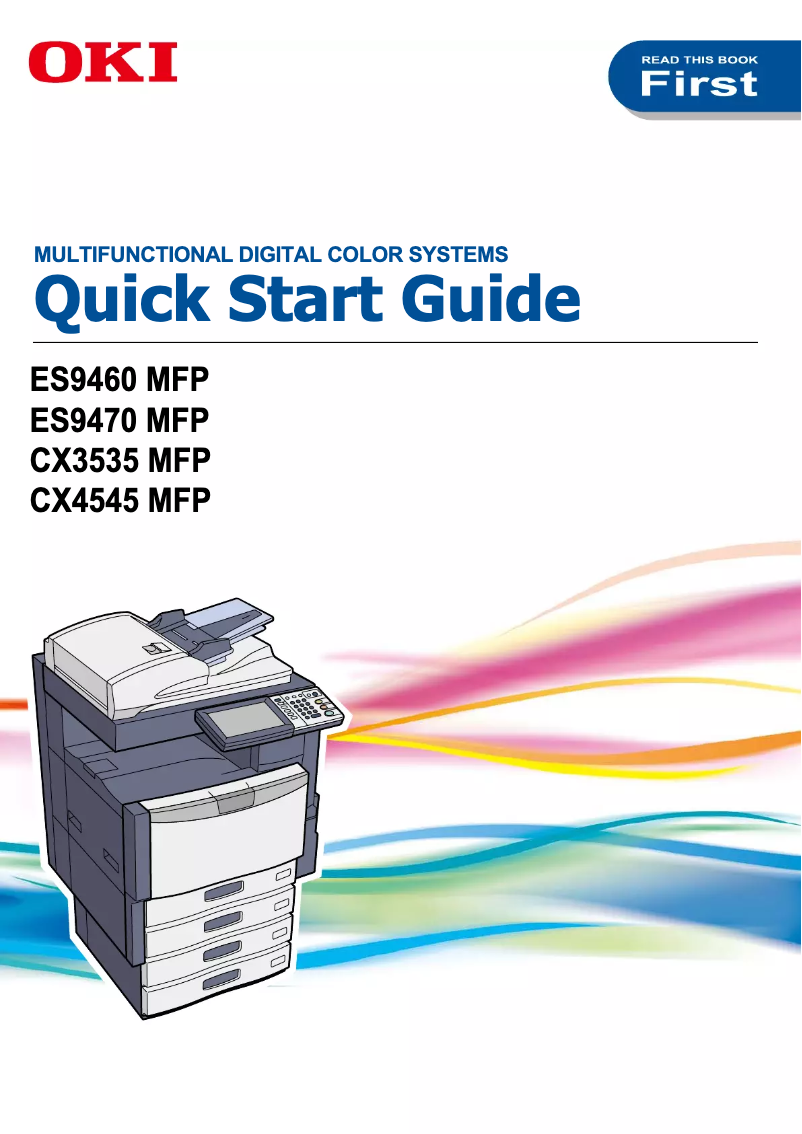
Editorial note
The OKI CX4545X printer stands out for its optimized performance, offering fast and high-quality printing for a variety of documents. The OKI brand is known for its innovation, ensuring an enhanced user experience through intuitive features. Additionally, the product comes with comprehensive documentation, making it easier to grasp the various functionalities. However, it is worth noting that the initial purchase cost of the OKI CX4545X can be relatively high, which may deter small businesses or occasional users. The costs of toner cartridges and consumables can also add up quickly, making the maintenance of the printer expensive in the long run. Furthermore, its size may pose a problem for users with limited workspace. Finally, although the user experience is generally positive, some users may find the interface and configuration settings complex, requiring a learning curve for optimal use. Overall, the OKI CX4545X is a solid choice for those seeking performance and versatility, provided that investment and maintenance costs are taken into account.Score details
User experience
The user experience is enhanced by intuitive features, but the interface can be complex for some users, requiring a learning curve.
Performance
The printer's performance is optimized, providing fast and quality printing for various types of documents.
Value for money
The initial purchase cost is relatively high, and the costs of consumables can add up quickly, which may be a barrier for some users.
Design
The size of the printer can be an issue for users with limited workspace, requiring a dedicated space for installation.
Documentation
The documentation is comprehensive with an 84-page user manual, facilitating the onboarding and optimal use of features.
Advantages
Fast and quality printing
Reputation for innovation and reliability
Simplified and intuitive use
Complete user manual included
Versatile for various types of documents
Disadvantages
High initial purchase cost
Expensive consumables in the long term
Bulky size for small spaces
Longer printing times
Complex user interface
Technical Specifications CX4545X
General Information
-
ModelCX4545X
-
Brand
-
Category
-
Type
-
SKU1368242
-
MPN1368242
Frequently Asked Questions
What is the recommended method for removing jammed paper from the printer?
Why is my printer not recognizing the original cartridges?
What could be the reasons for poor print quality?
What is the difference between a laser printer and an inkjet printer?
Why is my inkjet printer producing black lines on prints?
What does the acronym DPI mean?
Is it possible to obtain the OKI CX4545X manual in French?
Similar products


More product categories from brand OKI
More product types from brand OKI


Presentation of product CX4545X specifications from brand OKI
General Information
The OKI CX4545X printer, manufactured by the renowned brand OKI, stands out for its commitment to quality and innovation in the printing equipment sector. This model, the CX4545X, is designed to deliver remarkable performance as well as an enhanced user experience, ideal for meeting the diverse needs of modern work environments.
Advantages
Optimized performance: The OKI CX4545X is specially designed to ensure fast, high-quality printing, thus efficiently handling all your important documents.
Recognized innovation: As a product of the OKI brand, this printer benefits from a solid reputation for its advanced technology and reliability, ensuring worry-free use.
Improved user experience: This model has been designed to offer intuitive use, facilitating the printing process with user-friendly features that simplify each step.
Comprehensive documentation: The OKI CX4545X comes with a detailed user manual, allowing for quick familiarization and optimal use of its various features.
Versatility: Capable of handling a wide range of document types, the OKI CX4545X proves to be a versatile tool perfectly suited for different types of offices.
Disadvantages
Initial cost: Acquiring the OKI CX4545X printer can represent a significant investment, which may deter small businesses or occasional users.
Consumable costs: Expenses related to toner cartridges and other consumables can quickly add up, leading to high maintenance costs in the long run.
Space requirement: Its size may pose a problem for users with limited workspace, as it requires dedicated space for proper installation.
Printing time: Printing times may be longer than those of other competing models, which could affect efficiency in a dynamic work environment.
User interface: Some users may find the interface and configuration settings complex, requiring some adjustment time for optimal use.


