

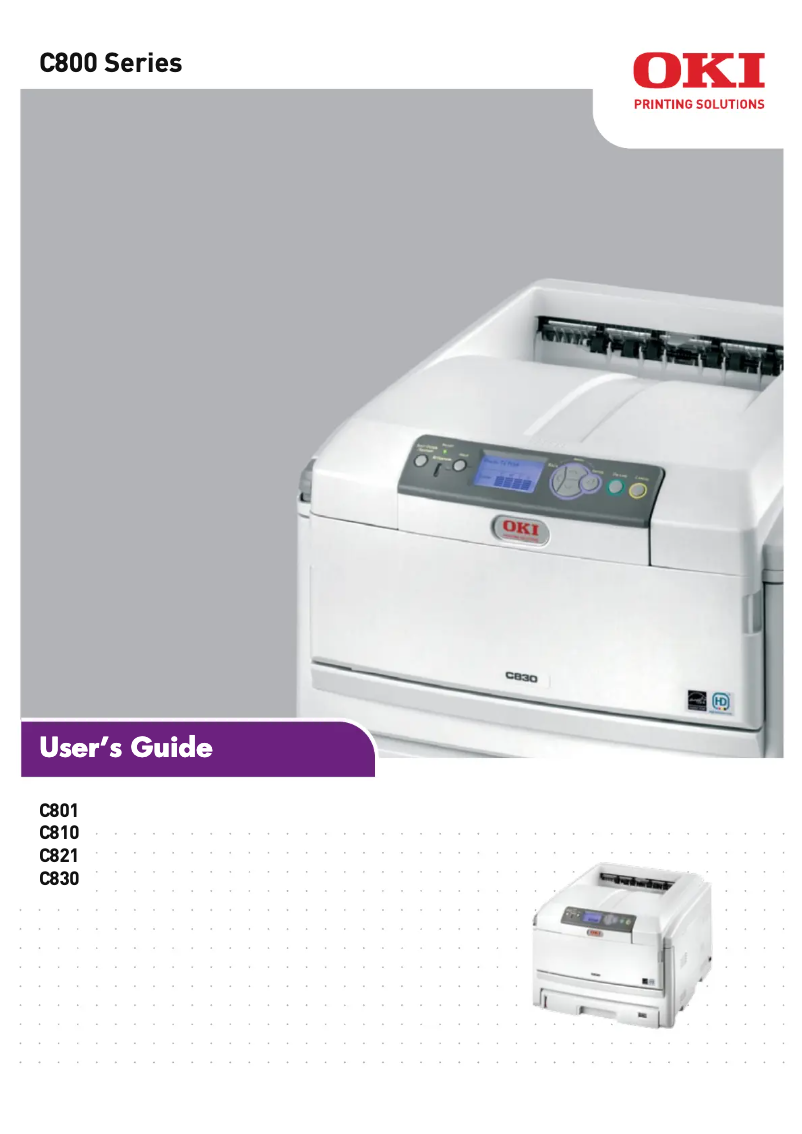
Manual of product C801dn
Editorial note
The OKI C801dn printer stands out for its fast printing speed, reaching 32 pages per minute in black and 22 pages per minute in color. This performance is ideal for intensive work environments where the need for frequent and efficient printing is essential. Additionally, the built-in duplex printing feature not only saves paper but also reduces printing costs while adopting a more eco-friendly approach. However, this device has some notable drawbacks. Its weight of 40 kg can make installation and movement difficult, thus limiting its flexibility in the workspace. Furthermore, the power consumption in printing mode is relatively high, which can lead to additional costs on the electricity bill, especially for intensive use. The 90-second warm-up time can also be a disadvantage for those seeking immediate printing. Finally, the limited compatibility with operating systems, particularly the lack of support for Mac, could restrict its use for some users. In terms of features, the OKI C801dn excels with a print resolution of 600 x 1200 DPI, providing prints of great clarity, suitable for professional documents. Its paper capacity of 300100 sheets is impressive and justifies its cost for those who need a robust printer for high print volumes. The Fast Ethernet network connectivity also facilitates sharing among multiple users, making this printer accessible and convenient in a professional setting. In summary, the OKI C801dn is a solid choice for users looking for performance and features suited for intensive use, although it is essential to consider its limitations in terms of compatibility and mobility.Score details
User experience
The user experience is positive thanks to the fast printing speed and the built-in duplex printing feature, which makes everyday printing tasks easier.
Performance
The performance is generally good with a printing speed of 32 ppm in black and 22 ppm in color, but the 90-second warm-up time can be a drawback for immediate printing.
Battery life
Although the power consumption in printing mode is high at 570 W, the printer offers a power-saving mode that reduces consumption to 15 W, allowing for energy savings.
Design
The design of the printer is functional, but its weight of 40 kg can pose mobility issues during installation or rearranging the workspace.
Value for money
With a paper capacity of 300100 sheets, the OKI C801dn justifies its cost for users looking for a robust printer for high print volumes.
Features
The printer's features, such as Fast Ethernet network connectivity and a print resolution of 600 x 1200 DPI, are excellent for professional use.
Support
The limited compatibility with operating systems, particularly the lack of support for Mac, may restrict its use for some users.
Advantages
Fast print speed of 32 ppm
Built-in duplex printing
High resolution of 600 x 1200 DPI
Paper capacity of 3000 sheets
Fast Ethernet network connectivity
Disadvantages
Limited compatibility with operating systems
Heavy weight, difficult to move
High power consumption during printing
Preheating time of 90 seconds
Insufficient printing speed for certain needs
Technical Specifications C801dn
General Information
-
ModelC801DN
-
Brand
-
Category
-
Type
-
SKU1514704
-
MPN1514704
Print speed
-
Double-sided printingYes
-
Maximum resolution600 x 1200 DPI
-
Print speed (black, normal quality, A4/US Letter)32 ppm
-
Preheating time90 s
-
Print speed (color, normal quality, A4/US Letter)22 ppm
-
Copy time for the first page (color, normal)11.5 s
-
Copy time for the first page (Black, normal)9.5 s
-
Double-sided printingYes
-
Print speed (black, normal quality, A3)17 ppm
-
Print speed (color, normal quality, A3)12 ppm
Representation / realization
-
Processor modelPowerPC405
-
Processor frequency200 MHz
-
Internal memory128 MB
-
Integrated into the processorYes
Input and output capacity
-
Total power capacity300100 sheets
-
Total output capacity250 sheets
Paper management
-
ISO, Format Series A (A0...A9)A3
-
ISO, Formats Series-B (B0...B9)A4
-
Envelope sizesA5
-
Weight/Grammage of the support, bin 1A6
-
Weight of the multifunctional tray supportB4
-
Support weight supported in duplex modeB5
-
Type of paper tray supportC5
-
Maximum ISO A series paper sizeDL
-
64 - 120 g/m²
-
64 - 220 g/m²
-
64 - 105 g/m²
-
Envelopes
-
Labels
-
A3
Network
-
Ready-to-use networkYes
Other features
-
Network featuresFast Ethernet
-
Mac CompatibilityYes
-
Compatible operating systemsMicrosoft Windows 2000/XP Home/XP Professional/Server 2003/Server 2008/ Server 2008 R2/Vista/ Windows 7, \nMac OS X 10.3.9 - 10.6.3
-
Power requirementsAC 220 - 240V@50/60Hz
-
Supported media size in duplex modeA3, A4, A5, B4, B5
-
Recommended operating temperature17 - 27 °C
Power
-
Average power consumption in Print mode570 W
-
Energy consumption (eco mode)15 W
-
Energy consumption (standby mode)200 W
Weight and dimensions
-
Dimensions (LxWxH)485 x 634 x 345 mm
-
Weight40000 g
Features
-
Service cycle (Maximum)75000 pages per month
-
Service cycle (recommended)5000 pages per month
Environmental conditions
-
Operating relative humidity (H-H)20 - 80 %
-
Temperature out of operation-10 - 43 °C
-
Operating temperature10 - 32 °C
-
Relative humidity rate (storage)10 - 90 %
Frequently Asked Questions
What is the weight of the OKI C801dn printer?
What is the recommended method for removing paper jammed in the printer?
Why does my printer not recognize the original cartridges?
What could be the reasons for poor print quality?
How does a laser printer differ from an inkjet printer?
Why does my inkjet printer produce black streaks on prints?
What does the acronym DPI mean?
Is the manual for the OKI C801dn available in French?
Similar products


More product categories from brand OKI
More product types from brand OKI


Presentation of product C801dn specifications from brand OKI
General Information
The model OKI C801dn, manufactured by the brand OKI, is recognized for its reliability and innovation in the field of printing. This model, referenced as C801dn | 01288901, is designed to deliver optimal performance, thus meeting the demands of professional users. Its EAN code 5031713049562 allows for precise identification in distribution systems.
Print Speed
The OKI C801dn is a color printer capable of achieving a maximum resolution of 600 x 1200 DPI, ensuring sharp and accurate prints, ideal for professional documents. Its print speed is 32 pages per minute in black and 22 pages per minute in color, which helps optimize work time. The print delay for the first page is 9.5 seconds in black and 11.5 seconds in color. Additionally, it offers a built-in duplex printing function, allowing for paper savings and cost reduction.
Representation / Execution
Equipped with a PowerPC405 processor running at 200 MHz, the OKI C801dn ensures quick task execution. Its internal memory of 128 MB facilitates data storage for smooth operation. The integration of these components into the processor contributes to the device's efficiency.
Input and Output Capacity
This printer has a total feed capacity of 300100 sheets, allowing it to handle large print volumes without interruption. Its output capacity is 250 sheets, thus ensuring optimal performance for various printing tasks.
Paper Management
The OKI C801dn is compatible with several standard paper sizes, including series A (A3, A4, A5, A6) and B (B4, B5). It also supports envelope sizes such as C5 and DL, making the printer versatile for different needs. Its media weight ranges from 64 to 220 g/m², ensuring quality printing on a wide range of media.
Network
Ready to use, the OKI C801dn offers Fast Ethernet network features, facilitating a quick and reliable connection for efficient print sharing among multiple users.
Other Features
This printer does not support Mac systems, but it is compatible with Windows XP, Vista, and 7. The power requirements are AC 220 - 240V@50/60Hz, ensuring reliable operation. The recommended operating temperature is between 17 and 27 °C, thus ensuring increased durability of the device.
Power
In print mode, the OKI C801dn consumes an average of 570 W, while in economy mode, this consumption is reduced to 15 W. In standby, it uses 200 W, thus allowing for energy savings during periods of inactivity.
Weight and Dimensions
With dimensions of 485 x 634 x 345 mm, the OKI C801dn is designed to fit into various workspaces. Its weight of 40 kg may make it difficult to move, which can be a factor to consider during installation.
Specifications
The maximum service cycle of the OKI C801dn is 75000 pages per month, ideal for intensive printing environments. The recommended cycle is 5000 pages per month, allowing for optimized longevity and performance of the printer.
Environmental Conditions
This printer operates efficiently in a relative humidity of 20 to 80 % and can be stored in conditions ranging from -10 to 43 °C. The operating temperature range is 10 to 32 °C, ensuring optimal use in various work environments.


