

Manual of product C5550N
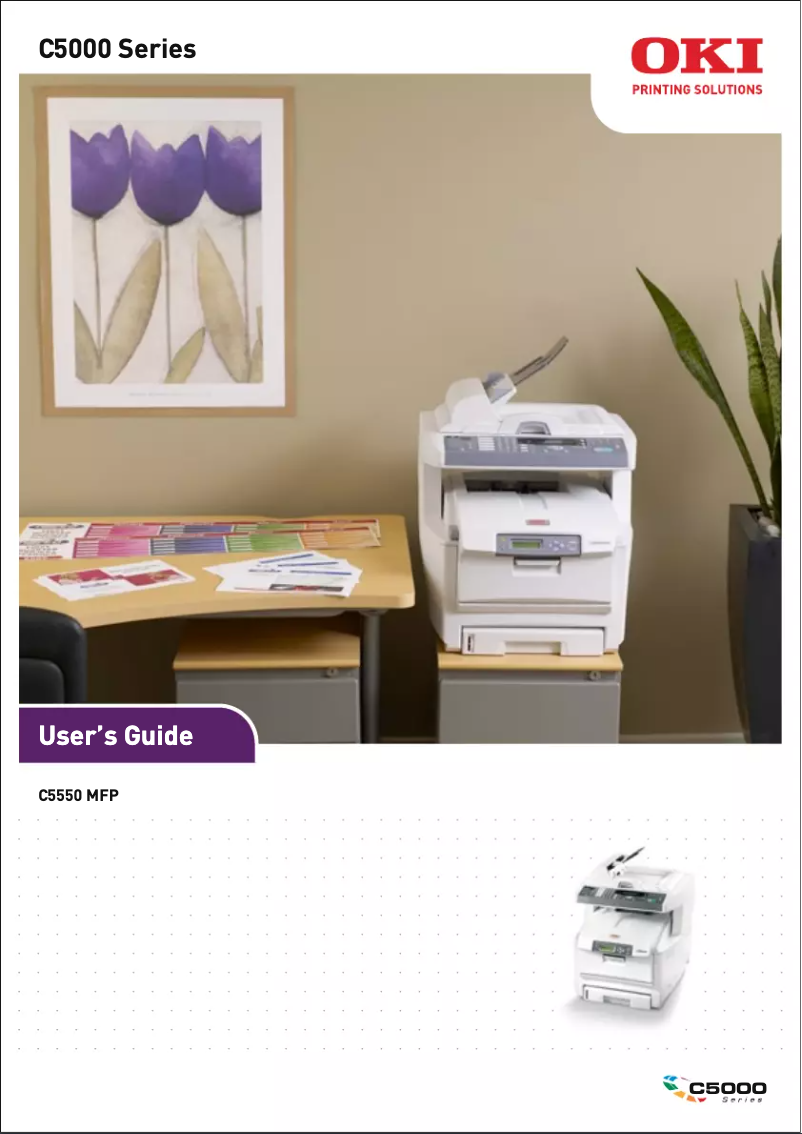
Editorial note
The OKI C5550N printer stands out for its exceptional print quality, ideal for professional documents and presentations. With its advanced printing technology, it ensures sharp and precise results, thereby enhancing the user experience. The model is also recognized for its robustness and durability, making it a reliable choice for prolonged use. However, several drawbacks must be taken into account. The purchase and maintenance cost of the toners can be high, representing a significant investment for regular users. Additionally, the printer can be relatively noisy during operation, which may disrupt a quiet work environment. Its bulky size can also pose installation issues in small spaces, and the lack of wireless features limits its usability flexibility. In terms of user experience, the clear user manual facilitates installation and use, even for beginners. Although the print quality is up to par, the printing speed may not meet the needs of users with high demands. Flexible connectivity is a positive point, although wireless options would have been appreciated for better adaptability. In summary, the OKI C5550N is a high-performing and durable printer, ideal for professional use, but its operating costs and limitations in terms of connectivity and bulkiness should be carefully evaluated.Score details
User experience
The user experience is positive thanks to a clear user manual that facilitates installation and use, even for beginners.
Performance
The print quality is exceptional, but the print speed may not satisfy users with high demands.
Robustness
The printer is known for its reliability and durability, making it a solid choice for professional use.
Value for money
The cost of purchasing and maintaining the toners is high, which can be a barrier for regular users.
Usability
Ease of use is a major asset, although the bulky size may pose installation problems in small spaces.
Features
Flexible connectivity is a positive point, but the lack of wireless features limits usage flexibility.
Advantages
Professional high-quality printing
Proven robustness and durability
Simple installation and use
Reduced energy consumption
Versatile connectivity for various devices
Disadvantages
High cost of toners and maintenance
Noisy in operation
Bulky size for small spaces
Limited connectivity, no wireless
Insufficient printing speed for large volumes
Technical Specifications C5550N
General Information
-
ModelC5550N
-
Brand
-
Category
-
Type
-
SKU1369615
-
MPN1369615
Frequently Asked Questions
What are the steps to remove a jammed paper from the printer?
Why is my printer not recognizing the original cartridges?
What could be the reasons for poor print quality?
How does a laser printer differ from an inkjet printer?
Why does my inkjet printer leave black streaks on prints?
What does the acronym DPI mean?
Is the manual for the OKI C5550N available in French?
Similar products


More product categories from brand OKI
More product types from brand OKI


Presentation of product C5550N specifications from brand OKI
General Information
The OKI C5550N printer, manufactured by the OKI brand, is recognized for its commitment to quality and innovation in the printing device sector. This model, designated as the C5550N, is designed to deliver optimal performance, making its use user-friendly and efficient. The product is identified by the following EAN codes: 0051851091587, 0051851091594, and 0051851092867, ensuring accurate traceability in distribution systems.
Advantages
Exceptional print quality: The OKI C5550N produces sharp and precise prints, ideal for professional documents and presentations thanks to its advanced printing technology.
Reliability and durability: Designed by a brand known for its robustness, this printer ensures consistent performance over the long term, making it a wise choice for demanding users.
Ease of use: This model comes with a clear user manual, making installation and handling easy, even for those unfamiliar with printers.
Energy efficiency: The OKI C5550N is designed to minimize its energy consumption, contributing to reduced operating costs and environmental impact.
Flexible connectivity: With multiple connection options, this printer easily integrates into various work environments, allowing printing from different devices.
Disadvantages
Purchase and maintenance cost: Toners for the OKI C5550N can be expensive, which may represent a significant investment for regular users.
Noise level: The printer can be relatively loud during operation, which could disrupt a quiet work environment.
Dimensions: The size of the OKI C5550N can be cumbersome, making installation difficult in small spaces.
Limited connectivity: The lack of wireless features may restrict usage flexibility compared to other more modern models.
Print speed: Although adequate, the print speed may not meet the needs of users with high and fast printing requirements.


