

Manual of product B2500 MFP
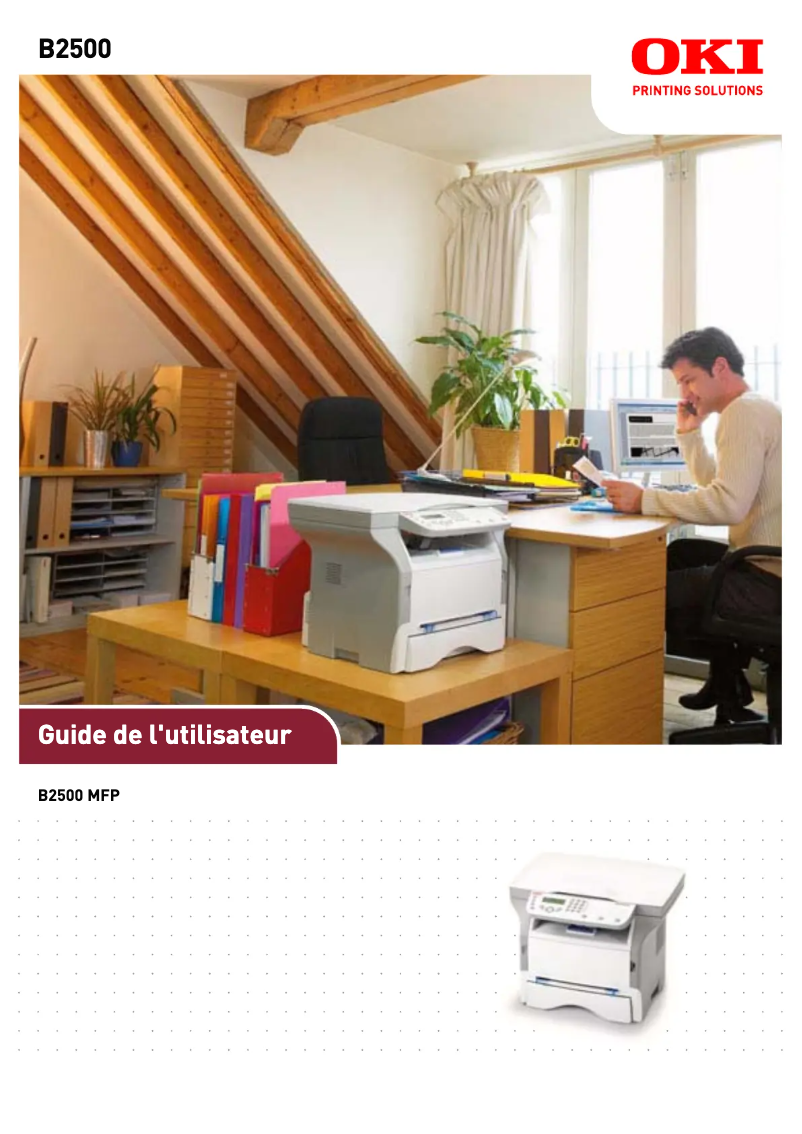
Editorial note
The OKI B2500 MFP printer stands out for its fast printing speed of 17 pages per minute and its laser printing technology, offering a maximum resolution of 600 x 600 DPI. These features ensure exceptional print quality, ideal for professional needs. Additionally, its all-in-one functionalities, including color printing, scanning, and copying, provide valuable versatility for various uses. Its 250-sheet paper capacity allows for handling a large volume of documents without interruption, which is an asset for heavy users. However, a few drawbacks deserve mention. The limited compatibility with recent operating systems, supporting only Windows XP, Vista, and 7, could pose issues for some users. Furthermore, the lack of fax functionality may be a hindrance for those who need it. The weight of 10.7 kg can make moving the printer difficult, especially in an office environment where flexibility is required. Finally, the average power consumption of 340 W is relatively high and could lead to additional energy costs. In terms of performance, the user experience is generally positive, with a score of 80, indicating satisfaction with the features offered. The value for money is reasonable with a score of 78, despite the mentioned limitations. The design is suitable for both home and professional use, although the printer's weight received a score of 70, indicating an area for improvement for better mobility.Score details
User experience
The user experience is positive thanks to all-in-one features and laser printing technology that ensures exceptional print quality.
Performance
The print speed of 17 ppm and a maximum resolution of 600 x 600 DPI ensure solid performance, although limited compatibility with modern systems may pose a problem.
Battery life
The power consumption of 340 W during average operation is relatively high, which can lead to additional energy costs.
Design
The design is suitable for home and professional use, but the weight of 10.7 kg can make moving the printer difficult.
Value for money
With its versatile features and a paper capacity of 250 sheets, the value for money is reasonable despite the lack of fax and limited compatibility.
Advantages
Print speed of 17 pages per minute
Laser print quality 600 x 600 DPI
Print, scan, and color copy functions
Paper capacity of 250 sheets
Quiet operation at 52 dB
Disadvantages
Limited compatibility with operating systems
Absence of fax function
High weight of 10.7 kg
High power consumption of 340 W
Duty cycle limited to 7500 pages
Technical Specifications B2500 MFP
General Information
-
ModelB2500 MFP
-
Brand
-
Category
-
Type
-
SKU860325
-
MPN860325
Print speed
-
Maximum resolution600 x 600 DPI
-
Print speed (black, normal quality, A4/US Letter)17 ppm
-
Copy time for the first page (Black, normal)13 s
-
Preheating time21 s
-
Printing technologyLaser
-
PrintingNo
Other features
-
Scanning speed3.9 sec/page
-
Compatible operating systemsWindows 98 SE, Millennium (Me), 2000, SP3, XP
-
Dimensions (LxWxH)447 x 386 x 344 mm
-
EmulationsEnhanced Windows Printing (GDI)
-
Function of the "scaling" of the photocopier (Automatic Document Feeder)25 - 400 %
-
All-in-one functionsCopy, Scan
-
All-in-one color functionsscan, n
Digitization
-
Type of scannerFlat scanning
-
Gray levels256
-
DigitizationColor scanning
Copier
-
Max. resolution of copies600 x 600 DPI
-
Copy speed (normal quality, black, A4)17 cpm
-
Release time of the first print (black, normal)13 s
-
CopySingle copy
Input and output capacity
-
Total output capacity50 sheets
-
Total power capacity250 sheets
Representation / realization
-
Processor frequency100 MHz
-
Internal memory32 MB
-
Mac CompatibilityNo
-
Sound pressure level (impression)52 dB
-
Sound power level (standby)34 dB
Paper management
-
ISO, Format Series A (A0...A9)A5, A6
-
ISO, Formats Series-B (B0...B9)B5, B6
-
Weight/Grammage of the support, bin 160 - 105 gsm
-
Non-ISO print support sizesLegal
Connectivity
-
Standard interfacesUSB 2.0
-
USB portYes
Weight and dimensions
-
Weight10700 g
Packaging contents
-
Provided softwareNuance PaperPort v.10
Power
-
Energy consumption (eco mode)10 W
-
Electricity consumption (average operation)340 W
Features
-
Service cycle (Maximum)7500 pages per month
-
Digital senderNo
Fax
-
FaxNo
Design
-
Market positionDomestic and professional
Frequently Asked Questions
What is the weight of the OKI B2500 MFP printer?
What is the recommended method for removing a paper jam from the printer?
Why is my printer not recognizing the original cartridges?
What could be the reasons for poor print quality?
How does a laser printer differ from an inkjet printer?
Why does my inkjet printer leave black streaks on prints?
What does the acronym DPI mean?
Is the manual for the OKI B2500 MFP available in French?
Similar products


More product categories from brand OKI
More product types from brand OKI


Presentation of product B2500 MFP specifications from brand OKI
General Information
The OKI B2500 MFP multifunction printer is a model from the renowned brand OKI, known for its technological innovations and reliability. This model, identified by the code B2500 MFP | 62427601, is designed to deliver high performance and a smooth user experience. The unique EAN code, 0051851091525, 0051851091532, 0051851091549, facilitates its identification in the market.
Print Speed
With a maximum resolution of 600 x 600 DPI, the OKI B2500 MFP ensures prints of remarkable clarity, suitable for both professional needs and personal use. Its print speed reaches 17 pages per minute in black and white, making it an efficient choice for dynamic work environments. The time to first page output is 13 seconds, while the warm-up time requires only 21 seconds, ensuring appreciable responsiveness. Furthermore, thanks to its laser printing technology, this printer produces precise results and vibrant color prints.
Features and Specifications
The OKI B2500 MFP stands out for its scanning speed, at 3.9 seconds per page, thus facilitating the efficient scanning of documents. Compatible with Windows XP, Vista, and 7, this device easily adapts to these operating systems. Its compact dimensions of 447 x 386 x 344 mm allow for easy integration into various workspaces. In addition to its printing capabilities, it offers photocopying and scanning functions with a scaling range of 25 to 400 %, providing flexibility and versatility.
Input and Output Capacities
The output capacity of the OKI B2500 MFP is 50 sheets, while its input capacity reaches 250 sheets. These features allow for efficient management of a high volume of documents without the need for frequent reloading, which is particularly useful for heavy users.
Connectivity and Compatibility
The printer is equipped with standard interfaces, including a USB port for quick and easy connection to various devices. Although its compatibility is limited to the mentioned operating systems, it remains effective for the majority of users working with these platforms.
Power Consumption
Regarding its power consumption, the OKI B2500 MFP consumes 10 W in energy-saving mode and 340 W in normal use. These figures may be considered high compared to other models, but they ensure reliable performance during printing.
Weight and Dimensions
Conclusion
The OKI B2500 MFP is a solid choice for users seeking an efficient multifunction printer, with features suitable for both home and professional use. Although it has some limitations in terms of compatibility and weight, its advantages in print speed and image quality make it a valuable tool in any office.


