

Manual of product Pocket Photo PD239P
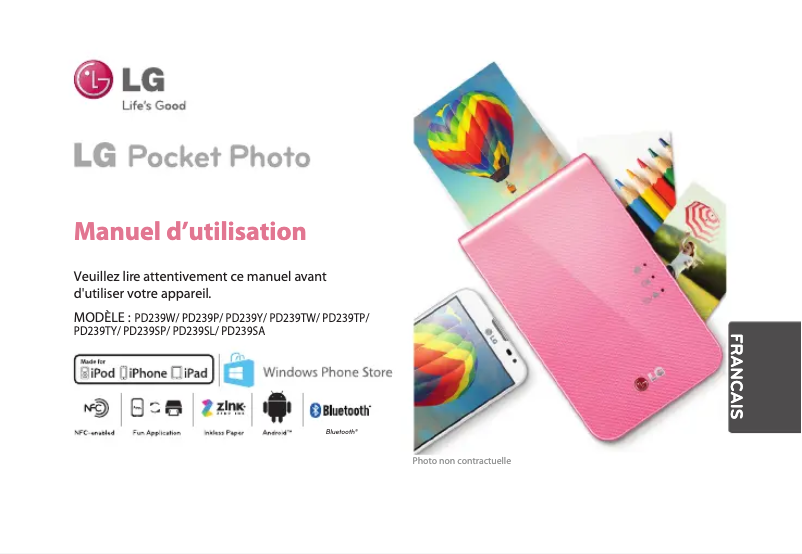
Editorial note
The LG Pocket Photo PD239P portable printer stands out for its compact design and ease of transport, making it an excellent choice for users on the go. With its built-in Bluetooth connectivity, it allows for direct printing from a smartphone, providing a smooth and enjoyable user experience through a user-friendly mobile app. In terms of performance, the print quality is high, producing sharp and vibrant photos. However, it is important to note that the printing speed is relatively slow, which can be frustrating for those seeking quick prints. Additionally, the printing capacity is limited to small-sized photos, which may not suit all users. The rechargeable battery offers sufficient autonomy for several prints, but may prove inadequate for extended sessions. Finally, the cost of consumables, such as paper and ink cartridges, can be high in the long run, which could deter some users. Overall, the LG Pocket Photo PD239P is an excellent option for those looking for a quality portable printer, while keeping in mind its limitations in terms of cost and performance.Score details
User experience
The user experience is very good thanks to a user-friendly mobile app and built-in Bluetooth connectivity, making it easy to print from a smartphone.
Performance
The printing performance is satisfactory with high print quality, but the printing speed is relatively slow, which can be frustrating.
Battery life
The rechargeable battery offers sufficient autonomy for several prints, although the battery life may not be ideal for extended sessions.
Design
The compact and portable design is a major asset, allowing the printer to be easily carried in a bag.
Value for money
The cost of consumables, such as paper and ink cartridges, can be high in the long run, which may deter some users.
Usability
The printer is easy to use for photo printing, but some users have encountered connectivity issues via Bluetooth or Wi-Fi.
Advantages
Portable and easy to carry
High-quality printing
Bluetooth connection for direct printing
Mobile app to customize photos
Rechargeable battery for multiple prints
Disadvantages
Prints only in small size
High cost of consumables in the long term
Bluetooth/Wi-Fi connection difficulties
Slow printing speed
Insufficient battery life
Technical Specifications Pocket Photo PD239P
General Information
-
ModelPOCKET PHOTO PD239P
-
Brand
-
Category
-
Type
-
SKU1200205
-
MPN1200205
Frequently Asked Questions
How can I remove paper jammed in the printer?
Why does my printer not recognize the original cartridges?
What could be the causes of poor print quality?
How does a laser printer differ from an inkjet printer?
Why does my inkjet printer leave black streaks on prints?
What does the acronym DPI mean?
Is the manual for the LG Pocket Photo PD239P available in French?
Similar products


More product categories from brand LG
Home appliances LG
Television and multimedia LG
Household appliances LG
Computers and accessories LG
Audio LG
Phones LG
Other LG
Garden and outdoor LG
Interior LG
Personal care LG
Tools LG
More product types from brand LG





Presentation of product Pocket Photo PD239P specifications from brand LG
General Information
The LG Pocket Photo PD239P is a compact and portable printer from the LG brand, known for its innovation and quality in the field of electronic devices. This model has been designed to deliver optimal performance, allowing users to print photos directly from their smartphones.
Advantages
This printer stands out for its small size, making it easy to carry in a bag, ideal for printing memories wherever you are. It uses advanced printing technology, ensuring sharp and vibrant photos. Additionally, the integrated Bluetooth connectivity allows for direct wireless printing from your mobile device, eliminating the need for bulky cables.
The LG Pocket Photo is also compatible with a user-friendly mobile app, offering the ability to customize your images before printing. Its rechargeable battery provides sufficient power for multiple prints, making the device convenient for on-the-go use.
Disadvantages
However, it is important to note that the printing capacity is limited to small-sized photos, which may not suit users looking for larger prints. Furthermore, the cost of consumables, such as paper and ink cartridges, can become high over the long term.
Some users have reported connectivity issues via Bluetooth or Wi-Fi, which can be a drawback for smooth usage. The printing speed is also relatively slow, which may frustrate those who need quick prints. Finally, the battery life may not be sufficient for extended printing sessions, requiring frequent recharges.


