

Manual of product RM750
Editorial note
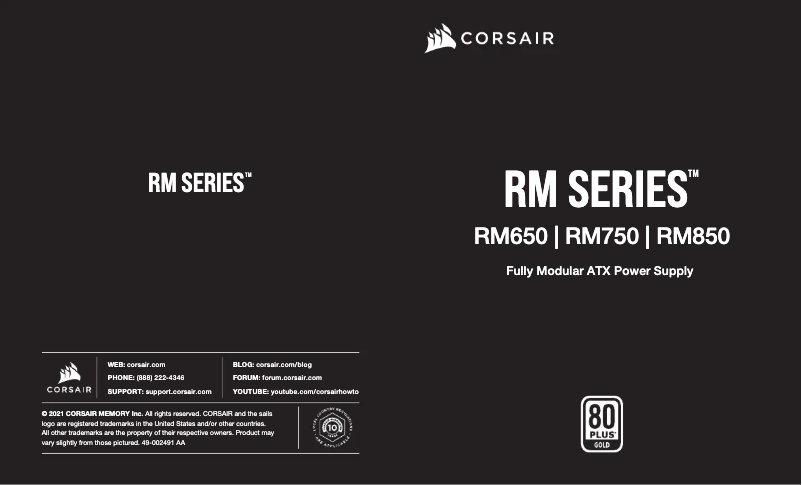
The Corsair RM750 is a 750 W power supply that stands out for its power and optimal performance, making it an ideal choice for demanding users. Its 80 PLUS Gold certification ensures high energy efficiency, which helps reduce energy consumption while providing silent operation thanks to its quiet mode. Additionally, its fully modular cabling makes cable management easier, contributing to a tidy interior layout. However, some drawbacks must be taken into account. Weighing 1700 g, the power supply may feel a bit heavy for those who prefer a lighter solution. Although the product is modular, the cost can be a deterrent for users looking for a custom setup with specific cables. Furthermore, the number of SATA power cables (3) may prove insufficient for configurations with multiple drives, thus limiting future expansion possibilities. In terms of robustness, the Corsair RM750 is well-equipped with built-in protection devices against overloads, surges, and short circuits, ensuring the safety and reliability of your electrical setup. However, its price may seem high compared to other power supplies offering similar performance, which may deter some budget-conscious buyers. In summary, the Corsair RM750 is a high-performing power supply that perfectly meets the needs of demanding users, but it is important to consider its potential drawbacks before purchase.Score details
User experience
The user experience is very satisfactory thanks to the 80 PLUS Gold certification and the silent mode, offering discreet use and high energy efficiency.
Performance
The 750 W power ensures optimal performance to power various PC components, making it a solid choice for demanding users.
Design
The design is modern with fully modular wiring, allowing for better cable management for a tidy interior layout.
Value for money
Although the product performs well, its price may be high compared to other similar power supplies, which may deter some budget-conscious buyers.
Robustness
The built-in protection devices against overloads, surges, and short circuits ensure the safety and reliability of the power supply.
Usability
The weight of 1700 g may be seen as a disadvantage for some users, but the silent mode and Rifle bearing technology compensate for this with good thermal performance.
Features
The number of SATA power cables (3) may be insufficient for configurations with multiple drives, thus limiting future expansion.
Advantages
750 W for optimal performance
80 PLUS Gold certification for energy efficiency
Modular cabling for flexible installation
Silent mode for discreet operation
Overload and short-circuit protection
Disadvantages
High weight at 1700 g
Additional cost for modular cables
SATA cables limited to 3
Insufficient length of PCI Express cables
High price for Gold certification
Technical Specifications RM750
General Information
-
ModelRM750
-
Brand
-
Category
-
Type
-
SKU1526554
-
MPN1526554
Power
-
Combined power (+12 V)750 W
-
AC input voltage100 - 240 V
-
Input current10 - 5 A
-
AC input frequency47 - 63 Hz
-
Maximum output current (+5Vsb)3 A
-
Maximum output current (-12V)0.3 A
-
Maximum output current (+3.3V)20 A
-
Maximum output current (+3.3V)20 A
-
Maximum output current (+12V)62.5 A
-
Combined power (+5Vsb)15 W
-
Combined power (-12V)3.6 W
-
Combined power (+3.3 V)150 W
-
Combined power (+3.3 V)150 W
-
Combined power (+12 V)750 W
-
Electrical protection devicesOver power, Over voltage, Overheating, Short circuit, Under voltage
Connectivity
-
Motherboard connector24-pin ATX
-
Length of motherboard power cable610 mm
-
PCI Express power connectors (6 +2 pin)3
-
Length of the SATA power cable700,800 mm
-
Molex peripheral connector (4-pin)1
-
Length of the PCI Express power cable750 mm
-
PCI Express connectorYes
-
PCI Express power connectors (6 +2 pin)3
-
Length of the PCI Express power cable750 mm
-
PCI Express connectorYes
-
Wiring typeFully modular
-
PCI Express connectorYes
Representation / realization
-
UtilityPC
-
Form factor of the power supply unitATX
-
80 PLUS Certification80 PLUS Gold
-
Version ATX2.52
-
Silent modeYes
-
Rolling technologyRifle
-
Mean time between failures100000 h
Design
-
Product colorBlack
-
Fan diameter135 mm
-
Cooling typeActive
-
Number of fans1 fan(s)
-
Fan locationHigh
-
Built-in power buttonYes
Packaging information
-
Type of packagingBox
Weight and dimensions
-
Width150 mm
-
Height160 mm
-
Depth86 mm
-
Weight1700 g
Frequently Asked Questions
What is the weight of the Corsair RM750?
What is the height of the Corsair RM750?
What is the width of the Corsair RM750?
What is the depth of the Corsair RM750?
Does the Corsair RM750 provide a total power of 750 Watts?
Is the Corsair RM750 equipped with protections against overloads, surges, overheating, short circuits, and undervoltage?
How many SATA power connectors does the Corsair RM750 have?
Does the Corsair RM750 include an EPS power connector (4+4 pins)?
What is the maximum output current on the +12V rail of the Corsair RM750?
How can I check if the output power of the Corsair RM750 is below expectations?
What should I do if the fan of the Corsair RM750 is louder than usual?
What should I do if one of the items in the Corsair RM750 package is missing or damaged?
Is the manual for the Corsair RM750 available in French?
Similar products



More product categories from brand Corsair
More product types from brand Corsair





Presentation of product RM750 specifications from brand Corsair
General Information
The Corsair RM750 is a model from the renowned brand Corsair, known for its commitment to quality and innovation in the computer components sector. This model, identified by the number RM750 | CP-9020195-AU, is designed to deliver exceptional performance and an enhanced user experience. It is also identifiable by its unique EAN code: 0840006604792.
Power
With a nominal power of 750 W, the Corsair RM750 is ideal for efficiently powering a variety of PC components. Its AC input voltage ranges from 100 to 240 V, ensuring optimal compatibility with standard electrical networks. The input current is 10 - 5 A and the AC input frequency is 47 - 63 Hz, which ensures reliable operation. The maximum output current is 62.5 A on the +12V rail, while the other rails provide currents suitable for various needs, ranging from 3 A to 20 A. In terms of safety, protections against overloads, overvoltages, and short circuits are integrated, ensuring the safety of your setup.
Connectivity
The Corsair RM750 is equipped with a 24-pin ATX motherboard connector and features fully modular cabling, making installation and cable management easier. It includes 3 SATA power cables, each measuring between 700 and 800 mm, ensuring effective connectivity for components. Additionally, it has a 4-pin Molex connector and 3 PCI Express 6+2 pin connectors, each 750 mm long, suitable for modern graphics cards.
Representation / Performance
Designed for PC users, the Corsair RM750 complies with the ATX form factor, ensuring compatibility with many cases. It boasts 80 PLUS Gold certification, attesting to high energy efficiency. This model also includes a silent mode for discreet operation and Rifle bearing technology for optimal durability. With a mean time between failures of 100000 hours, it is designed for prolonged use without interruptions.
Design
The Corsair RM750 is presented in a black shade, giving it a modern aesthetic. It features a 135 mm fan for effective cooling, with an active design that promotes optimal heat management. The fan is positioned to maximize airflow, and the model includes a built-in power switch for easier control.
Packaging Information
The product is packaged in a box, ensuring adequate protection during transport.
Weight and Dimensions
The Corsair RM750 measures 150 mm in width, 160 mm in height, and 86 mm in depth, dimensions that facilitate its integration into various systems. Its weight of 1700 g allows for easy handling while ensuring the stability of the installation.


