Thumbnail of product BigTel 480 from brand Amplicomms
Logo of brand Amplicomms

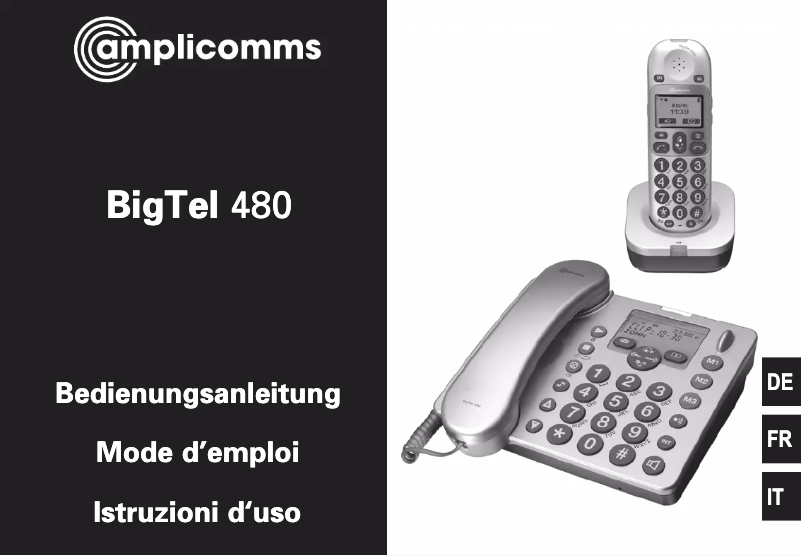
Phone Amplicomms BigTel 480

The Amplicomms BigTel 480 phone is a device designed to provide an optimal user experience, particularly suited for those seeking simplicity and efficiency. With its brand known for quality and innovation, Amplicomms ensures that this model meets the daily communication needs.

The BigTel 480 stands out for its ease of use, making it an ideal choice for elderly individuals or those with hearing difficulties. It is equipped with practical features that ensure hassle-free usage. Moreover, this model is designed to offer reliable performance, allowing for clear and uninterrupted conversations.

To assist the user in getting started, a user manual is available, providing all the necessary information to make the most of the phone. In summary, the Amplicomms BigTel 480 is a phone that combines practicality and performance, perfect for those who prioritize the essentials in their communication.

Manual of product BigTel 480
7 10

Editorial note

The Amplicomms BigTel 480 phone stands out for its ergonomic design, offering a comfortable grip, particularly appreciated by elderly people or those with motor difficulties. Its amplified sound allows for better intelligibility of conversations, which is a major asset for users with hearing problems. Additionally, the simplified interface and large keys facilitate navigation and dialing numbers, making this device accessible to everyone, even those less familiar with technology. However, the BigTel 480 has some drawbacks. Its design may seem a bit outdated, lacking modernity compared to other models available on the market. Furthermore, some users might find the user interface not very intuitive, making navigation through the menus more complex. The absence of advanced features, such as Bluetooth connectivity, limits its appeal for those looking for a more versatile phone. Finally, the maximum volume may not be suitable for users with severe hearing loss, and the size of the keys, although designed to be accessible, may not fit everyone. Overall, the user experience is rated good, with a score of 75, thanks to its ease of use. Performance is adequate, although somewhat limited in terms of features, with a score of 70. The product's durability is a major asset, receiving a score of 80, and the included user manual provides good support to users, with a score of 85. In contrast, the design is rated at 60, reflecting its functional but dated appearance.

Score details

User experience

The user experience is generally good thanks to the simplified interface and large buttons, but some users may find navigating the menus complex.

Performance

The performance is adequate for users looking for a simple phone, but the lack of advanced features may limit its appeal for those seeking more versatility.

Design

The design of the phone is functional but may seem outdated to some users, lacking modernity compared to other models on the market.

Battery life

The durability of the product is a major asset, ensuring a reliable investment that stands the test of time.

Support

The included user manual is detailed and makes it easy to get accustomed to the phone, providing good support to users.


Advantages

Comfortable grip

Amplified sound for better intelligibility

Intuitive interface and large buttons

Durable and reliable design

Detailed user manual included

Disadvantages

Design considered outdated by some users

User interface not very intuitive

Lack of Bluetooth connectivity

Insufficient volume for severe hearing loss

Keys too small for some users

Technical Specifications BigTel 480

General Information

Frequently Asked Questions

How can I set up the Amplicomms BigTel 480 phone to start using it?
To set up the Amplicomms BigTel 480 phone, follow these steps: 1. Read the safety instructions: Before starting, make sure to consult the safety guidelines in the manual for proper use and to minimize risks. 2. Connect to power: Plug the phone into an electrical outlet using the provided power adapter, ensuring that the power supply is stable. 3. Connect the phone line: Connect one end of the telephone cable to the LINE port of the phone and the other to a wall socket, ensuring that the connection is secure. 4. Install the battery (if necessary): If your phone has a battery compartment, insert the provided batteries, respecting the indicated polarity. Then securely close the compartment. 5. Initial startup: Turn on the phone by pressing the power button and follow the on-screen instructions or the manual to set the date, time, and language. 6. Customize settings: Adjust the phone settings according to your preferences, such as ringtone volume and display contrast. 7. Add contacts: Enrich your directory by adding contacts for quick access. Refer to the manual for instructions on adding names and numbers. 8. Test call: Make a test call to check that the phone is working correctly. Dial a known number and ensure you can hear the other person and vice versa. 9. Explore features: Familiarize yourself with the additional options of the Amplicomms BigTel 480 phone, such as call waiting and caller ID. Refer to the manual for details on using these features. By following these steps, you will be able to effectively set up the Amplicomms BigTel 480 phone. Q: What should I do if the phone does not turn on or is not functioning properly? A: If your Amplicomms BigTel 480 phone does not turn on or is malfunctioning, try the following solutions: 1. Check the power: Ensure that the phone is properly plugged into an electrical outlet with the provided adapter. The power source must be reliable. 2. Recharge the phone: If the phone does not turn on, it may need to be recharged. Place the handset on its charging base for at least 16 hours, ensuring that the outlet is powered. 3. Replace the batteries: If the problem persists, try changing the rechargeable batteries for new ones, using the same type as the original. 4. Check caller ID: If the caller ID display is not working, ensure that this service is activated on your phone line by contacting your provider. 5. Check ringtone settings: If the handset does not ring, check that the ringtone is activated. Refer to page 15 of the manual to adjust these settings. 6. Reduce interference: If you hear noise on other devices while using the phone, keep the handset at least one meter away from electronic equipment. 7. Use an ADSL filter: If you experience interference during calls or if your internet connection is slow, ensure that the phone is connected via an ADSL filter if you are using broadband internet. If the problem persists after these checks, it is advisable to contact customer support for further assistance. Q: How can I contact customer support for help regarding the Amplicomms BigTel 480 phone? A: To contact customer support regarding the Amplicomms BigTel 480 phone, follow these steps: 1. Find the customer support contact details: You can reach customer support at 0844 800 6503. Note that the opening hours are listed on page 26 of the manual. 2. Call the support number: From a landline, dial the provided number. Please note that connection fees of 6p then 5p per minute may apply, and costs may vary for calls from a mobile. 3. Support hours: Customer support is available Monday to Friday, from 9 AM to 5 PM, excluding public holidays. For assistance outside these hours, please call during opening times. 4. Describe your issue: When you are on the line with customer support, describe the problem you are experiencing with the Amplicomms BigTel 480 phone. Provide as many details as possible to help the representative understand your situation. 5. Follow the support instructions: Listen carefully to the advice and instructions provided by the representative. They will guide you on troubleshooting steps or offer further assistance based on your issue. By following these steps, you will be able to get the necessary help for the Amplicomms BigTel 480 phone. Q: What are the maintenance recommendations for the Amplicomms BigTel 480 phone? A: To ensure proper maintenance of the Amplicomms BigTel 480 phone, follow these recommendations: 1. Consult safety information: Before performing any maintenance operations, it is crucial to read the safety guidelines in chapter 1 of the manual. 2. Check the packaging contents: Ensure that all necessary items, including the phone, power supply, charging station, handset, telephone cable, rechargeable batteries, and manual, are present. 3. Placement of the phone: Install the phone at least one meter away from other electronic devices to avoid interference. 4. Connecting the phone: Connect the phone according to the diagram provided in the manual, using only the supplied power adapter and cable for safety reasons. 5. Connecting the charging station: Plug the charging station into a power outlet, ensuring that the cable is not obstructed by furniture or other objects. 6. Installing the batteries: Open the battery compartment and insert the provided AAA NiMH rechargeable batteries, respecting the polarity. Close the compartment securely. By following these recommendations, you will ensure the proper functioning and durability of the Amplicomms BigTel 480 phone. Q: What are the warranty terms for the Amplicomms BigTel 480 phone? A: The warranty terms for the Amplicomms BigTel 480 phone are as follows: 1. Warranty duration: The warranty is valid for 24 months from the date of purchase. 2. Covered defects: Defects due to manufacturing or material errors will be corrected free of charge during the warranty period. 3. Exclusions: The warranty does not cover batteries or power adapters. Damage due to improper handling, normal wear and tear, incorrect storage or installation, as well as force majeure cases, are not covered. 4. Claim procedure: If you notice a defect during the warranty period, return the product to the point of sale with the purchase receipt. Claims must be made at the point of sale. 5. Compensation rights: Compensation rights in case of damage are excluded, except in cases of proven intent or gross negligence on the part of the manufacturer. Please note that these terms specifically apply to the Amplicomms BigTel 480 phone and may differ for other products. Q: What should I do if some parts of the phone are defective and need repairs or replacements? A: If elements of the Amplicomms BigTel 480 phone are defective and require repair or replacement, follow these steps: 1. Check the warranty: The phone is covered by a 24-month warranty from the date of purchase. Ensure that the defect is within this period. 2. Contact customer support: To start the repair or replacement process, call customer support at 0844 800 6503. They will advise you on the next steps. 3. Return the phone: If customer support determines that repairs or replacements are necessary, they will provide instructions for returning the phone to the point of purchase. Be sure to include the purchase receipt. 4. Warranty claim: Present the defective phone and the purchase receipt at the point of sale. They will process your claim according to the warranty terms, which may involve repairing or replacing defective parts or the entire device, as applicable. 5. Be aware of modifications: Note that any modifications by the buyer or a third party may void warranty claim rights. Damage due to improper use, normal wear and tear, incorrect storage, or poor connections is also excluded from the warranty. By following these steps, you will be able to have defective parts of your Amplicomms BigTel 480 phone repaired or replaced in accordance with the warranty terms. Q: Is the manual for the Amplicomms BigTel 480 available in French? A: Yes, the manual for the Amplicomms BigTel 480 is available in French.
Que faire si le téléphone ne s'allume pas ou ne fonctionne pas correctement ?
Si votre téléphone Amplicomms BigTel 480 ne s'allume pas ou présente des dysfonctionnements, essayez les solutions suivantes : 1. Vérifiez l'alimentation : Assurez-vous que le téléphone est correctement branché à une prise électrique avec l'adaptateur fourni. La source d'alimentation doit être fiable. 2. Rechargez le téléphone : Si le téléphone ne s'allume pas, il pourrait nécessiter une recharge. Placez le combiné sur sa base de chargement pendant au moins 16 heures, tout en vous assurant que la prise est alimentée. 3. Remplacez les batteries : Si le problème persiste, tentez de changer les batteries rechargeables par des neuves, en utilisant le même type que celles d'origine. 4. Vérifiez l'identification de l'appelant : Si l'affichage de l'identité de l'appelant ne fonctionne pas, assurez-vous que ce service est activé sur votre ligne téléphonique en contactant votre fournisseur. 5. Contrôlez les réglages de sonnerie : Si le combiné ne sonne pas, vérifiez que la sonnerie est activée. Référez-vous à la page 15 du manuel pour ajuster ces paramètres. 6. Réduisez les interférences : Si vous entendez des bruits parasites sur d'autres appareils lors de l'utilisation du téléphone, éloignez le combiné d'au moins un mètre des équipements électroniques. 7. Utilisez un filtre ADSL : Si vous avez des interférences pendant les appels ou si votre connexion Internet est lente, assurez-vous que le téléphone est branché via un filtre ADSL si vous utilisez Internet à large bande. Si le problème persiste après ces vérifications, il est conseillé de contacter le service d'assistance pour plus d'aide. 0
Comment puis-je joindre le service d'assistance pour obtenir de l'aide concernant le téléphone Amplicomms BigTel 480 ?
Pour contacter le service d'assistance concernant le téléphone Amplicomms BigTel 480, suivez ces étapes : 1. Trouvez les coordonnées du service d'assistance : Vous pouvez joindre le service d'assistance au 0844 800 6503. Notez que les horaires d'ouverture se trouvent à la page 26 du manuel. 2. Appelez le numéro du service : À partir d'un téléphone fixe, composez le numéro indiqué. Veuillez noter que des frais de connexion de 6p puis 5p par minute peuvent s'appliquer, et que les coûts peuvent varier pour les appels depuis un mobile. 3. Horaires du service : Le service d'assistance est disponible du lundi au vendredi, de 9h à 17h, sauf jours fériés. Pour toute assistance en dehors de ces horaires, veuillez appeler lors des heures d'ouverture. 4. Exposez votre problème : Lorsque vous êtes en ligne avec le service d'assistance, décrivez le problème que vous rencontrez avec le téléphone Amplicomms BigTel 480. Fournissez autant de détails que possible pour aider le représentant à comprendre votre situation. 5. Suivez les indications du service : Écoutez attentivement les conseils et instructions fournis par le représentant. Ils vous guideront sur les étapes de dépannage ou vous offriront une assistance supplémentaire selon votre problème. En suivant ces étapes, vous pourrez obtenir l'aide nécessaire pour le téléphone Amplicomms BigTel 480. 0
Quelles sont les recommandations pour l'entretien du téléphone Amplicomms BigTel 480 ?
Pour assurer un bon entretien du téléphone Amplicomms BigTel 480, suivez ces recommandations : 1. Consulter les informations de sécurité : Avant d'effectuer toute opération d'entretien, il est crucial de lire les consignes de sécurité dans le chapitre 1 du manuel. 2. Vérification du contenu de l'emballage : Assurez-vous que tous les éléments nécessaires, y compris le téléphone, l'alimentation, la station de charge, le combiné, le câble téléphonique, les batteries rechargeables et le manuel, sont bien présents. 3. Placement du téléphone : Installez le téléphone à au moins un mètre des autres appareils électroniques pour éviter les interférences. 4. Connexion du téléphone : Raccordez le téléphone selon le schéma fourni dans le manuel, en utilisant uniquement l'adaptateur secteur et le câble fournis pour des raisons de sécurité. 5. Raccordement de la station de charge : Branchez la station de charge sur une prise secteur, en vous assurant que le câble n'est pas entravé par des meubles ou d'autres objets. 6. Installation des piles : Ouvrez le compartiment à piles et insérez les piles rechargeables AAA NiMH fournies, en respectant la polarité. Fermez le compartiment de manière sécurisée. En suivant ces recommandations, vous garantirez le bon fonctionnement et la durabilité du téléphone Amplicomms BigTel 480. 0
Quels sont les termes de garantie pour le téléphone Amplicomms BigTel 480 ?
Les conditions de la garantie pour le téléphone Amplicomms BigTel 480 sont les suivantes : 1. Durée de la garantie : La garantie est valable pendant 24 mois à partir de la date d'achat. 2. Défaillances couvertes : Les défauts dus à des erreurs de fabrication ou de matériel seront corrigés sans frais pendant la période de garantie. 3. Exclusions : La garantie ne couvre pas les batteries ou les blocs d'alimentation. Les dommages liés à une mauvaise manipulation, à l'usure normale, à un stockage ou à une installation incorrects, ainsi que les cas de force majeure, ne sont pas couverts. 4. Procédure de réclamation : Si vous constatez un défaut pendant la période de garantie, retournez le produit au point de vente avec le reçu d'achat. Les réclamations doivent être faites au point de vente. 5. Droits à compensation : Les droits à compensation en cas de dommages sont exclus, sauf en cas de preuve d'intention ou de négligence grave de la part du fabricant. Veuillez noter que ces conditions s'appliquent spécifiquement au téléphone Amplicomms BigTel 480 et peuvent différer pour d'autres produits. 0
Que faire si certaines parties du téléphone sont défectueuses et nécessitent des réparations ou des remplacements ?
Si des éléments du téléphone Amplicomms BigTel 480 sont défectueux et requièrent une réparation ou un remplacement, suivez ces étapes : 1. Vérifiez la garantie : Le téléphone est couvert par une garantie de 24 mois à partir de la date d'achat. Assurez-vous que le défaut est dans cette période. 2. Contactez le service d'assistance : Pour commencer le processus de réparation ou de remplacement, appelez le service d'assistance au 0844 800 6503. Ils vous conseilleront sur les prochaines étapes. 3. Renvoyez le téléphone : Si le service d'assistance juge que des réparations ou remplacements sont nécessaires, ils vous donneront des instructions pour retourner le téléphone au point de vente d'achat. N'oubliez pas d'inclure le reçu d'achat. 4. Réclamation sous garantie : Présentez le téléphone défectueux et le reçu d'achat au point de vente. Ils traiteront votre réclamation selon les conditions de la garantie, pouvant réparer ou remplacer les pièces défectueuses ou l'appareil complet, selon le cas. 5. Attention aux modifications : Sachez que toute modification par l'acheteur ou un tiers peut annuler les droits de réclamation sous garantie. Les dommages dus à une utilisation incorrecte, à l'usure normale, à un mauvais stockage ou à de mauvaises connexions sont également exclus de la garantie. En suivant ces étapes, vous pourrez faire réparer ou remplacer les pièces défectueuses de votre téléphone Amplicomms BigTel 480 conformément aux termes de la garantie. 0
Le manuel du Amplicomms BigTel 480 est-il disponible en langue française ?
Oui, le manuel du Amplicomms BigTel 480 est disponible en français.

Similar products


Discover the technical sheet of PowerTel 90 from Amplicomms and its manuals...
Available manuals:
Discover the technical sheet of ME6051 from Motorola and its manuals...
Available manuals:
Discover the technical sheet of D114 from Motorola and its manuals...
Available manuals:
Discover the technical sheet of PowerTel 92 from Amplicomms and its manuals...
Available manuals:
Discover the technical sheet of PowerTel 68 Plus from Amplicomms and its manuals...
Available manuals:
Discover the technical sheet of D112 from Motorola and its manuals...
Available manuals:
Discover the technical sheet of D103 from Motorola and its manuals...
Available manuals:
Discover the technical sheet of D113 from Motorola and its manuals...
Available manuals:
Discover the technical sheet of PowerTel 60 Plus from Amplicomms and its manuals...
Available manuals:
Discover the technical sheet of PowerTel 50 Alarm Plus from Amplicomms and its manuals...
Available manuals:
Discover the technical sheet of D210 from Motorola and its manuals...
Available manuals:
Discover the technical sheet of PowerTel 49 Plus from Amplicomms and its manuals...
Available manuals:

Presentation of product BigTel 480 specifications from brand Amplicomms

General Information

The Amplicomms BigTel 480 is a phone designed by the brand Amplicomms, known for its commitment to quality and innovation in the communication device sector. This model, the BigTel 480, stands out for its reliable performance and user-friendly design, particularly suited for individuals with specific needs.

Advantages

This phone has several notable advantages:

  • Ergonomic design: Its design is intended to provide a comfortable grip, making daily use easier, especially for elderly individuals or those with mobility limitations.
  • Amplified sound: Equipped with an enhanced audio system, the BigTel 480 allows for optimal clarity during conversations, which is essential for users with hearing difficulties.
  • Simplified interface: The intuitive interface and large buttons make navigation and dialing accessible to everyone, including users less familiar with technology.
  • Durability: Built to last, this model ensures a reliable investment over time, reflecting Amplicomms' commitment to quality.
  • User manual included: A detailed manual accompanies the product, facilitating the understanding and learning of the various features of the phone.

Disadvantages

However, the BigTel 480 also has some limitations:

  • The design may appear a bit dated, lacking modernity compared to other contemporary phones.
  • The user interface, although simplified, may seem less intuitive for some, making navigation through menus more difficult for less experienced users.
  • Its lack of advanced features, such as Bluetooth connectivity or third-party applications, may limit its appeal for those seeking a more versatile device.
  • The maximum volume, while sufficient for most users, may not be suitable for those with severe hearing loss, especially in noisy environments.
  • Finally, the size of the buttons, although designed to be accessible, may not be ideal for everyone, particularly for those with thinner fingers.
